Picture this: You’re running a Google Ads campaign, spending thousands of dollars driving traffic to your website.
People are clicking, but they’re not converting. You know something needs to change, but rebuilding your website’s landing pages would take weeks and require a developer you can’t afford. Sound familiar?
This is exactly the problem Unbounce was built to solve. Since launching in 2009, Unbounce has helped over 15,000 businesses turn more visitors into leads, sales, and signups without needing technical skills or waiting on developers.
But with starting prices around $74 per month and dozens of alternatives flooding the market in 2026, you’re probably wondering: Is Unbounce really worth it?
Let’s cut through the marketing hype and break down everything you actually need to know about Unbounce before pulling out your credit card.
What Is Unbounce? The Simple Explanation
Unbounce is an AI-powered landing page builder and conversion rate optimization (CRO) platform that helps marketers create, test, and optimize custom landing pages without writing code. Think of it as a specialized tool designed specifically to turn your paid traffic into paying customers.
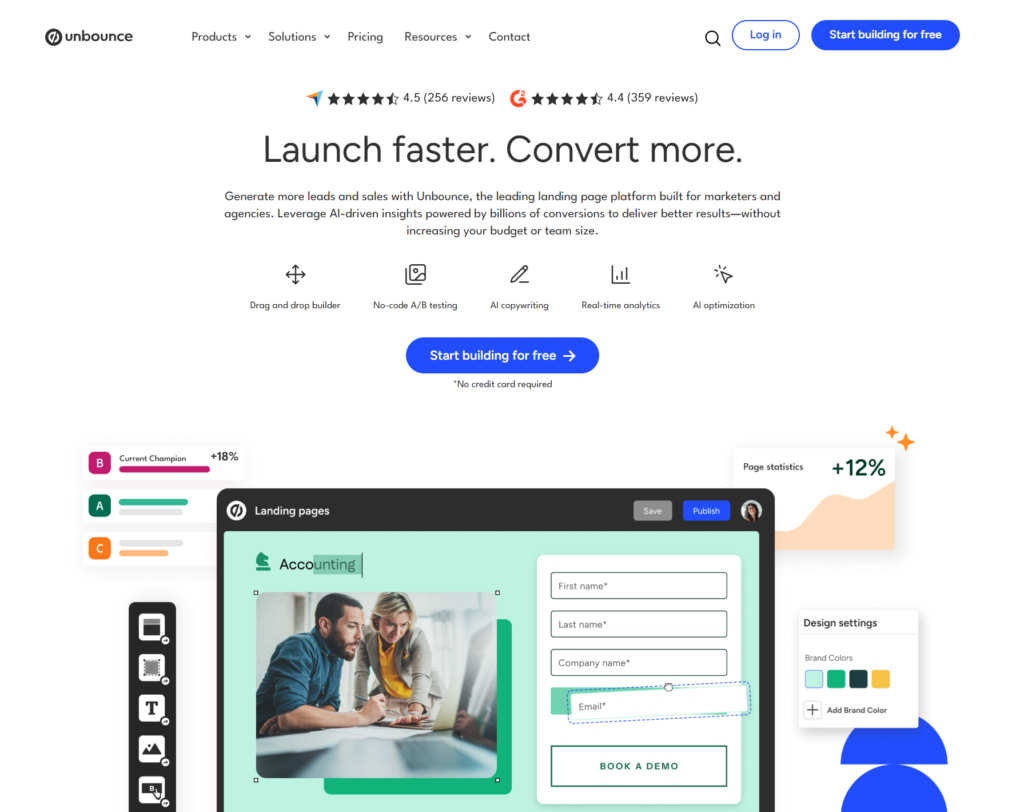
Unlike general website builders like Wix or Squarespace, Unbounce focuses exclusively on one thing: getting more conversions from your marketing campaigns. Whether you’re running Google Ads, Facebook campaigns, or email marketing, Unbounce gives you the tools to build dedicated landing pages that match your ads and keep visitors focused on taking action.
The platform combines three key components:
- A drag-and-drop page builder that lets you design professional landing pages in minutes using 100+ conversion-optimized templates or start from scratch.
- AI-powered optimization tools, including Smart Traffic (which automatically routes visitors to page variants they’re most likely to convert on) and Smart Copy (an AI copywriting assistant that helps you write compelling page copy).
- Built-in testing and analytics so you can run A/B tests, track conversions, and continuously improve your results without relying on external tools.
But here’s what makes Unbounce different from competitors: it’s the only landing page platform that uses machine learning trained on data from over 1.5 billion real conversions. This means the AI features aren’t just marketing fluff; they’re built on actual performance data from thousands of successful campaigns.
The Core Features That Actually Matter
When you’re paying premium prices for a landing page tool, you need to know exactly what you’re getting. Let’s break down Unbounce’s main features and what they mean for your marketing campaigns.
Smart Traffic: The Game-Changing AI Feature
Smart Traffic is Unbounce’s standout feature, and honestly, it’s the main reason many marketers justify the higher price tag.
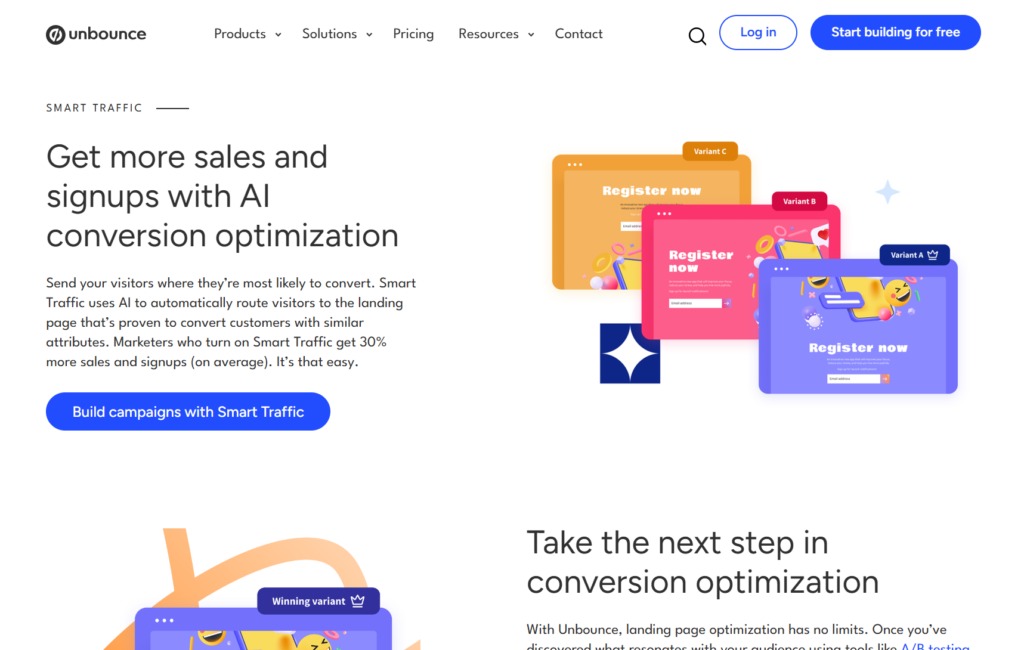
Here’s how it works:
Instead of running a traditional A/B test where you eventually pick one “winning” page to show everyone, Smart Traffic uses artificial intelligence to send each visitor to the page variant they’re personally most likely to convert on. It analyzes visitor attributes like location, device type, browser, time of day, and dozens of other signals to make split-second decisions about which page to show.
The results speak for themselves. Unbounce reports that pages using Smart Traffic see an average 30% lift in conversions compared to traditional A/B testing. Even better, it starts optimizing after just 50 visits, not the thousands you’d typically need for statistically significant A/B test results.
Here’s a real-world example: Let’s say you create three versions of your landing page (one emphasizing price, one highlighting features, and one showcasing customer testimonials). Smart Traffic learns that mobile users from California convert best on the testimonials page, while desktop users from New York prefer the features page. Instead of forcing everyone to see the same “champion” page, it automatically routes each visitor to their best-fit option.
This is huge for marketers running paid traffic campaigns where every percentage point of conversion improvement directly impacts your ROI.
Smart Copy: AI-Powered Copywriting That Actually Works
Writer’s block is real, especially when you’re staring at a blank landing page trying to come up with compelling headlines. Smart Copy tackles this problem head-on with an AI copywriting assistant that’s integrated directly into the Unbounce builder.
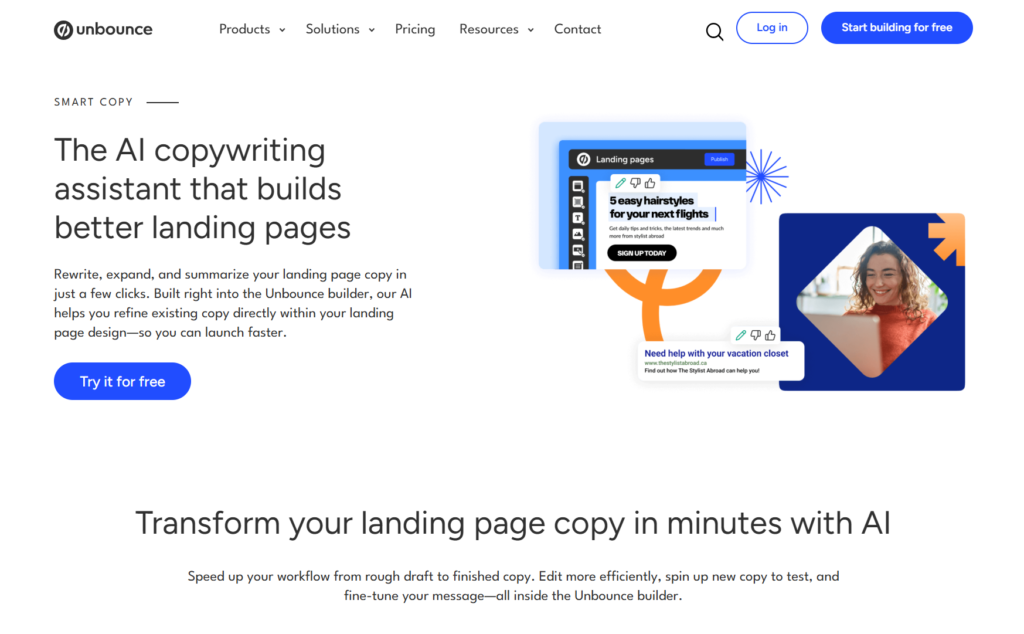
Unlike generic AI writing tools, Smart Copy was specifically trained on high-converting landing page copy. It offers over 45 different templates for everything from Google Ads headlines to product descriptions, email subject lines, and landing page headlines.
The tool can:
- Rewrite existing copy to make it more compelling
- Expand short ideas into full paragraphs
- Summarize long content into punchy statements
- Generate multiple variations for A/B testing
What’s particularly useful is that Smart Copy learns your brand voice and target audience through a project profile you set up. This means the copy suggestions aren’t generic, they’re customized to match your brand’s tone and speak directly to your customers.
You can also use Smart Copy as a standalone tool (it’s available at copy.unbounce.com) or through a Chrome extension that works across any platform. The free plan gives you 5 daily credits, while paid plans offer unlimited access.
Classic Builder vs Smart Builder: Two Ways to Build
Unbounce gives you two different page builders depending on your skill level and needs:
Classic Builder is the original drag-and-drop editor with advanced customization options. It’s perfect if you want pixel-perfect control over every element, need to add custom code, or want to build complex page layouts. Experienced marketers and designers tend to prefer Classic Builder for its flexibility.
Smart Builder is the newer AI-powered option that provides data-backed recommendations as you build. It suggests layouts, color schemes, and content blocks based on conversion data from millions of landing pages. This is ideal if you’re newer to landing page optimization or want to build pages faster.
Both builders are included with every Unbounce plan, so you can switch between them depending on the project.
Templates That Are Actually Conversion-Optimized
Unbounce offers 100+ professionally designed templates across different industries and use cases. These aren’t just pretty designs thrown together by a graphic designer. Each template was built using conversion rate optimization best practices and tested on real campaigns.
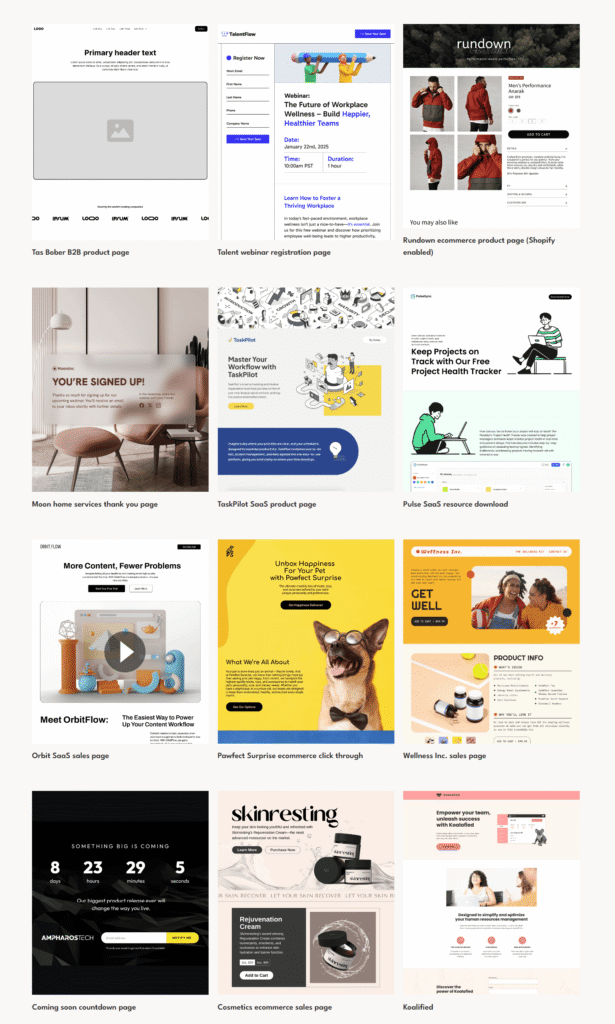
The landing page template library covers:
- Lead generation pages
- Click-through pages
- Sales pages
- Webinar registration pages
- E-commerce product pages
- Thank you pages
You can filter templates by industry (SaaS, e-commerce, agencies, real estate, etc.) and customize every element to match your brand. If you need more options, third-party marketplaces like Envato Elements also sell additional Unbounce templates.
Popups and Sticky Bars for Website Conversion
Beyond landing pages, Unbounce lets you create pop-ups and sticky bars to capture leads from your existing website traffic. These can be triggered based on visitor behavior like exit intent, scroll depth, time on page, or specific clicks.
The same AI features apply here, too. You can use Smart Copy to write pop-up headlines and Smart Traffic to test different variations. Popups and sticky bars are included with all Unbounce plans.
Integrations That Connect Your Marketing Stack
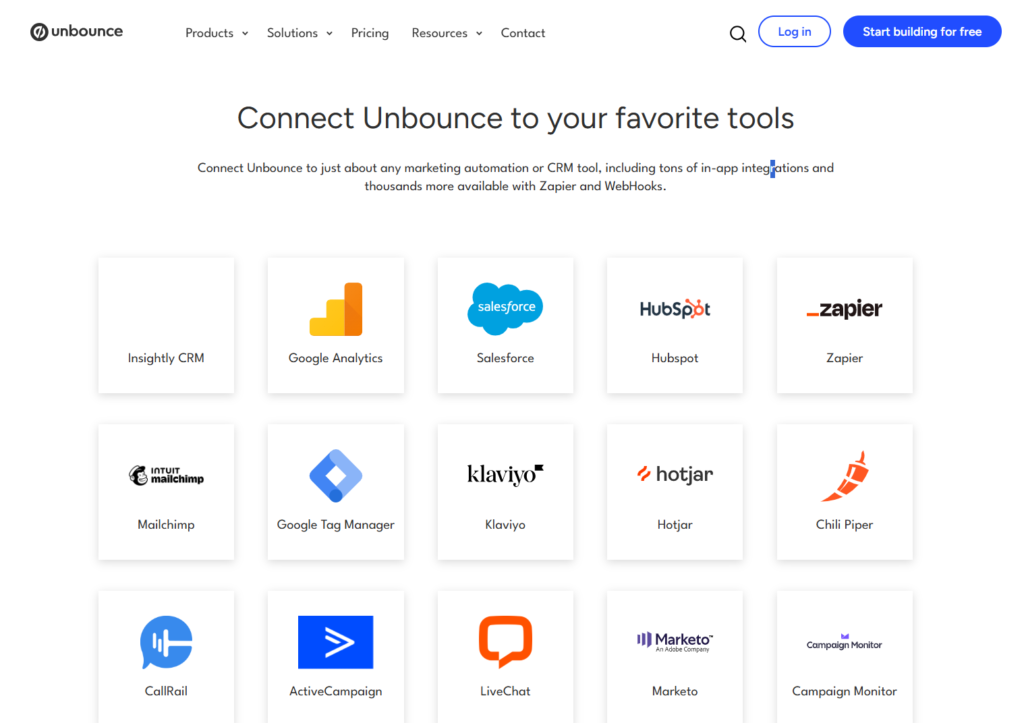
Unbounce integrates seamlessly with over 1,000 marketing tools including:
- Email marketing platforms (Mailchimp, ActiveCampaign, Constant Contact)
- CRM systems (Salesforce, HubSpot, Pipedrive)
- Analytics tools (Google Analytics, Facebook Pixel)
- Webinar platforms (GoToWebinar, Zoom)
- Payment processors (Stripe, PayPal)
If your tool isn’t directly integrated, you can use Zapier or webhooks to connect virtually anything. This means leads captured on your Unbounce landing pages automatically flow into your existing marketing systems.
How Unbounce Actually Works: The Process Explained
Understanding how to use Unbounce helps you determine if it fits your workflow. Here’s the typical process from start to finish:
Step 1: Choose Your Starting Point. You can either select a template from the library or start with a blank canvas. Most marketers begin with a template to save time, then customize it to match their brand and campaign goals.
Step 2: Customize Your Page Using the drag-and-drop builder, you add and arrange elements like headlines, images, forms, buttons, testimonials, and videos. The interface is intuitive enough for beginners but powerful enough for advanced users who want to add custom CSS and JavaScript.
Step 3: Write Your Copy This is where Smart Copy shines. Click the AI icon next to any text element and it will generate copy suggestions based on your project profile. You can generate multiple options, refine them, and apply the one you like with a single click.
Step 4: Create Variants for Testing If you plan to use Smart Traffic or run A/B tests, create 2-5 page variants with meaningful differences. Maybe one variant emphasizes social proof while another focuses on your unique features. The key is testing substantive changes, not just button color tweaks.
Step 5: Set Your Conversion Goals Define what counts as a conversion (form submission, button click, external link click). This is how Unbounce tracks your page performance and powers the Smart Traffic algorithm.
Step 6: Publish and Activate Smart Traffic You can publish pages to your own domain, a WordPress site, or an Unbounce-hosted URL. If using Smart Traffic, activate it and the AI enters a learning phase that requires about 30 visitors per variant before it starts optimizing.
Step 7: Monitor and Optimize Check your analytics dashboard to see how your pages perform. Smart Traffic continues learning and improving results over time, but you can also run traditional A/B tests if you prefer more control.
The entire process from template selection to published page can take as little as 30 minutes for simple pages, or a few hours for complex, heavily customized designs.
Who Should Actually Use Unbounce?
Unbounce isn’t for everyone, and that’s okay. Let’s be honest about who gets the most value from this platform.
Ideal Use Cases Where Unbounce Excels
PPC Marketers Running Paid Traffic Campaigns If you’re spending $1,000 or more per month on Google Ads, Facebook Ads, or LinkedIn Ads, Unbounce quickly pays for itself. The Smart Traffic feature alone can boost conversions by 20-30%, which means you get more leads from the same ad spend. For example, if you’re spending $5,000 monthly and Smart Traffic increases conversions by 25%, that’s like getting an extra $1,250 worth of results while your Unbounce subscription costs around $100-250 per month.
Marketing Agencies Managing Multiple Client Campaigns Agencies love Unbounce because they can quickly spin up custom landing pages for different clients without needing developers. The template library speeds up production, and Smart Traffic helps deliver better results that justify agency fees. The higher-tier plans support multiple domains and users, making it practical for agency workflows.
SaaS Companies Optimizing Free Trial Signups SaaS businesses that rely on free trial conversions benefit enormously from Unbounce’s testing capabilities. Creating dedicated pages for different customer segments, testing various value propositions, and optimizing signup flows can dramatically improve trial-to-paid conversion rates.
E-commerce Brands Driving Product Sales Online stores can create custom landing pages for specific products, seasonal promotions, or influencer campaigns. Research shows that directing traffic to dedicated landing pages (rather than generic product pages) can double conversion rates and average order values.
Lead Generation Businesses If your business model revolves around capturing leads (real estate, financial services, B2B companies), Unbounce provides everything you need: high-converting forms, lead capture popups, and seamless CRM integrations to keep your sales pipeline flowing.
When Unbounce Probably Isn’t Worth It
Bloggers and Content Creators with Organic Traffic If most of your traffic comes from organic search and you’re not running paid campaigns, Unbounce is probably overkill. The platform is optimized for paid traffic conversion, and you’ll pay for features you don’t really need. A simpler tool like Leadpages or even a WordPress plugin would be more cost-effective.
Startups with Very Limited Budgets At $74-187 per month depending on your plan, Unbounce requires a real budget commitment. If you’re a bootstrap startup watching every dollar, there are cheaper alternatives that offer 80% of the functionality at 40% of the cost.
Simple Business Needs If you just need a basic contact form or a simple “coming soon” page, you don’t need Unbounce’s advanced features. A free tool or your existing website builder can handle simple landing pages just fine.
Very High Traffic Websites (Without Budget) Unbounce plans include visitor limits (20,000 to 50,000+ visitors per month, depending on your tier). If you’re driving massive traffic but don’t have the budget to upgrade to higher plans or custom enterprise pricing, the visitor caps could become problematic.
Unbounce Pricing Breakdown for 2026
Pricing is often the biggest deciding factor, so let’s break down exactly what you get at each level.
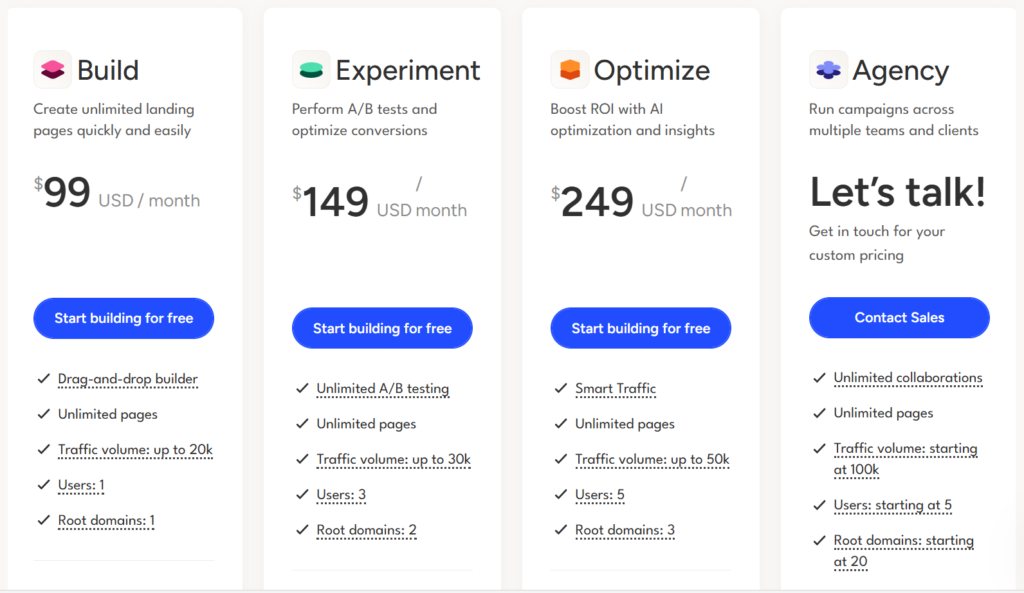
Build Plan: $99/month ($74/month Annual)
This is Unbounce’s entry-level plan designed for small businesses and solo marketers getting started with landing page optimization.
What’s included:
- 20,000 monthly visitors
- Unlimited landing pages, popups, and sticky bars
- 1 domain
- 1 user
- Drag-and-drop builder (both Classic and Smart)
- 100+ templates
- AI copywriting (Smart Copy)
- Form integrations
- Mobile-responsive pages
- SSL encryption and CDN
- Basic support
What’s missing:
- No Smart Traffic AI optimization
- No A/B testing
- No advanced targeting options
- Limited integration options
Best for: Small businesses testing the waters with landing page optimization, solo marketers running single campaigns, or anyone who doesn’t need AI optimization yet.
Experiment Plan: $149/month ($112/month Annual)
This mid-tier plan adds testing capabilities and is the most popular choice for growing businesses.
Everything in Build, plus:
- 30,000 monthly visitors
- 3 domains
- 3 users
- A/B testing
- Dynamic text replacement
- Advanced integrations
- Priority support
What’s still missing:
- No Smart Traffic
- Limited visitor capacity for high-traffic campaigns
Best for: Marketing teams running multiple campaigns who need A/B testing capabilities but aren’t ready for AI optimization.
Optimize Plan: $249/month ($187/month Annual)
This premium tier includes Smart Traffic and is designed for serious performance marketers.
Everything in Experiment, plus:
- 50,000 monthly visitors
- 5 domains
- 5 users
- Smart Traffic AI optimization
- Advanced popup targeting
- Audience insights
- Industry benchmarking
- AMP landing pages
Best for: PPC marketers spending significant money on ads, agencies managing multiple high-value clients, and businesses where conversion optimization directly impacts revenue.
Agency/Custom Plans: Starting at $469/month
For enterprise clients or large agencies, Unbounce offers custom plans with:
- Higher or unlimited visitor capacity
- More domains and users
- Dedicated customer success manager
- Priority technical support
- Advanced onboarding
- Custom service level agreements
Contact Unbounce sales for exact pricing based on your needs.
The Real Cost of Unbounce
When evaluating pricing, remember to factor in:
- Annual billing saves 25% across all plans
- Visitor overages incur penalties (reportedly 30% of your annual subscription if you exceed limits)
- No free plan exists (only a 14-day trial)
- Smart Traffic is only on the Optimize tier ($187-249/month)
Compare this to competitors like Leadpages (starts at $49/month with unlimited traffic) or Landingi (starts at $89/month with more generous limits). You’re paying a premium for Unbounce’s AI features and brand reputation.
The Honest Pros and Cons
After analyzing hundreds of user reviews and comparing Unbounce to alternatives, here’s the unfiltered truth.
Advantages That Make Unbounce Stand Out
- Smart Traffic is genuinely game-changing for paid campaigns. The 20-30% average conversion lift isn’t marketing hype, it’s backed by real user data. If you’re running paid traffic, this feature alone can justify the cost.
- AI copywriting saves massive amounts of time. Smart Copy genuinely speeds up the content creation process and provides solid starting points even if you end up tweaking the output.
- Templates are actually conversion-optimized. Unlike generic website templates, these are built using CRO best practices and tested on real campaigns.
- No coding required but advanced options available. The drag-and-drop interface works for beginners, but power users can add custom CSS, JavaScript, and HTML when needed.
- Extensive integration ecosystem. With 1,000+ integrations, Unbounce connects to virtually any tool in your marketing stack.
- Strong mobile optimization. All pages are automatically responsive and load quickly thanks to Unbounce’s CDN powered by Amazon CloudFront.
- Detailed analytics and reporting. The dashboard provides clear conversion data, and you can easily connect Google Analytics for deeper insights.
Disadvantages You Should Know About
- Expensive compared to alternatives. Starting at $74/month (annual billing) makes Unbounce one of the pricier options. Competitors offer similar features for $30-50/month.
- Strict visitor limits can hurt growing campaigns. The 20,000 visitor cap on the Build plan is reached quickly if your campaigns take off. Exceeding limits triggers steep penalty fees.
- Learning curve for advanced features. While basic page building is simple, mastering Smart Traffic variants, advanced targeting, and custom code takes time.
- Mobile editing can be clunky. Some users report that adjusting mobile layouts isn’t as smooth as desktop editing, with element alignment issues.
- Price increases for existing customers. Several reviews mention unexpected subscription increases of 200-400% during renewals, which feels exploitative.
- Limited page importing options. You can’t import pages from URLs or upload ZIP files, only Unbounce-specific files.
- No file management system. There’s no centralized place to organize images and assets across multiple pages.
- Customer support response times vary. While some users praise support, others report slow responses or unhelpful interactions during critical issues.
How Unbounce Compares to Top Alternatives?
You shouldn’t choose a tool without knowing what else is out there. Here’s how Unbounce stacks up against major competitors in 2026.
Unbounce vs. Leadpages
Leadpages is often considered the budget-friendly alternative, starting at $49/month with unlimited traffic and landing pages.
Where Leadpages wins: Much cheaper pricing, unlimited traffic on all plans, simpler interface for beginners, faster page load speeds.
Where Unbounce wins: Smart Traffic AI optimization (Leadpages has nothing comparable), more advanced customization options, better A/B testing tools, stronger integration capabilities.
Verdict: Choose Leadpages if you need basic landing pages and want to save money. Choose Unbounce if you’re serious about conversion optimization and run paid traffic campaigns where AI optimization pays for itself.
Unbounce vs. Instapage
Instapage is Unbounce’s biggest direct competitor, also starting around $99/month and targeting enterprise marketing teams.
Where Instapage wins: Superior collaboration features for teams, more templates (200+ vs 100+), better heatmap functionality, and more advanced personalization options.
Where Unbounce wins: Smart Traffic provides better AI optimization, an easier learning curve, slightly more affordable pricing, better suited for small-to-medium businesses vs enterprise focus.
Verdict: Choose Instapage if you’re a large marketing team needing advanced collaboration tools. Choose Unbounce if you want the best AI optimization and a simpler workflow.
Unbounce vs. ClickFunnels
ClickFunnels takes a fundamentally different approach, focusing on complete sales funnels rather than individual landing pages. Plans start at $147/month.
Where ClickFunnels wins: Full funnel building capabilities, built-in email automation, membership site features, and payment processing.
Where Unbounce wins: Better landing page design capabilities, more flexible customization, stronger for agencies, lower entry price.
Verdict: Choose ClickFunnels if you need complete funnel systems with email sequences and payment processing. Choose Unbounce if you specifically need high-converting landing pages for ad campaigns.
Should You Actually Sign Up for Unbounce?
After everything we’ve covered, here’s the bottom line decision framework:
Sign Up for Unbounce If:
- You’re spending $1,000+ per month on paid advertising and need to maximize conversion rates
- You’re a marketing agency managing multiple client campaigns
- AI-powered optimization that runs on autopilot sounds worth $100-250 per month
- You value speed and efficiency over rock-bottom pricing
- Your campaigns fit within the visitor limits of your chosen plan
- You need professional landing pages without hiring developers
Skip Unbounce If:
- Most of your traffic comes from organic search, not paid ads
- Your budget for landing page software is under $50/month
- You need unlimited traffic and can’t afford plan upgrades
- You only need basic landing pages without advanced testing
- You’re already happy with a cheaper alternative that meets your needs
The Smart Way to Test Unbounce
Don’t just take my word for it or commit blindly. Here’s the smart approach:
Start with the 14-day free trial. No credit card required. Build a real landing page for an actual campaign and see if the interface clicks for you.
Test Smart Copy and templates. These are available in the trial. If the AI copywriting impresses you and templates save you significant time, that’s a good sign.
Calculate your break-even point. Figure out how much a 20-30% conversion increase would be worth to your business. If it’s more than the subscription cost, Unbounce makes financial sense.
Consider starting with annual billing. The 25% discount makes a significant difference. The Build plan drops from $99 to $74 per month, saving you $300 annually.
Plan to upgrade for Smart Traffic. Don’t start with Build plan expecting to stay there long-term. The real magic happens at the Optimize tier ($187/month annual). If that’s outside your budget, alternatives might be better.
Final Thoughts: Is Unbounce Worth It in 2026?
Unbounce remains the leading landing page platform for performance marketers running paid traffic campaigns. The Smart Traffic AI feature is genuinely innovative and delivers measurable results that justify the premium pricing for the right use cases.
However, the platform isn’t perfect. The pricing structure with strict visitor limits, reports of aggressive price increases for existing customers, and lack of features like page importing and asset management are legitimate concerns. For businesses on tight budgets or running primarily organic traffic, cheaper alternatives offer 80% of the functionality at 40% of the cost.
The verdict? Unbounce is absolutely worth it if you’re a serious marketer treating conversion rate optimization as a profit center, not a cost center. When you’re spending thousands on ads, paying $100-250 per month for a 20-30% conversion lift is a no-brainer investment.
But if you’re a small business owner, blogger, or startup founder just needing basic landing pages, you can probably get by with a more affordable option until you reach the scale where AI optimization actually moves the needle on your revenue.
Use the 14-day trial, run the numbers for your specific situation, and make the decision based on ROI potential rather than features alone. That’s how you’ll know if Unbounce is right for you.
Frequently Asked Questions About Unbounce
How much is Unbounce per month?
Unbounce costs $99 per month for the Build plan, $149 per month for the Experiment plan, and $249 per month for the Optimize plan when billed monthly. If you pay annually, prices drop to $74, $112, and $187 per month, respectively, saving you 25%. The Build plan includes 20,000 monthly visitors and unlimited landing pages, but no AI features. The Optimize plan adds Smart Traffic AI optimization and supports 50,000 monthly visitors. Enterprise and agency plans with custom pricing start at $469 per month.
Is Unbounce a legit company?
Yes, Unbounce is a legitimate and well-established company founded in 2009 and headquartered in Vancouver, Canada. The company has been in business for over 15 years and serves more than 15,000 customers worldwide, including recognized brands and marketing agencies. Unbounce is backed by reputable investors and has won multiple industry awards for innovation in marketing technology. The platform processes millions of conversions annually and maintains strong security certifications, including SOC 2 Type II compliance.
Is Unbounce safe?
Yes, Unbounce is safe to use and takes security seriously. All Unbounce landing pages include free SSL encryption to protect visitor data, and the platform is hosted on Amazon Web Services (AWS) with enterprise-grade security. Unbounce is SOC 2 Type II compliant, meaning it has passed rigorous third-party audits for security, availability, and confidentiality. The company also maintains GDPR compliance for European users and provides data processing agreements for customers handling sensitive information. Your payment information is processed securely through industry-standard encrypted channels.
Who is the parent company of Unbounce?
Unbounce is an independent, privately-held company and does not have a parent company. Founded in 2009 by Rick Perreault, Oli Gardner, Jason Murphy, and Carter Gilchrist, Unbounce operates as a standalone software-as-a-service (SaaS) business headquartered in Vancouver, British Columbia, Canada. The company is backed by venture capital investors, including Aquent Capital Partners and Felicis Ventures, but remains independently operated and has not been acquired by any larger corporation as of 2026.
Does Unbounce require coding skills?
No, Unbounce does not require any coding skills to create professional landing pages. The platform features a drag-and-drop builder that lets you design, customize, and publish pages without writing a single line of code. You simply select elements like headlines, images, forms, and buttons, then drag them into position on your page. However, for advanced users who want additional customization, Unbounce does allow you to add custom CSS, JavaScript, and HTML code. This makes it suitable for both non-technical marketers and experienced developers who need more control.
Can you use Unbounce for free?
Unbounce does not offer a free plan, but it provides a 14-day free trial that lets you test all features without requiring a credit card. During the trial period, you can build unlimited landing pages, access all templates, use Smart Copy AI for copywriting, and publish pages to test their performance. After the trial ends, you must subscribe to a paid plan starting at $74 per month (annual billing) or $99 per month (monthly billing) to continue using the platform. There are no permanent free options or freemium tiers available with Unbounce.
Read more related articles:
Unbounce Coupon Code: Get Upto 35% OFF

