
Weebly was once the friendliest drag-and-drop website builder around. Millions of small businesses, students, and bloggers used it to get online without writing a line of code. Framer is a newer, design-first builder that has grown fast among startups, agencies, and creative professionals.
On paper, comparing them looks simple. In 2026, it is not, because the two platforms are in very different places. Framer is actively developed and adding features. Weebly, owned by Square since 2018, has seen little product development in recent years, and Square now steers new customers toward its own builder, Square Online. In some countries, Weebly is being shut down altogether.
The short answer: for almost every new website in 2026, Framer is the better choice. It offers more design freedom, a built-in CMS, stronger SEO controls, and a platform that is still moving forward. Weebly still makes sense for a narrow group: existing users in supported countries who run a simple site tied to Square’s point-of-sale tools and have no reason to move yet.
This guide compares Framer and Weebly across ease of use, design, features, SEO, e-commerce, pricing, and long-term risk. It also explains what the Weebly situation means for you, and what to do if you already have a Weebly site.
Framer vs. Weebly: Quick Comparison
| Category | Framer | Weebly |
|---|---|---|
| Best for | Startups, SaaS, agencies, portfolios, marketing sites | Existing Weebly users and simple sites linked to Square |
| Development status | Actively developed | Largely static; Square recommends Square Online for new sites |
| Design freedom | Very high, with pixel-level control and advanced animation | Basic, with a template-based drag-and-drop editor |
| Ease of use | Moderate learning curve | Very easy |
| Built-in CMS and blogging | Yes | Basic blogging |
| E-commerce | No native store; relies on integrations | Basic store features tied to Square |
| AI features | Yes | Limited |
| SEO controls | Strong core controls plus custom code | Basic controls |
| Availability | Worldwide | Available in the U.S.; being wound down in 67 countries |
| Free plan | Yes | Yes, with Weebly ads |
| Paid plans (annual billing) | Roughly $10 to $30 per month per site | Legacy plans from roughly $10 to $26 per month |
| Code export | No | No |
What Is Framer?

Framer is a visual website builder with a design-tool feel. If you have used Figma or a similar program, the canvas, frames, stacks, and components will feel familiar. You design pages, add animations and interactions, connect a CMS, and publish to a live site without leaving the editor. Hosting, security certificates, and delivery are handled for you.
Its strengths are design control, a built-in toolkit for marketing teams (CMS, localization, redirects, A/B testing), and flexibility for developers who want to add custom code or React components. Framer also offers AI tools that draft pages and layouts for you to refine. It revised its pricing in mid-2026, so check the current plan details before you buy.
What Is Weebly?
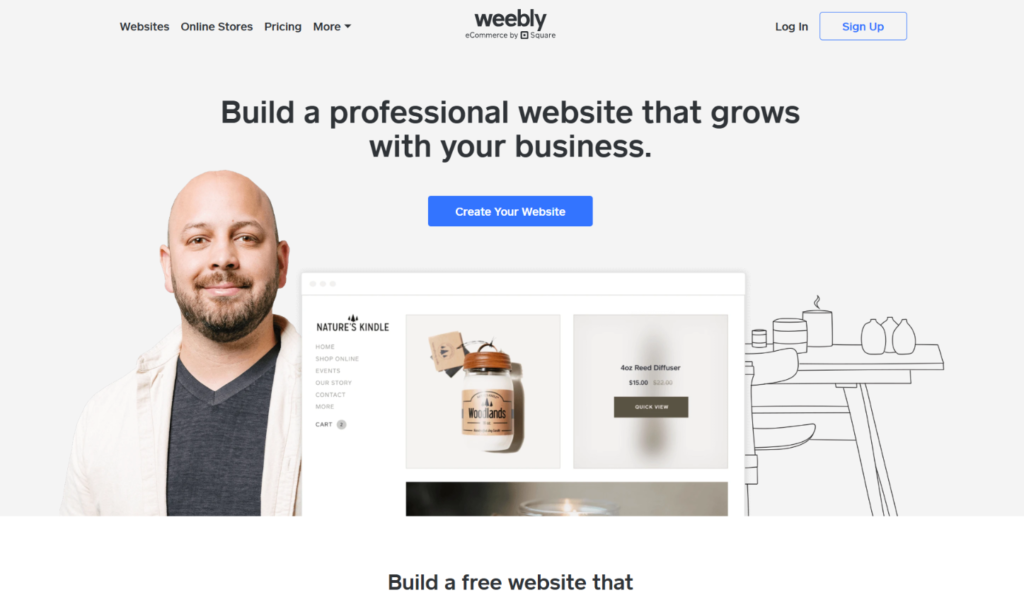
Weebly is a drag-and-drop website builder founded in 2006 and acquired by Square in 2018. It became popular because it was simple: pick a template, drag elements onto a page, and publish. It includes basic blogging, a simple online store, an App Center for extra features, and integration with Square’s payment and point-of-sale tools.
Since the acquisition, Square has focused its attention on Square Online. Reports from the past year describe the Weebly editor as being in maintenance mode, and Square removed the Weebly mobile app from the major app stores in December 2025. Square’s own support pages encourage new sites to be built with Square Online instead.
The Big Question: Is Weebly Still Safe to Use?
This is the most important section of this comparison, so read it carefully.
In the United States, Weebly remains available. In an update dated August 2026, Square said it has no plans to discontinue the Weebly website builder, while continuing to recommend Square Online for new websites. That is reassuring, but it is not a promise of new features or long-term investment.
Outside the U.S., the picture is different. Weebly announced that it is winding down service in 67 countries, including several in the Middle East. According to published reports, affected sites were scheduled to be unpublished on September 27, 2026, with account access ending on December 26, 2026. If you are outside the U.S., check Weebly’s official notice for your country right away, because the deadline may already have passed.
Even where Weebly is available, there are reasons for caution. Development has slowed, support options have narrowed, and users have complained about renewal pricing. If you are starting a brand new website, choosing a platform with an uncertain future adds risk you do not need.
Weebly vs. Square Online: What Is the Difference?
Many people who search for Weebly end up at Square Online, so it helps to know how the two differ. Both belong to Square, and both can sell online, but they are separate products with separate editors. Square has said its newer editor does not work with the Weebly App Center, and moving from one to the other means building a new site rather than clicking a migrate button.
Square Online is built around selling. It connects tightly to Square’s payments, point-of-sale, and inventory tools, and it is the platform Square recommends for new sites. Some reviewers find it weaker for general web design, and its blogging tools can feel more basic than the older Weebly editor. Weebly is more conventional as a content site, but it is no longer where Square is investing its effort.
If you run a shop that already uses Square at the counter, Square Online is probably the sensible comparison. If you are building a marketing site, a portfolio, or a content-driven brand, Framer is a better match for both design and long-term growth.
Ease of Use
Weebly is genuinely easy. The editor is simple, the options are limited, and most people can publish a basic site in an afternoon. That simplicity is the main reason it earned its audience.
Framer asks for a little more. Concepts like stacks, breakpoints, and component variants take some learning. Designers pick them up quickly, and complete beginners usually need a few hours with tutorials or templates. Once you understand the system, building responsive pages is fast and predictable.
Verdict: Weebly is easier on day one. Framer is not hard, and it takes you much further.
Design Flexibility and Templates
This is where the gap is widest.
Framer gives you fine control over layout, typography, spacing, and motion. You can build scroll effects, hover states, page transitions, and interactive components without code, then reuse them across the site. Its templates and marketplace lean toward modern, design-forward marketing sites, portfolios, and landing pages.
Weebly’s templates helped define the early drag-and-drop era, and many look dated now. Customization is limited, and getting a distinctive or modern look takes effort. Fewer design options also make it harder to stand out from other Weebly sites.
Verdict: Framer, by a wide margin.
Features: CMS, Blogging, and Content
Framer includes a built-in CMS. You can create collections for blog posts, case studies, team members, or resources, then design templates that display each entry. Marketers can add and edit content without touching layout.
Weebly offers a conventional blog with categories and comments. Some reviewers still describe its blogging as simpler and more traditional than the newer Square Online editor. For a basic personal blog, it works. For structured content, custom fields, or dynamic templates, it is much more limited than Framer.
Verdict: Framer for any content-driven site. Weebly for a very simple blog.
SEO: Which Builder Is Better for Search?
Google does not favor a site because of the builder behind it. It rewards crawlable, fast, mobile-friendly pages with helpful, original content. Both tools can publish pages that search engines can read, but they give you different levels of control.
Framer lets you edit page titles, meta descriptions, clean URLs, headings, alt text, redirects, canonical settings, sitemaps, and social previews, and you can add structured data through custom code. It generates clean pages that tend to load quickly, which supports Core Web Vitals.
Weebly provides the basics, such as page titles, descriptions, and alt text, with fewer advanced controls. For a small local business, that may be enough. For anyone serious about organic growth, the limited options and lack of ongoing development are drawbacks.
Whichever you choose, remember that the tool does not rank pages. Original content, clear search intent, strong internal links, and real expertise matter far more.
Verdict: Framer.
Performance and Mobile Experience
Framer sites generally perform well out of the box, since the platform produces optimized output. Heavy animations and large images can still slow a page, so good habits matter.
Weebly sites can be fast when kept simple, but older templates and added apps may drag performance down. Test any template with Google PageSpeed Insights before you commit. Also note that Weebly’s mobile app was removed from the app stores in late 2025, so managing a site from a phone is no longer an option for new installs.
Verdict: Framer has the edge.
E-Commerce
This is the one area where Weebly can still make a case, with a caveat.
Weebly offers basic online store features and native integration with Square’s point-of-sale and payment tools. A small shop that already uses Square in person can sync inventory between its physical and online stores. That connection is Weebly’s strongest remaining advantage.
The caveat is that Square now recommends Square Online for new stores. It is built around the same ecosystem and receives the product investment. Anyone starting a Square-based store should compare Square Online first, and anyone who wants a larger or more flexible store should look at Shopify or Wix.
Framer has no native e-commerce system. You can connect services like Shopify buy buttons, Stripe payment links, or Lemon Squeezy to sell a few products or digital goods. That works well for a campaign page or a small catalog, but not for a full store. Our Framer vs. Wix comparison covers stronger e-commerce options.
Verdict: Neither is ideal. Weebly’s Square link is useful for existing users. For a new store, look at Square Online, Shopify, or Wix.
Apps, Integrations, and Extensibility
Weebly has an App Center with add-ons for forms, social tools, and other features. Square has said its newer editor does not work with the Weebly App Center, which shows how separate the two products have become.
Framer connects to popular tools through plugins, embeds, and custom code, and its marketplace includes community-made components and plugins. Developers can also write custom React code components. The ecosystem is smaller than that of long-established platforms, but it covers analytics, forms, CRMs, newsletters, and most marketing needs.
Verdict: Framer for a modern, growing ecosystem.
AI Features
Framer includes AI that can draft pages and layouts from a prompt, which you then refine in the canvas. In 2026 it introduced AI credits as part of its plans. The output is a starting point, not a finished site, but it can save hours.
Weebly has little to offer here, which fits with its overall slowdown in development.
Verdict: Framer.
Support and Reliability
Framer provides documentation, video tutorials, an active community, and help channels. Its community is smaller than that of the biggest builders, but it is engaged, and you can find many templates and freelancers who specialize in the platform.
Weebly’s support options have narrowed in recent years, and reviewers have reported frustration with renewals and billing. Existing documentation remains available, but you should not expect new tutorials or features.
Verdict: Framer.
Domains, Security, and Data Ownership
Both builders handle the basics: hosting, SSL certificates for secure HTTPS connections, and routine security updates, so you do not need to patch servers yourself. You can connect a custom domain on paid plans with either one.
Ownership is where you should be careful. Neither platform lets you export your site as clean, standalone code. Your pages, layouts, and design live on the vendor’s infrastructure. Keep your domain registered in an account you control so you can point it elsewhere at any time, and store copies of your text, images, and brand files outside the builder. That habit makes any future move far easier, and it matters most when a platform’s future is uncertain.
Also check how your domain was registered. If you bought it through Weebly or Square, confirm how to transfer it or change its DNS settings before you start a migration.
Verdict: A tie on security basics and ownership limits. Framer has the edge on platform stability.
Pricing: Framer vs. Weebly
Both companies have changed their plans over time, and prices vary by region and billing period. The figures below are approximate. Confirm them on each official pricing page before you buy.
Framer pricing
- Free: A framer.website subdomain with a Framer badge.
- Basic: Around $10 per month per site, billed annually.
- Pro: Around $30 per month per site, billed annually.
- Enterprise: Custom pricing.
Framer charges per site, and extra editors are billed separately. Monthly billing costs more than annual billing.
Weebly pricing
Weebly’s plan ladder runs from free to a few paid tiers, typically labeled Personal, Professional, and Performance. Published figures put legacy paid plans in the range of roughly $10 to $26 per month in the U.S. The free plan uses a Weebly subdomain and shows Weebly ads.
Those numbers look appealing, but they come with a catch. Weebly is no longer promoted to new users, and some customers report unwelcome surprises at renewal. A low price is a poor bargain if you will have to migrate your site later.
Which is cheaper?
For the first year, the cost is similar. Weebly’s lowest paid tier is competitive, and Framer’s Basic plan is close behind. Over a longer period, Framer offers better value because it comes with a CMS, modern design tools, and an active roadmap. Rebuilding a site on a new platform later also costs time and money.
Verdict: Framer for long-term value. Weebly only if you already have a plan you are happy with.
Hidden costs to factor in
The monthly price is only part of the bill. Before you decide, add up these items:
- Domain name: Usually billed yearly and separate from the platform plan, unless a promotion includes it.
- Extra editors: Framer bills additional editors on top of the site plan, so a team of three costs more than a single user.
- Apps and add-ons: Some extras on either platform carry their own fees.
- AI credits: Framer’s AI tools use credits, so heavy use may call for a higher tier or a top-up.
- Renewal pricing: Introductory rates often rise after the first term, so check what your plan costs at renewal.
- Migration time: If you stay on Weebly now and move later, you pay twice, once for the current plan and again in the hours spent rebuilding.
Migrating from Weebly to Framer
If you already have a Weebly site, the question is not just which tool is better. It is whether you should move.
There is no one-click migration. Weebly sites cannot be exported as clean code, so you will need to rebuild your pages in Framer. The process usually looks like this:
- Audit your site. List every page, blog post, image, and form. Note which pages get traffic using Google Search Console.
- Save your content. Copy text and download images. Keep a record of page titles, meta descriptions, and URLs.
- Choose a template. Pick a Framer template that fits your brand, or build from scratch.
- Rebuild your pages. Recreate your content, and move blog posts into Framer’s CMS.
- Match your URLs where you can. Keeping the same URLs avoids lost rankings. Where they must change, plan 301 redirects.
- Test before launch. Check mobile layouts, forms, links, and page speed.
- Connect your domain and publish. Then submit your sitemap in Google Search Console and monitor traffic for several weeks.
If you are in a country where Weebly is being wound down, start immediately and use your remaining access to save everything you need.
How long does a migration take?
A simple five-page brochure site can often be rebuilt in a day or two once your content is ready. A blog with dozens of posts, a store, or a site with custom forms takes longer, anywhere from a week to several weeks. Most of the time goes into organizing content and checking redirects, not into building the pages themselves.
Common migration mistakes to avoid
- Changing URLs without redirects. Every address that changes needs a 301 redirect to its new equivalent, or you risk losing traffic and rankings.
- Forgetting metadata. Page titles, meta descriptions, and image alt text do not move automatically, so copy them over by hand.
- Deleting the old site too soon. Where you can, keep the Weebly site accessible until the new one is live and tested. If your access has an end date, save everything first.
- Skipping mobile testing. Check every page on a phone before launch.
- Ignoring Search Console. Submit the new sitemap and watch for crawl errors and drops in indexed pages for several weeks.
- Rebuilding everything exactly as it was. A migration is a good time to cut thin pages, refresh outdated copy, and improve navigation.
Limitations to Know Before You Choose
Framer limitations
- No native e-commerce
- No code export, so your site stays on Framer’s platform
- A steeper learning curve than the simplest builders
- Editors are billed separately
Weebly limitations
- Uncertain future, with Square recommending Square Online for new sites
- Being wound down in 67 countries
- Dated templates and limited customization
- Basic SEO controls
- Mobile app removed from app stores
- No code export
Who Should Choose Framer?
Framer is the better choice if you:
- Are building a new website and want a platform with a future
- Care about modern, distinctive design
- Need a built-in CMS and blog
- Want strong SEO controls
- Run a startup, agency, or creative business
- Want AI help with layouts and drafts
Who Should Still Consider Weebly?
Weebly may still be reasonable if you:
- Already have a Weebly site in a supported country and it meets your needs
- Run a very simple site and want no changes
- Use Square for in-store sales and want inventory synced to a basic online shop
- Plan to move later, and want to delay the work
Even in those cases, compare Square Online, which Square itself recommends for new sites.
Getting Started with Framer: A Simple First-Week Plan
If you decide to switch, a short plan keeps the project from dragging on. This is a realistic pace for one person working part time.
- Day 1: Set your goal. Write down what the site must do, such as capture leads, showcase work, or publish a blog.
- Day 2: Collect your content. Gather text, logos, photos, and a list of the pages you need.
- Day 3: Pick a template. Choose one that fits your layout needs, and start on the free plan.
- Days 4 and 5: Build your key pages. Begin with the homepage, an about page, and your main service or product page.
- Day 6: Set up the CMS and SEO. Create blog collections if you need them, and fill in page titles and descriptions.
- Day 7: Test and launch. Check mobile layouts, links, and speed, then connect your domain and publish.
You do not need every page on day one. A fast, focused five-page site beats a sprawling unfinished one.
Real-World Scenarios
A freelance designer building a portfolio. Framer. Design control and a modern look matter most.
A startup launching a product site and blog. Framer. CMS, SEO controls, and fast iteration are essential.
A small café with an existing Weebly site in the U.S. Stay for now if it works, but plan a move to Square Online or a modern builder.
A shop owner who sells in-store through Square and wants to add online sales. Look at Square Online first. It is built for that case.
A business owner in a country where Weebly is shutting down. Move to a new platform now. Framer works for a marketing site, while Shopify or Wix suit a full store.
A hobby blogger who wants the simplest possible tool. Wix or Squarespace are safer choices than Weebly in 2026.
How to Decide: A Short Checklist
- Is this a new site? If yes, choose Framer or another actively developed builder.
- Do you already use Weebly in a supported country? If yes, plan your move, but you can take your time.
- Is your country affected by the wind-down? If yes, migrate immediately.
- Do you need a full store? Look at Square Online, Shopify, or Wix instead.
- Do you want a modern design and strong SEO? If yes, choose Framer.
Try Framer’s free plan and build a test page. A short trial will show whether the editor suits you.
Frequently Asked Questions
Is Framer better than Weebly?
For most new websites, yes. Framer offers more design freedom, a built-in CMS, better SEO controls, and an actively developed platform. Weebly’s main remaining advantage is simplicity and its link to Square.
Is Weebly shutting down?
In the United States, Square says it has no plans to discontinue Weebly. In 67 other countries, Weebly announced a wind-down, with sites scheduled to be unpublished in September 2026 and account access ending in December 2026. Check Weebly’s official notice for your country.
Is Weebly still worth using in 2026?
For a new site, usually not. Square recommends Square Online for new customers, and Weebly has had little active development. Existing U.S. users with simple sites may keep using it for now.
What replaced Weebly?
Square points new customers to Square Online. Many users also move to Wix, Squarespace, Shopify, or Framer depending on their needs.
Can I move my Weebly site to Framer?
Yes, but you must rebuild it manually. There is no one-click export. Save your content, recreate your pages, and set up 301 redirects where URLs change.
Is Framer easy for beginners?
Reasonably. It has a moderate learning curve, but templates, AI tools, and tutorials help. Weebly is easier on the first day, but it is limited.
Is Framer good for SEO?
Yes. Framer provides meta tags, clean URLs, redirects, and sitemaps, and it produces lean pages. Rankings still depend on content quality, search intent, and authority.
Does Framer have a free plan?
Yes. You can publish on a framer.website subdomain for free. Paid plans add a custom domain and higher limits.
Is Weebly or Framer cheaper?
Both have low entry prices. Weebly’s legacy plans are slightly cheaper at the bottom, but Framer offers more value over time and avoids the cost of a forced migration.
Can I sell products with Framer?
Only through integrations such as Shopify, Stripe, or Lemon Squeezy. For a full online store, use a dedicated e-commerce platform.
What are the best Weebly alternatives?
Framer, Wix, Squarespace, Shopify, and Square Online are the most common options. Choose Framer for design-led marketing sites, Wix or Squarespace for general small business sites, and Shopify or Square Online for stores.
Will I lose my Google rankings if I leave Weebly?
Not necessarily, but you can if you skip the careful steps. Keep URLs the same where possible, set up 301 redirects for any that change, move your metadata, and submit your new sitemap in Google Search Console. Expect some movement for a few weeks. Rankings usually settle when the new site is as helpful and as fast as the old one.
Can I keep my domain name when I switch?
Yes. Your domain is separate from your website builder. Check where it is registered, then point it to Framer using the DNS settings Framer provides. If you registered it through Weebly or Square, confirm the transfer or DNS steps first.
How long does it take to rebuild a Weebly site in Framer?
A small site can take a day or two. Larger sites with blogs or many pages can take a few weeks. Preparation and redirects usually take more time than the build itself.
Is Framer good for small local businesses?
Yes, for brochure-style sites with services, contact details, galleries, and a blog. It is not built for complex booking or stores, so businesses that need those should pair it with a booking tool or choose a platform that includes them.
Do I need design experience to use Framer?
No, though it helps. Templates give you a professional starting point, and you can edit text, images, and colors without design skills. Fully custom layouts take more practice.
Should I wait to see what happens with Weebly before switching?
If you are in a country affected by the wind-down, no. Move now. If you are in the U.S. and your site works, you have more time, but a planned move on your own schedule is easier than a rushed one.
Final Verdict: Framer or Weebly?
In 2026, this is not a close contest for new websites.
Choose Framer if you want a modern, flexible builder with strong design tools, a built-in CMS, solid SEO controls, and a roadmap that is still moving. It suits startups, creatives, agencies, and small businesses that want a site they can grow with.
Consider Weebly only if you already have a site in a supported country, you are happy with it, and you have no urgent reason to move. Even then, keep a migration plan ready. If you are in a country affected by the wind-down, treat your move as a priority.
For anyone starting fresh, the simplest advice is to pick a platform that will still be developing new features next year. Start with Framer’s free plan, build a page, and see how it feels. Platform status, features, and prices change often, so check each company’s official pages before you commit.
