
Two very different ideas about building a website are competing for your attention. The first is the visual builder: you design on a canvas, see exactly what visitors will see, and publish.
Framer is one of the best examples. The second is the AI agent: you describe what you want in plain language, and software writes the code, sets up the database, and deploys the result. Emergent is a leading example of that approach.
Both promise to get you online faster than hiring a developer. Both appeal to founders, freelancers, and small teams. But they are built for different jobs, and picking the wrong one can cost you weeks of frustration or a surprising amount of money.
The short answer: choose Framer if you want a polished, fast, design-led website such as a marketing site, portfolio, landing page, or blog. Choose Emergent if you need a working application with logins, databases, payments, or custom logic, and you want AI to write the code for you. For a standard website, Framer is usually cheaper, more predictable, and easier to control. For a web app, Emergent can get you much further than a website builder ever will.
This guide compares Framer and Emergent across ease of use, design quality, features, SEO, performance, code ownership, pricing, and reliability, then explains which one fits your project.
Framer vs. Emergent: Quick Comparison
| Category | Framer | Emergent |
|---|---|---|
| What it is | A visual no-code website builder with a built-in CMS and hosting | An AI agent platform that builds full-stack web and mobile apps from prompts |
| Best for | Marketing sites, portfolios, landing pages, blogs, startups | Web apps, dashboards, internal tools, MVPs, custom logic |
| How you build | Visual canvas with templates and AI assistance | Chat prompts that generate and edit code |
| Design control | Very high, with pixel-level precision and animation | Good, but changes depend on prompts and can be less predictable |
| Backend and database | CMS only; no custom backend | Full backend and database generated for you |
| Logins and payments | Through integrations | Can be generated, with integrations such as Stripe |
| Hosting | Included | Included, billed in credits |
| Pricing model | Flat monthly plans per site | Credit-based, where every AI action uses credits |
| Predictable cost | High | Lower, since usage varies |
| Code export | No | Reported to be possible, which is a notable difference |
| Technical skill needed | Low to moderate | Low to start, but app logic benefits from technical judgment |
| Free plan | Yes | Yes, with a small monthly credit allowance |
What Is Framer?
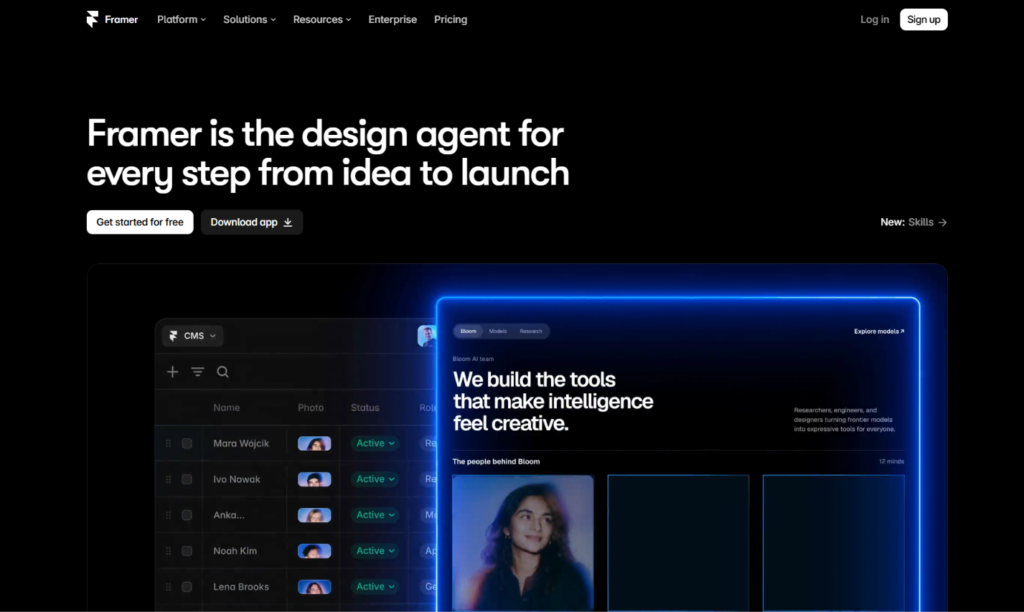
Framer is a visual website builder with a design-tool feel. If you have used Figma, the canvas, frames, stacks, and components will look familiar. You design pages, add animations and interactions, connect a CMS, and publish to a live site without leaving the editor. Hosting, security certificates, and delivery are handled for you.
Its strengths are design control, a built-in toolkit for marketing teams (CMS, localization, redirects, A/B testing), and flexibility for developers who want to add custom code or React components. Framer also includes AI features that draft pages and layouts, which you then refine visually. It revised its plans in mid-2026, adding AI credits and changing editor pricing, so check current details before you buy.
The key point is predictability. What you see in the editor is what your visitors get, and the price is a fixed monthly amount.
What Is Emergent?
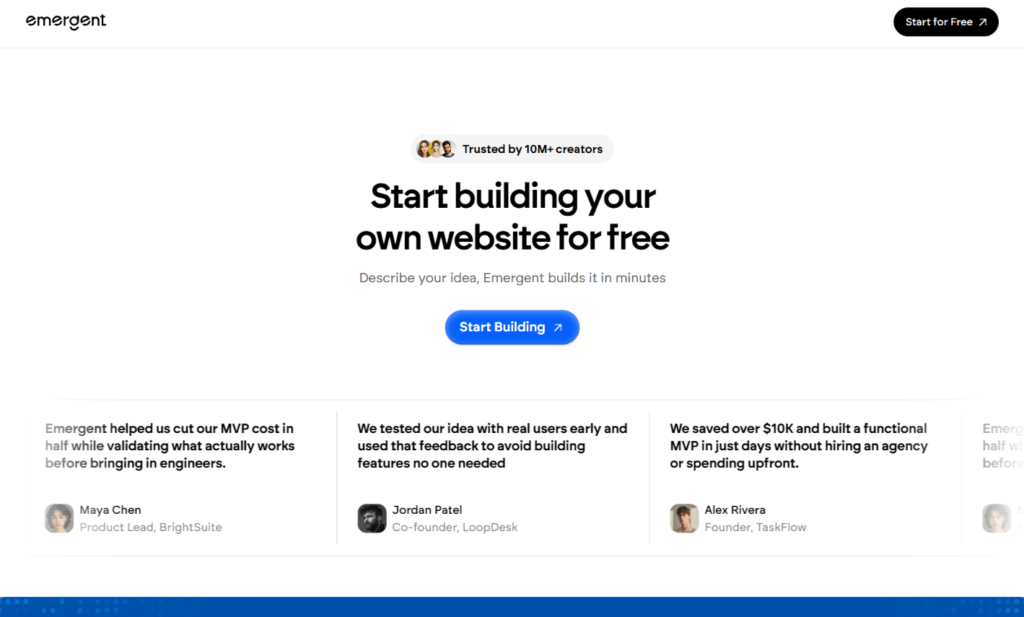
Emergent is an AI app builder, often described as a “vibe coding” platform. You describe the product you want in plain language, and a team of AI agents plans, designs, writes, tests, and deploys a full-stack application. That includes the front end, the backend, a database, integrations, and hosting. It can also produce mobile apps using Expo and React Native.
Reviewers describe it as aimed at non-technical founders, product managers, and small businesses that want working software without assembling a development team. Rather than dragging elements onto a canvas, you iterate by chatting: add a login page, connect Stripe, change the dashboard layout. The agents update the code accordingly.
Emergent is best understood as a software creation tool that can also make websites, not a website builder that can also make software. That distinction drives almost everything else in this comparison.
The Core Difference: Designing a Site vs. Generating an App
Think about the difference between decorating a shop and building the shop’s inventory system. Framer decorates the shop window: it makes your brand look excellent and gets visitors through the door. Emergent builds what happens behind the counter: accounts, orders, data, and workflows.
Most businesses need the first thing and not the second. A consultant, a design studio, a SaaS company’s marketing site, or a restaurant needs a beautiful, fast, easy-to-update website. They rarely need a custom database. On the other hand, a founder building a booking platform, a client portal, or an internal dashboard needs real application logic, and no website builder will provide it.
That is why the question “which is better?” has a different answer for each project. The useful question is, “Am I building a website or an application?”
Ease of Use and Learning Curve
Framer has a moderate learning curve. Concepts like stacks, breakpoints, and component variants take a little time, but designers pick them up fast, and beginners can start from templates. Because you work visually, you always see what you are changing, and mistakes are easy to spot and undo.
Emergent has a lower barrier at the very start. You type what you want and watch it appear. The challenge comes later. As projects grow, you need to direct the AI clearly, test the results, and notice when something breaks. Reviewers point out that AI builders can introduce regressions, meaning a new change can quietly undo something that worked before. Experienced builders learn to keep prompts specific, test often, and save working versions.
Verdict: Emergent is easier to begin. Framer is easier to control and maintain.
Design Quality and Customization
Framer gives you fine control over typography, spacing, layout, and motion. You can build scroll animations, hover effects, page transitions, and interactive components without code, and reuse them across the site through a component system. The result is a consistent, polished design that is easy to adjust visually.
Emergent can produce attractive interfaces, but design is steered through conversation. You ask for changes, and the AI interprets them. That works well for functional layouts and dashboards. It is less precise when you want exact spacing, a distinctive brand feel, or detailed animation, and a request to adjust one thing can shift others. Design-minded teams often generate a first version in an AI tool and then refine it elsewhere.
Verdict: Framer for brand-led, pixel-precise design. Emergent for functional interfaces where logic matters more than polish.
Features and Functionality
This is where Emergent pulls ahead.
Framer is excellent for pages, content, and marketing features: a CMS for blogs and case studies, localization, redirects, forms, and A/B testing. It connects to outside tools for anything more complex, but it does not run custom server logic.
Emergent can generate user accounts, databases, dashboards, workflows, API connections, payments, and AI features inside the product. It supports mobile app code as well. If your project needs something to happen when a user clicks, signs in, or pays, and you want the logic written for you, Emergent covers ground that a website builder cannot.
The trade-off is complexity. More features mean more places for bugs to hide, and you are responsible for testing, security review, and maintenance, even though the AI wrote the code.
Verdict: Framer for websites and content. Emergent for applications and custom logic.
CMS, Blogging, and Content Management
Framer’s built-in CMS is one of its biggest strengths. Marketers can create collections for blog posts, case studies, or resources, then design templates that display each entry. Editing content does not touch layout, and new entries become new pages automatically.
With Emergent, content management is whatever you build. You can ask the AI to create a blog system with a database and an admin panel, and it may do a reasonable job. But you will be maintaining a custom system instead of using a mature, tested CMS, and editors will not get the polished writing experience a dedicated tool provides.
Verdict: Framer, clearly, for content-driven websites.
SEO and Performance
Google does not favor a site because of the tool that built it. It rewards crawlable, fast, mobile-friendly pages with helpful, original content. Both tools can support that goal, but they start from different places.
Framer gives you direct control over page titles, meta descriptions, clean URLs, headings, alt text, redirects, sitemaps, and structured data through custom code. It publishes pages on a lean foundation, which helps with Core Web Vitals, and marketers can manage everything without a developer.
With an AI-generated application, SEO depends on how the code is built and rendered. Many generated apps are built as single-page applications that load content in the browser, which can make it harder for search engines to see your content quickly.
If organic search matters, ask for server-side rendering or static generation, make sure each page has its own title and description, generate a sitemap, and test with Google Search Console and PageSpeed Insights. These are fixable, but they require attention that Framer handles by default.
Verdict: Framer for SEO-driven websites. Emergent for apps where search traffic is a secondary concern, or for teams ready to guide the technical setup.
Code Ownership and Lock-In
This is a meaningful difference that many comparisons skip.
Framer does not let you export your site as standalone code. Your site lives on Framer’s platform. That is normal for hosted builders, but it means a future move involves rebuilding pages and setting up redirects.
Emergent generates real code, and reviewers report that you can export it rather than being locked inside a proprietary runtime. That gives you an exit path. If your product grows, you can hand the code to developers and continue from there. Check the current export options before you rely on them, since features change.
Verdict: Emergent for code ownership and portability. Framer for simplicity, at the cost of lock-in.
Hosting, Security, and Reliability
Framer handles hosting, SSL certificates, and updates, and the platform is mature and widely used. You are not responsible for server security or code vulnerabilities, because you are not writing server code.
Emergent also deploys and hosts your app, and deployment is billed in credits. Since the AI writes real application code, security becomes your concern in a way it is not with a website builder. If your app handles customer data, logins, or payments, have a developer review authentication, permissions, and data handling before launch. AI-generated code can look right and still contain gaps.
Verdict: Framer for low-risk simplicity. Emergent for capability, with extra care required.
Collaboration and Team Workflows
Framer supports real-time collaboration, comments, and quick publishing, which suits small teams of designers, marketers, and developers. Editor seats are priced separately from site plans.
Emergent offers a Team plan with shared credits, but reviewers note that seats and collaboration options are limited on lower tiers. Because the work happens through chat and code, collaboration usually works best when someone on the team can read the output.
Verdict: Framer for visual collaboration. Emergent for small, product-focused teams.
Pricing: Framer vs. Emergent
Pricing is where the two tools feel the most different. Both companies change plans often, so treat the figures below as approximate and confirm them on each official pricing page.
Framer pricing
- Free: A framer.website subdomain with a Framer badge.
- Basic: Around $10 per month per site, billed annually.
- Pro: Around $30 per month per site, billed annually.
- Enterprise: Custom pricing.
Framer charges per site, and extra editors are billed on top. You know roughly what you will pay each month.
Emergent pricing
Emergent uses a credit-based model. Based on published reviews and pricing trackers from 2026:
- Free: $0 per month, with about 10 credits.
- Standard: Around $20 per month, with about 100 credits.
- Pro: Around $200 per month, with about 750 credits.
- Team: Around $300 per month, with shared credits for groups.
Every AI action uses credits: generating a screen, adding authentication, fixing a bug, or running an agent. Hosting a published app also draws from the same credit balance, with monthly costs that vary by publishing tier. Third-party reviews report that deployment starts at around 50 credits per app per month, and that larger tiers cost considerably more.
Why the sticker price can mislead
A $20 plan sounds inexpensive, but 100 credits can disappear quickly during real building, especially when you iterate, test, and fix mistakes. Reviewers consistently describe credit usage as the main frustration and say pricing is not always transparent. A project that goes smoothly might fit in a small plan. A project that needs many revisions can push you to a higher tier or to buying extra credits.
Framer’s cost is steadier, and for a typical marketing site it is far lower. Emergent’s cost makes sense when it replaces developer time, and that can be a bargain compared with hiring a team.
Verdict: Framer for predictable, low-cost websites. Emergent when the savings on development justify variable costs.
Limitations to Know Before You Choose
Framer limitations
- No custom backend or database logic
- No native e-commerce
- No code export, so your site stays on Framer’s platform
- Editors are billed separately
Emergent limitations
- Credit-based pricing makes costs harder to predict
- Changes can introduce regressions that need testing
- Design control is less precise than a visual editor
- SEO needs extra technical attention
- Security and code quality are your responsibility
- Publishing mobile apps to app stores is not fully turnkey
- Lower tiers have limited team features
Can You Use Framer and Emergent Together?
Yes, and this is a smart setup for many startups. Use Framer for the public marketing website, where design, speed, SEO, and content matter most. Use Emergent for the product itself, such as a dashboard, client portal, or web app that sits behind a login. Link the two with a clear call to action, such as “Log in” or “Start free trial,” and keep branding consistent.
This split gives you a fast, search-friendly front door and a flexible product behind it, and it keeps each tool doing what it does best.
Who Should Choose Framer?
Framer is the better choice if you:
- Need a marketing website, portfolio, landing page, or blog
- Care about design quality, animation, and brand consistency
- Want a built-in CMS and strong SEO controls
- Prefer predictable monthly pricing
- Want to update the site yourself without touching code
- Do not need custom backend logic
Who Should Choose Emergent?
Emergent is the better choice if you:
- Need a web app, dashboard, internal tool, or MVP with real logic
- Want AI to write the code, backend, and database for you
- Need user accounts, payments, or custom workflows
- Want exportable code and a path to hand off to developers
- Are comfortable testing and iterating through prompts
- Can manage a variable, credit-based budget
Real-World Scenarios
A freelance designer building a portfolio. Framer. Design control and low, fixed pricing are the right match.
A founder building a booking platform with user accounts and payments. Emergent. A website builder cannot handle that logic.
A SaaS startup that needs a marketing site and a product dashboard. Both. Framer for the website, Emergent for the app.
A local restaurant that wants a menu, hours, and a contact form. Framer. A custom app would be overkill.
An operations manager who needs an internal tool for tracking requests. Emergent. It can generate the forms, database, and views without a developer.
A content creator publishing a blog and newsletter signup. Framer. The CMS and SEO controls fit the job.
How to Decide: A Short Checklist
- Is it mainly a website or an application? Websites point to Framer. Applications point to Emergent.
- Do users need accounts, data, or payments inside your product? If yes, lean Emergent.
- How important are design precision and brand polish? If very, lean Framer.
- How much does search traffic matter? If it is central, lean Framer.
- Can you handle variable costs and testing? If not, lean Framer.
Try both free plans. Build a small landing page in Framer and a simple app in Emergent, and watch how many credits the second one uses.
Frequently Asked Questions
Is Emergent a website builder?
Not in the traditional sense. Emergent is an AI app builder that generates full-stack web and mobile applications from text prompts. It can create websites, but its strength is custom application logic.
Is Framer better than Emergent?
It depends on what you are building. Framer is better for design-led websites, blogs, and landing pages. Emergent is better for apps with databases, logins, payments, and custom workflows.
Can Emergent replace a developer?
For prototypes and simple apps, it can save a great deal of development time. For complex, security-sensitive, or large-scale products, you should still have an experienced developer review and maintain the code.
How much does Emergent cost?
Reported pricing runs from a free plan with about 10 credits to a Standard plan around $20 per month, a Pro plan around $200 per month, and a Team plan around $300 per month. Hosting and heavy usage consume credits, so real costs vary. Confirm current prices on Emergent’s website.
Does Framer have a free plan?
Yes. You can publish on a framer.website subdomain for free. Paid plans add a custom domain and higher limits.
Is Framer good for SEO?
Yes. Framer provides meta tags, clean URLs, redirects, and sitemaps, and it produces lean pages. Rankings still depend on content quality, search intent, and authority.
Are AI-generated websites good for SEO?
They can be, but it depends on how the code renders. Apps that load content only in the browser can be harder for search engines to process. Use server-side rendering or static pages where possible, and test with Google Search Console.
Can I export my code from Emergent?
Reviews report that Emergent produces real, ownable code rather than locking you into a proprietary runtime. Check Emergent’s current export features before you depend on them.
Can I export my site from Framer?
No. Framer sites are hosted on Framer’s platform and cannot be exported as standalone code.
Which is better for beginners?
Emergent is easier to start, since you describe what you want. Framer is easier to control once you learn it, and its visual editor makes mistakes easy to spot. Beginners building a simple website usually do better with Framer.
What are the best alternatives to Framer and Emergent?
For Framer, common alternatives are Webflow, Wix, and Squarespace. For Emergent, similar AI app builders include Lovable, Bolt, Replit, v0, and Base44, while Bubble is a mature visual option for no-code apps.
Final Verdict: Framer or Emergent?
Framer and Emergent solve different problems, and the best choice comes down to what you are making.
Choose Framer if you want a beautiful, fast, search-friendly website with a built-in CMS and predictable pricing. It is the better tool for marketing sites, portfolios, landing pages, and blogs.
Choose Emergent if you need a real application with logic, data, and user accounts, and you want AI to do most of the coding. It is a strong option for MVPs, internal tools, and products that a website builder cannot support.
If you need both, build the front door in Framer and the product in Emergent. Start with the free plans, test your real use case, and watch the costs before you commit. Features, plans, and prices change quickly in this category, so confirm the details on each company’s official pages.
