
One of the most interesting questions in web design right now is whether you still need a website builder at all. If an AI agent can write a whole site for you, why open a visual editor? On the other side of the argument, if a visual editor can now generate pages with AI, why bother with code?
Framer and Claude Code sit at opposite ends of that debate. Framer is a visual website builder: you design on a canvas, manage content in a built-in CMS, and publish to hosting that Framer runs for you. Claude Code is an agentic coding tool from Anthropic: you work in your terminal, desktop app, or editor, and an AI agent reads your project, writes and edits files, runs commands, and helps you ship real code.
The short answer: choose Framer if you want a polished marketing site, portfolio, or blog that you can design visually, update without a developer, and publish today. Choose Claude Code if you or your team are comfortable working with code and you want full control over the stack, the hosting, and every behavior of the site. For most non-technical site owners, Framer is the practical choice. For developers, technical founders, and teams with specific requirements, Claude Code opens doors a builder cannot.
This guide compares the two across ease of use, design control, features, SEO, hosting, code ownership, security, and cost. It also explains when they work well together.
Framer vs. Claude Code: Quick Comparison
| Category | Framer | Claude Code |
|---|---|---|
| What it is | A visual no-code website builder with a built-in CMS and hosting | An agentic AI coding tool that works inside your codebase |
| Best for | Marketing sites, portfolios, landing pages, blogs | Custom sites and apps, developer-led projects, complex requirements |
| How you build | Visual canvas, templates, and AI assistance | Natural-language instructions that produce and edit real code |
| Technical skill needed | Low to moderate | Moderate to high; you should be able to read and review code |
| Design control | Very high through a visual editor | Unlimited in principle, but achieved through code and previews |
| Hosting | Included | Not included; you choose a host |
| CMS | Built in | Not included; you add one or use files |
| Code ownership | No export; site stays on Framer | You own the code outright |
| SEO control | Strong built-in controls | Full control, but you must implement it |
| Pricing model | Flat monthly plans per site | Claude subscription or pay-per-token API usage, plus hosting |
| Predictable cost | High | Moderate, since usage varies |
| Setup time | Minutes | Hours to days, depending on the stack |
What Is Framer?
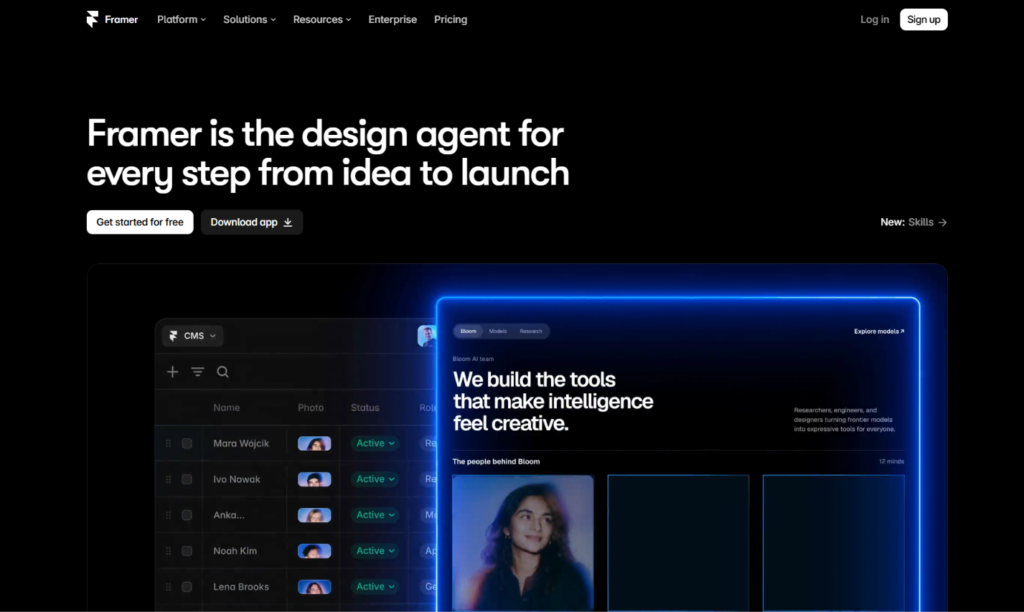
Framer is a visual website builder with a design-tool feel. If you have used Figma, the canvas, frames, stacks, and components will look familiar. You design pages, add animations and interactions, connect a CMS, and publish to a live site without leaving the editor. Hosting, security certificates, and delivery are handled for you.
Its strengths are design control, a built-in toolkit for marketing teams (CMS, localization, redirects, A/B testing), and flexibility for developers who want to add custom code or React components. Framer also includes AI tools that draft pages and layouts for you to refine. It revised its plans in mid-2026, adding AI credits and changing editor pricing, so check current details before you buy.
The defining trait is that everything lives in one place. You design, write, and publish without assembling separate tools.
What Is Claude Code?
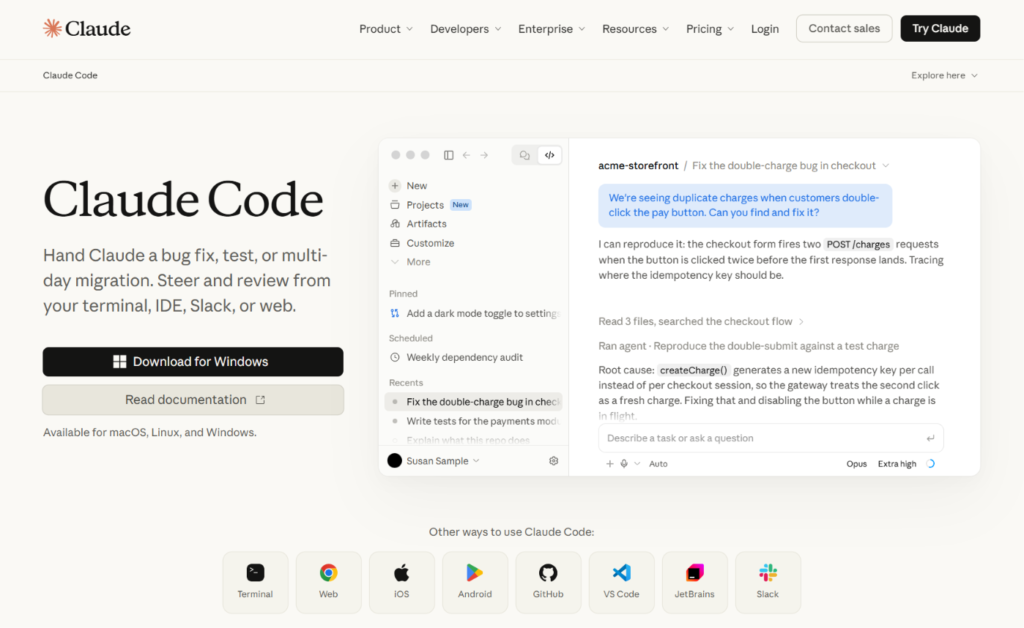
Claude Code is Anthropic’s agentic coding tool. Instead of suggesting a line of code at a time, it can take a task, explore your project, make changes across several files, run commands and tests, and report back. It works with your existing tools, including Git, and it can connect to outside services through MCP servers. It runs on macOS, Linux, and Windows, and it is available in the terminal and in the Claude desktop app, with other ways to access it listed in Anthropic’s documentation.
You can access Claude Code through a paid Claude plan, a Team or Enterprise seat, or an Anthropic Console account that bills by API usage. It is not a website builder. It has no canvas, no templates, and no built-in hosting. What it gives you is an assistant that can build and modify a website made of real code, using whatever framework you choose.
That makes it a different kind of tool. Framer replaces the need to write code. Claude Code speeds up the writing of code.
The Core Difference: A Builder vs. a Coding Partner
Picture two ways of getting a custom suit. Framer is a high-end tailor with a showroom: you pick the cut, adjust the details on a mannequin, and walk out with a finished garment. Claude Code is a very fast pattern maker who works in your own workshop. It can produce any garment you can describe, but you need to supply the fabric, run the sewing room, and inspect every seam.
That is why the choice is less about quality and more about who you are and what you need. A designer, marketer, or business owner usually wants the tailor. A developer or a technical team that wants control over every detail usually wants the pattern maker.
The useful question is, “Do I want a finished platform, or do I want to own and shape the codebase?”
How a Website Gets Built With Claude Code
Because Claude Code does not include hosting or a CMS, building a site with it involves several decisions that Framer makes for you. A typical workflow looks like this:
- Choose a framework. Options include Astro, Next.js, SvelteKit, or plain HTML and CSS. Content-heavy sites often do well with a static-site approach.
- Set up the project. Create a repository, install dependencies, and open the folder with Claude Code.
- Describe what you want. Ask for a homepage, a component library, a blog layout, or a contact form, and review what the agent produces.
- Add content management. Use Markdown files, or connect a headless CMS if non-developers will edit content.
- Preview and refine. Run the site locally, look at it in a browser, and ask for adjustments.
- Deploy. Connect the repository to a host, set up your domain, and publish.
None of these steps is hard for a developer. For a non-technical person, each one is a hurdle.
Ease of Use and Learning Curve
Framer has a moderate learning curve. Concepts like stacks, breakpoints, and component variants take a little time, but designers pick them up quickly, and beginners can start from templates. Because the editor is visual, you can see every change and undo mistakes easily.
Claude Code is easy to start talking to, but it is not a beginner’s website tool. You need to understand enough about projects, files, version control, and deployment to review what it produces and fix problems. AI agents can make mistakes, misread an instruction, or change something you did not intend. Developers catch these quickly. Non-developers often do not.
Verdict: Framer for people who do not write code. Claude Code for people who do, or who are willing to learn.
Design Quality and Customization
Framer gives you fine control over typography, spacing, layout, and motion through a visual interface. You can build scroll animations, hover effects, page transitions, and interactive components without code, then reuse them across the site. Designers get immediate visual feedback, which makes polish easy.
With Claude Code, anything is possible in principle, because the output is code and code can do almost anything a browser can. In practice, design happens through instructions and previews. You describe the look you want, review the result in a browser, and iterate. That workflow suits developers who have a design to follow, such as a Figma file, a brand guide, or a clear reference. It is slower for exploring visual ideas from scratch, since there is no canvas to drag things around on.
Verdict: Framer for visual, brand-led design work. Claude Code for implementing a defined design with full technical freedom.
Features and Functionality
Framer is excellent for pages, content, and marketing features. You get a CMS for blogs and case studies, localization, redirects, forms, and A/B testing. It connects to outside tools for more advanced needs, but it does not run custom server logic.
Claude Code has no feature limits of its own, because it builds whatever the code can do: custom backends, databases, authentication, payment flows, API integrations, and animations. If a site needs behavior that no builder offers, a coding agent can help you build it.
The trade-off is responsibility. Every feature you add is code you must test, secure, and maintain. A builder removes much of that burden.
Verdict: Framer for standard website features with minimal effort. Claude Code for custom functionality.
CMS, Blogging, and Content Management
Framer’s built-in CMS is one of its biggest advantages. Marketers can create collections for blog posts, case studies, or resources, then design templates that display each entry. Editing content does not touch layout, and new entries turn into new pages automatically.
With Claude Code, content management is a decision you make. The simplest option is Markdown files stored in your repository, which works well for developers but is awkward for non-technical editors. For a team that publishes often, you would connect a headless CMS, which adds another tool and another cost.
Verdict: Framer, clearly, for teams that publish content regularly without developers.
SEO and Performance
Google does not favor a site because of the tool that built it. It rewards crawlable, fast, mobile-friendly pages with helpful, original content. Both approaches can meet that standard.
Framer gives you direct control over page titles, meta descriptions, clean URLs, headings, alt text, redirects, sitemaps, and structured data through custom code. It publishes pages on a lean foundation that helps with Core Web Vitals, and marketers can manage everything themselves.
A site built with Claude Code can be as fast and as search-friendly as you want, because you control the rendering method, the markup, the images, and the scripts. Static generation or server rendering can deliver excellent performance. The catch is that nothing is automatic. You or the agent must implement titles, descriptions, sitemaps, structured data, image optimization, and redirects, and then test the results with Google Search Console and PageSpeed Insights.
Verdict: A tie in potential. Framer handles SEO basics by default. Claude Code gives deeper control to teams that can use it.
Hosting, Deployment, and Maintenance
Framer includes hosting, security certificates, and delivery. You click publish, and the site is live. Updates are handled for you.
With Claude Code, you pick a host, such as a static hosting service or a cloud platform, and set up deployment. You also manage domains, DNS, environment variables, dependency updates, and monitoring. Claude Code can help with many of these tasks, including writing configuration and fixing build errors, but the ongoing responsibility is yours.
Verdict: Framer for low-maintenance simplicity. Claude Code for teams that want to control their infrastructure.
Code Ownership and Lock-In
Framer does not let you export your site as standalone code. Your site lives on Framer’s platform, so a future move means rebuilding pages and setting up redirects.
With Claude Code, you own the code from the first line. It lives in your repository, and you can host it anywhere, hand it to another developer, or change tools whenever you like. For businesses that care about long-term flexibility, this is a significant advantage.
Verdict: Claude Code, clearly, for ownership and portability.
Security and Reliability
Framer handles hosting, SSL certificates, and updates. Since you are not writing server code or managing a database, the security surface is small, and the platform is mature.
With Claude Code, security depends on the choices you make. AI-written code can contain mistakes, outdated patterns, or insecure defaults, and the agent works from your instructions. Review changes before accepting them, keep secrets such as API keys out of your repository, use version control so you can roll back, and have an experienced developer review anything that handles user accounts, payments, or personal data. Claude Code also asks for your permission before it takes certain actions, which gives you a checkpoint, but you still need to read what you approve.
Verdict: Framer for low-risk simplicity. Claude Code for capability, with careful review required.
Collaboration and Team Workflows
Framer supports real-time collaboration, comments, and quick publishing, which suits small teams of designers, marketers, and developers. Extra editors are billed separately from site plans.
Claude Code fits the way software teams already work: branches, pull requests, code review, and continuous integration. It can also run in automated pipelines. Team and Enterprise plans add seat management and administration. Non-developers on the team, however, cannot easily contribute unless a CMS or other tool sits on top.
Verdict: Framer for mixed teams of designers and marketers. Claude Code for engineering teams.
Pricing: Framer vs. Claude Code
Pricing is quite different, because you are comparing a website platform with a coding tool. Both companies update plans, so treat the figures below as approximate and confirm them on each official pricing page.
Framer pricing
- Free: A framer.website subdomain with a Framer badge.
- Basic: Around $10 per month per site, billed annually.
- Pro: Around $30 per month per site, billed annually.
- Enterprise: Custom pricing.
Framer charges per site, and extra editors are billed on top. Hosting and the CMS are included.
Claude Code pricing
Claude Code is not sold as a separate product with its own price list. You access it through a Claude plan or through the Anthropic API.
- Pro: About $20 per month, which is the usual entry point for individual use.
- Max 5x: About $100 per month, with five times the usage of Pro.
- Max 20x: About $200 per month, with twenty times the usage of Pro.
- Team and Enterprise: Seat-based plans, with Claude Code access depending on the seat type.
- API (Console account): Pay per token at standard API rates, billed separately from subscriptions.
Anthropic has said that plans, limits, and where features sit are subject to change, and third-party guides note that access has shifted between tiers before. Check Anthropic’s pricing page and Claude Code documentation before you decide. Published reports of typical usage suggest light users can stay on Pro, while heavy daily use moves to Max or to API billing.
What the sticker price leaves out
A $20 plan sounds cheaper than Framer’s Pro tier, but the comparison is not like for like. With Framer, hosting, the CMS, and the editor are all included. With Claude Code, you will usually pay separately for hosting, a domain, and possibly a headless CMS, and you will spend your own time on setup and maintenance. If you hit usage limits during a big build, you may need a higher tier. On the other hand, if you already pay for a Claude plan and are a capable developer, the extra cost of building a site may be small.
Verdict: Framer for a predictable all-in-one cost. Claude Code when you already have the skills and want to avoid platform fees.
Limitations to Know Before You Choose
Framer limitations
- No custom backend or database logic
- No native e-commerce
- No code export, so your site stays on Framer’s platform
- Editors are billed separately
Claude Code limitations
- Requires technical comfort with code, Git, and deployment
- No visual canvas, templates, or built-in hosting
- No built-in CMS, so editors need another solution
- Output must be reviewed, since AI can make mistakes
- Usage limits and costs can vary with heavy use
- Setup takes longer than a builder
Can You Use Framer and Claude Code Together?
Yes, and there are several sensible ways to do it.
- Framer for the website, Claude Code for the product. Build your marketing site in Framer, where design, speed, SEO, and content are easy. Use Claude Code to build and maintain your application behind a login.
- Claude Code for custom Framer components. Framer supports custom code and React components. A developer can use Claude Code to write and refine those components, then drop them into a visual design.
- AI-assisted workflows. Framer has been adding ways for AI tools to connect to projects, including through MCP. Check Framer’s documentation for what is currently supported before building a workflow around it.
This kind of split lets each tool do what it does best, and it keeps your marketing team out of the codebase.
Who Should Choose Framer?
Framer is the better choice if you:
- Want to design and publish a website without writing code
- Need a marketing site, portfolio, landing page, or blog
- Want a built-in CMS and strong SEO controls
- Prefer one predictable monthly price that includes hosting
- Have a team of designers and marketers who need to edit content
- Value speed to launch over full technical control
Who Should Choose Claude Code?
Claude Code is the better choice if you:
- Are a developer or work with one
- Want to own your code and host it anywhere
- Need custom functionality that a builder cannot provide
- Already use Git, pull requests, and automated deployments
- Want to move faster on a codebase you will maintain long term
- Are comfortable reviewing AI-written code
Real-World Scenarios
A freelance designer building a portfolio. Framer. Visual control and quick publishing fit the job.
A developer building a documentation site and a marketing site. Claude Code. A static framework, Markdown content, and automated deployment suit a developer workflow.
A SaaS startup with a technical founder. Both. Framer for the marketing website, Claude Code for the product.
A local restaurant that wants a menu, hours, and a contact form. Framer. Writing and hosting custom code would be overkill.
An agency that wants a reusable design system and fully custom features. Claude Code, or Framer with custom components, depending on how technical the team is.
A marketing team that publishes weekly. Framer. The CMS lets editors work without developers.
How to Decide: A Short Checklist
- Can you or your team write and review code? If not, choose Framer.
- Do you need full ownership of the code and hosting? If yes, lean Claude Code.
- Do non-developers need to edit content? If yes, lean Framer.
- Do you need custom behavior that a builder cannot provide? If yes, lean Claude Code.
- How fast do you need to launch? If it is this week, lean Framer.
Try Framer’s free plan to build a landing page, and try a small project with Claude Code if you have a developer environment ready. A short test will show which workflow fits.
Frequently Asked Questions
Is Claude Code a website builder?
No. Claude Code is an agentic coding tool that helps you write, edit, and run code. You can use it to build a website, but it does not provide a visual editor, templates, or hosting.
Is Framer better than Claude Code?
They serve different people. Framer is better for non-developers who want to design and publish quickly. Claude Code is better for developers who want full control and code ownership.
Can Claude Code build a whole website?
Yes, for people who can set up a project and deploy it. It can write pages, components, styles, and logic across many files. You still choose the framework, hosting, and content setup, and you should review the output.
Do I need to know how to code to use Claude Code?
It helps a great deal. You can describe tasks in plain language, but you need to understand projects, files, and deployment well enough to check the results and fix problems.
How much does Claude Code cost?
It is accessed through Claude plans, including Pro at about $20 per month and Max at about $100 or $200 per month, or through pay-per-token API billing. Check Anthropic’s pricing page for current plans and limits.
Does Framer have a free plan?
Yes. You can publish on a framer.website subdomain for free. Paid plans add a custom domain and higher limits.
Is Framer good for SEO?
Yes. Framer provides meta tags, clean URLs, redirects, and sitemaps, and it produces lean pages. Rankings still depend on content quality, search intent, and authority.
Can I export my site from Framer?
No. Framer sites are hosted on Framer’s platform and cannot be exported as standalone code.
Do I own the code Claude Code writes?
The code lives in your project and repository, and you can host it anywhere. Review Anthropic’s terms for the current details on ownership and usage.
Can I use Claude Code to build Framer components?
Yes, for developers. Framer supports custom code and React components, and a coding agent can help write them. Test them inside Framer before publishing.
What are the best alternatives to Framer and Claude Code?
For Framer, common alternatives are Webflow, Wix, and Squarespace. For Claude Code, alternatives include other AI coding tools such as Cursor, GitHub Copilot, and Codex, while AI app builders like Lovable and Emergent target non-developers.
Final Verdict: Framer or Claude Code?
Framer and Claude Code are not really competing for the same customer, even though both can end with a live website.
Choose Framer if you want a beautiful, fast, search-friendly website with a built-in CMS, included hosting, and predictable pricing. It is the better tool for designers, marketers, founders, and small teams who do not want to manage code.
Choose Claude Code if you or your team can work with code and want full ownership, custom functionality, and control over every part of the stack. It is a strong partner for developers who want to build faster, not a replacement for a visual builder.
If you want the best of both, build the website in Framer and use Claude Code for the product, the custom components, and the engineering work behind them. Start with a free Framer site, test your real use case, and confirm current plans and limits on each company’s official pages before you commit.
