
Web scraping APIs are hard to price. Most quote you a monthly fee, then charge extra for JavaScript rendering, proxies, structured extraction and retries. You only find the real cost after your first invoice.
Context.dev takes a different approach on paper. Rendering, anti-bot bypass and proxies are part of the base price. But “included” doesn’t automatically mean “cheap,” and a credit-based system still needs some math before you commit.
This guide covers Context.dev pricing in full: every plan, what each API call costs in credits, where the bill can grow, when to upgrade, and how it compares with Firecrawl. By the end you’ll know which plan fits your workload and whether Context.dev is worth paying for.
Context.dev Pricing at a Glance
Context.dev has five self-serve tiers (Free, Developer, Pro, Growth and Scale) plus a custom Enterprise plan. Every plan runs on one shared pool of monthly API credits.
| Plan | Monthly price | Credits per month | Overage (per 1,000 credits) | Concurrent requests |
|---|---|---|---|---|
| Free | $0 | 1,000 | No overage | 1 |
| Developer | $19 | 7,500 | $2.20 | 10 |
| Pro | $99 | 125,000 | $1.80 | 100 |
| Growth | $299 | 500,000 | $1.40 | 250 |
| Scale | $499 | 1,000,000 | $1.00 | 500 |
| Enterprise | Custom | 2,000,000+ | Volume discounts | Custom |
Annual billing saves two months on every paid plan. Eligible startups and nonprofits can also apply for 30% off an annual plan for 12 months.
A standard scrape costs 1 credit, so the credit count is also your rough page count for plain scraping. That is the key to reading everything below.
What Is Context.dev?
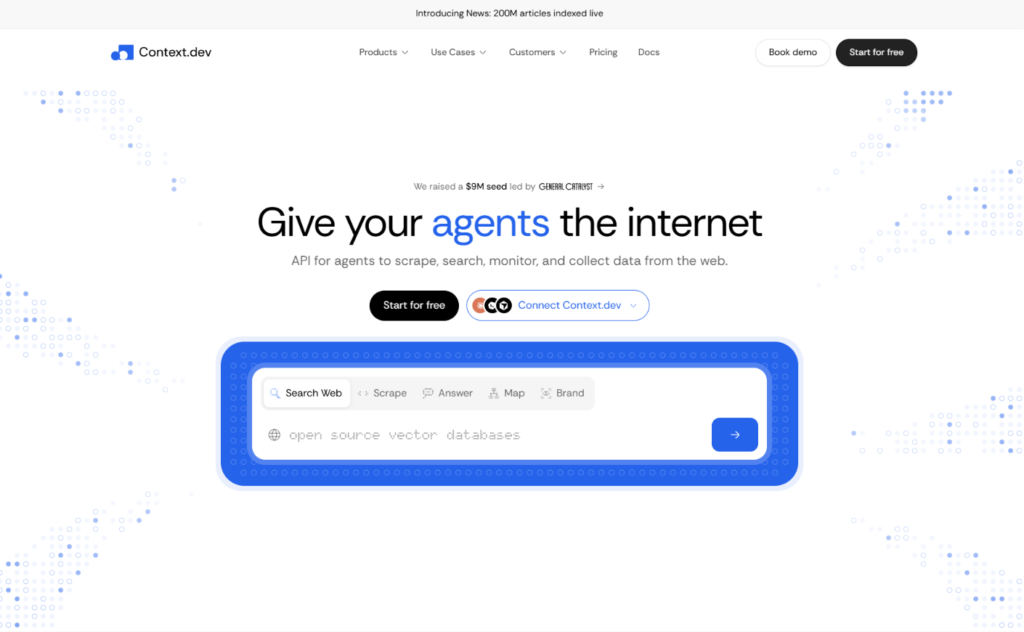
Context.dev is a web data API built for AI agents and LLM applications. It is backed by Y Combinator, and its homepage describes it as one API for scraping, searching, monitoring and collecting data from the web.
In practice, the product covers these jobs:
- Scrape: turn any URL or PDF into clean Markdown, HTML, screenshots, images or structured fields.
- Map and crawl: discover every URL on a domain, then pull up to 500 pages into Markdown in a single call.
- Batches: scrape thousands of URLs, or crawl whole sites, as a background job.
- Answers: ask a research question and get a structured response with source URLs.
- Monitors: watch pages for changes on a schedule and send updates to a webhook.
- Brand and people data: retrieve company profiles, design systems and logos from a domain, or enrich a person.
Official SDKs exist for TypeScript, Python, Ruby, Go and PHP, and there is also a CLI and an MCP server. Some older customer stories on the site still carry the Brand.dev name in their URLs, which hints at the product’s roots in company and brand data.
Pricing makes more sense once you know this. The credit system covers many different APIs, not only scraping.
How Context.dev Credits Work
Every plan gives you a monthly balance of API credits, and each request spends some of them. Here is what each call costs, based on the official pricing page:
| API | Credit cost |
|---|---|
| Scrape (standard) | From 1 credit per call |
| Scrape with browser actions | 2 credits |
| Scrape with JSON extraction | 5 credits per page |
| Map URLs | From 1 credit per call |
| Crawl Website | 1 credit per page |
| Search Web / Search News | 1 credit per 10 results |
| Answers (Fast mode) | 10 credits |
| Answers (Ultra mode) | 100 credits |
| Retrieve Brand | 10 credits |
| Extract Styleguide | 10 credits |
| Enrich Person | 20 credits per match |
| Parse File | From 1 credit per call |
| Highlights / Product add-ons | +1 credit |
| PDF OCR | +1 credit per recovered page |
Two details matter most here:
- JSON extraction is the big multiplier. It adds 4 credits to a successful scrape, so one extracted page costs 5 credits. A job that looks like 100,000 pages is really 500,000 credits once you add schema extraction.
- Logo Link is separate. Logo Link returns a square logo through a direct image URL and has its own quota. It does not consume API credits.
Context.dev Pricing Plans, Explained
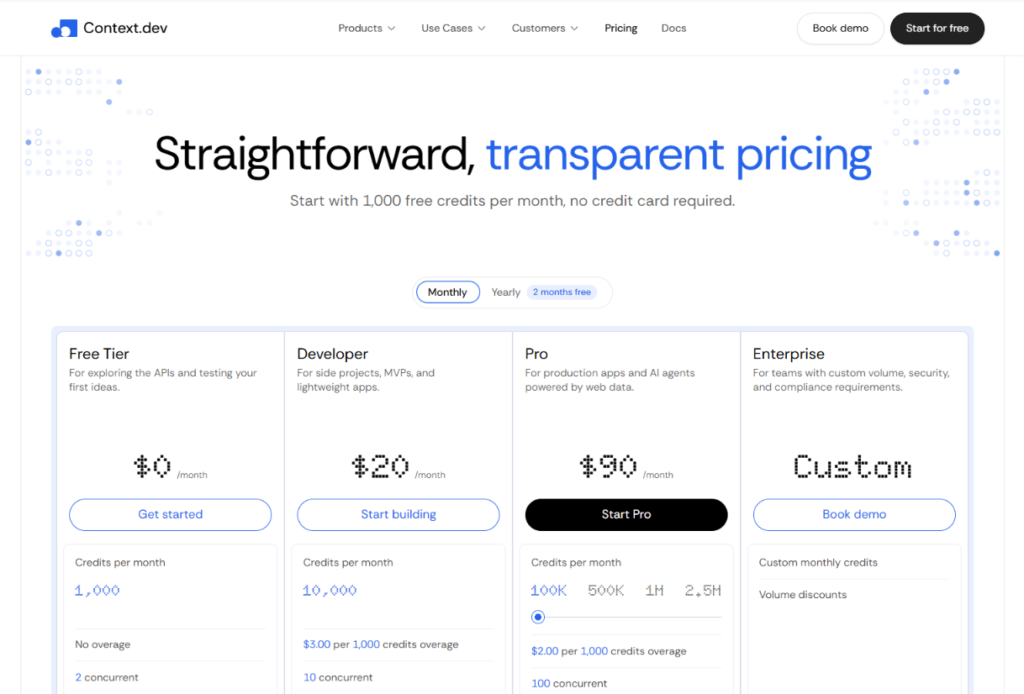
Free Plan ($0/month)
The free plan gives you 1,000 credits a month with no credit card. That covers 1,000 standard scrapes, and the credits renew every month.
It also includes:
- 1 concurrent request
- 10 monitors
- 1 concurrent batch
- Email support
- A one-time quota of 10K logos
There is no overage on this tier. When the credits run out, requests fail until the next cycle, so it suits testing and prototypes rather than anything customer-facing.
Developer Plan ($19/month)
Developer is the entry-level paid plan for side projects, MVPs and lightweight apps. You get 7,500 credits, 10 concurrent requests, 100 monitors, 2 concurrent batches, email support and usage alerts. Extra credits cost $2.20 per 1,000.
The Developer plan is cheap, but its credits are the most expensive in the lineup. You pay about $2.53 per 1,000 included credits, against roughly $0.79 on Pro. That is fine for a small workload and wasteful once you pass about 44,000 credits a month (more on that below).
Pro Plan ($99/month)
Pro is aimed at production apps and AI agents. It includes 125,000 credits, 100 concurrent requests, 1,000 monitors, 5 concurrent batches, email and Slack support, and spend controls. Overage is $1.80 per 1,000 credits.
For most small teams running a real product, this is the sweet spot. The per-credit cost falls sharply from Developer, and the jump to 100 concurrent requests removes the throttling that tends to hurt first. Spend controls also help if a runaway agent loop could otherwise burn through your budget overnight.
Growth Plan ($299/month)
Growth fills the gap between Pro and Scale. It offers 500,000 credits, 250 concurrent requests, 5,000 monitors, priority support and overage at $1.40 per 1,000. It suits products that need more data, refreshed more often, such as large RAG knowledge bases or price-tracking pipelines.
Scale Plan ($499/month)
Scale is built for bulk scraping and continuous monitoring. You get 1,000,000 credits, 500 concurrent requests, 10,000 monitors, 20 concurrent batches, priority and Slack support, and custom usage alerts. Overage drops to $1.00 per 1,000 credits.
Scale also includes self-serve SSO / SAML, which many vendors lock behind an enterprise sales call. For a security-conscious team, that detail may matter more than the credit count.
Enterprise Plan (Custom Pricing)
Enterprise starts at 2,000,000+ credits a month and adds volume discounts, custom rate and monitor limits, SSO / SAML with SCIM provisioning, a 99.9% uptime SLA, annual invoicing, an MSA and DPA, a dedicated Slack channel, and implementation help. Talk to sales if you need any of those, or if you expect to pass 2M credits a month.
Annual Billing and the Startup Discount
Paying yearly saves two months on every paid plan, which works out to about 17% off. Here is what the maths gives you:
| Plan | Monthly billing (per year) | Annual billing | Effective monthly cost |
|---|---|---|---|
| Developer | $228 | $190 | ~$15.83 |
| Pro | $1,188 | $990 | $82.50 |
| Growth | $3,588 | $2,990 | ~$249.17 |
| Scale | $5,988 | $4,990 | ~$415.83 |
Eligible startups and nonprofits can apply for 30% off an annual paid plan for 12 months, plus a private Slack Connect channel with the team. If that applies on top of the annual price, Pro would come to roughly $693 for the year. Confirm the exact figure on the startup application page before you count on it.
What Else Can Raise Your Bill?
The pricing page is straightforward, but a few details are worth knowing before you budget.
Failed requests are mostly free. Most failed requests aren’t billed. Not-found (404) responses are billed at the request’s base price. Scrape can return a 200 with only some outputs working, and it charges when at least one output succeeds. You can check key_metadata.credits_consumed on a response to see what you were charged.
Running out of credits. Paid plans can use Auto-Topup in 1,000-credit blocks at $2.20 (Developer), $1.80 (Pro), $1.40 (Growth) or $1.00 (Scale) for new subscriptions. Existing subscribers keep their old rates. If credits run out and no top-up is available, the API returns a 401 USAGE_EXCEEDED error.
Concurrency is a hidden cap. Credits aren’t the only limit. Concurrent requests per organization are capped at 1 (Free), 10 (Developer), 100 (Pro), 250 (Growth) and 500 (Scale). If your agents fire many requests at once, concurrency can become your bottleneck before credits do.
Upgrades and downgrades work differently. Upgrades apply immediately, while downgrades apply at renewal.
No one-time lookups. Context.dev currently doesn’t support one-off purchases. For a one-time project, you have to contact the team directly.
Credit rollover isn’t spelled out. The pricing page says Free credits renew monthly but doesn’t describe a carry-over policy for paid plans. Assume unused credits expire, and ask support if it matters to your budget.
Which Context.dev Plan Should You Choose?
Because overage is billed on top of the base fee, the cheapest plan depends on your monthly credit volume. Using the published prices, these are the approximate break-even points:
- Developer → Pro: around 44,000 credits a month. At 50,000 credits, Developer costs about $112.50 ($19 plus roughly 42,500 overage credits at $2.20 per 1,000), which is more than Pro’s flat $99.
- Pro → Growth: around 236,000 credits a month.
- Growth → Scale: around 643,000 credits a month.
- Scale → Enterprise: at 2,000,000 credits, Scale would cost about $1,499, so that is where a custom quote starts to make sense.
Context.dev’s own volume guide rounds these ranges a little differently (it lists Developer as “up to 50K pages”). The numbers above come from straight arithmetic on the published rates, and they are approximate because overage is billed in 1,000-credit blocks. Treat them as a guide, not a guarantee.
Three Realistic Scenarios
1. The indie developer. You are building a small research tool that scrapes about 5,000 pages a month. Developer at $19 covers it with room to spare. Start on Free to test, then move up when you hit 1,000 credits.
2. The AI support-bot startup. Your product crawls customer websites into a knowledge base, about 60,000 plain-Markdown pages a month. On Developer that would cost around $134.50 with overage. Pro at $99 is cheaper and gives you 100 concurrent requests.
3. The research-agent team. You run schema-based JSON extraction on 40,000 pages. At 5 credits each, that is 200,000 credits. Pro with overage comes to about $234, which still beats Growth’s $299. Once you pass roughly 236,000 credits, Growth wins.
The takeaway is simple: price by credits, not by pages. List the APIs you’ll call, multiply by volume, and add a 10 to 15% buffer for retries and growth.
Context.dev vs Firecrawl: How Do the Prices Compare?
Firecrawl is the name most people bring up when they evaluate Context.dev, and some of Context.dev’s own customer stories describe teams moving over from it. Prices change often, so verify both vendors before deciding. Here is how they looked at the time of writing.
According to third-party trackers, Firecrawl’s published paid plans run from Hobby at $16 a month through Standard at $83, Growth at $333 and Scale at $599, with those figures reflecting yearly billing. Matching the credit pools, Standard includes 100,000 credits and Growth includes 500,000.
To compare fairly, put Context.dev on the same yearly footing. Its annual-equivalent prices are about $82.50 for Pro (125,000 credits), about $249 for Growth (500,000 credits) and about $416 for Scale (1,000,000 credits). On those numbers Context.dev looks less expensive at the larger tiers, and roughly level at the 100,000-credit mark.
The more important difference is how each vendor counts extras. One review notes that Firecrawl’s JSON extraction and Enhanced Mode each add 4 credits per page, so a structured, protected scrape can cost 9 credits instead of 1. Context.dev also charges 4 extra credits for JSON extraction, but includes anti-bot bypass and premium proxies in the base price, so that particular multiplier doesn’t apply. Another source points out that Firecrawl’s monthly credits don’t roll over on standard plans, and Context.dev’s pages don’t promise rollover either.
The honest conclusion is that neither vendor is cheaper in every case. If you mostly scrape protected, JavaScript-heavy sites, Context.dev’s bundled approach is easier to forecast. If you only need plain Markdown from unprotected pages at moderate volume, run your own numbers on both. Context.dev also runs a comparison page for competitor details.
Pros and Cons of Context.dev Pricing
What works well
- JavaScript rendering, anti-bot bypass and proxies are included, with no separate proxy bill
- A free tier of 1,000 credits a month with no card required
- Entry price of $19 a month, with overage available on all paid plans
- Most failed requests aren’t billed
- Self-serve SSO / SAML at the Scale tier
- A simple one-credit-per-page model for standard scraping
- Spend controls on Pro and above to cap runaway usage
What to watch
- Developer-tier credits cost around three times more per unit than Pro’s
- JSON extraction multiplies cost fivefold per page
- 404 responses are still billed at the base price
- No one-time or pay-as-you-go option
- Concurrency limits can bite before credits do
- Rollover isn’t documented for paid plans
Is Context.dev Worth It?
For the right buyer, yes.
Context.dev makes the most sense if you are building an AI agent, a RAG pipeline or a data product and you would rather pay for outcomes than manage headless browsers and proxy pools yourself. The pricing is transparent, the free tier is real, and the vendor reports a 99.96% scrape success rate (a company claim, so test it on your own target sites). Its case studies describe fast integrations, including Mintlify, which reports integrating in under 10 minutes. Those are vendor-published stories, so use them as a signal, not as proof.
It is a weaker fit in a few situations:
- You need a one-time data pull and don’t want a subscription.
- Your workload is huge and simple (plain HTML from unprotected sites), where a commodity proxy setup or a self-hosted crawler may cost less.
- Your usage is bursty and unpredictable, and you can’t afford overage surprises. Use spend controls and usage alerts if so.
Before you commit, run the free tier against your five hardest target URLs. Check the success rate, the output quality and the credits_consumed figure on each response. That one hour of testing will tell you more than any pricing page.
How to Get Started
- Sign up at context.dev and verify your email. You get an API key immediately, with no card.
- Install an SDK (TypeScript, Python, Ruby, Go or PHP) or use the CLI or MCP server.
- Test your real targets on the 1,000 free credits and note the credits spent per request.
- Estimate your monthly credits, add a buffer, and pick the plan using the break-even points above.
- Switch to annual billing once your usage is stable, and apply for the startup discount if you qualify.
AI coding agents can also sign up and fetch credentials on their own through the vendor’s auth.md guide, though you still need to verify your email.
Context.dev Pricing FAQ
How much does Context.dev cost?
Plans start free and run $19 (Developer), $99 (Pro), $299 (Growth) and $499 (Scale) per month. Enterprise is custom-priced for teams that need more than 2 million credits a month.
Does Context.dev have a free plan?
Yes. The free tier includes 1,000 API credits a month, enough for 1,000 standard scrapes, plus a one-time quota of 10K logos. No credit card is required.
What is a credit on Context.dev?
A credit is the unit that meters API usage. A standard scrape costs 1 credit, JSON extraction brings a page to 5, a Brand lookup costs 10, and Answers costs 10 in Fast mode or 100 in Ultra.
Does Context.dev charge extra for JavaScript rendering or proxies?
No. JavaScript rendering, anti-bot bypass and proxies are included in the base scrape price. Browser actions raise the base to 2 credits.
Do I pay for failed requests?
Most failed requests aren’t billed. Not-found (404) responses are billed at the base price, and a partly successful scrape is charged if at least one output succeeds.
What happens when I run out of credits?
Paid plans can enable Auto-Topup in 1,000-credit blocks. Without a top-up (and always on the Free plan), requests return a 401 USAGE_EXCEEDED error.
Does Context.dev offer annual billing or discounts?
Yes. Annual billing saves two months on every paid plan, and eligible startups and nonprofits can apply for 30% off an annual plan for 12 months.
Can I change plans later?
Yes. Upgrades apply immediately and downgrades apply at renewal.
Is Context.dev cheaper than Firecrawl?
It depends on your workload. Context.dev bundles proxies and anti-bot handling into the base rate, which helps with protected sites, and its larger tiers come in lower on yearly billing based on published figures. Compare both on your own volume and features before choosing.
Can I buy a one-time batch of lookups?
Not through self-serve. Context.dev doesn’t currently support one-time lookups, but you can email the team to discuss a one-time project.
The Bottom Line on Context.dev Pricing
Context.dev pricing is easy to read and fair for what it includes. The $19 Developer plan is a low-risk way in, Pro at $99 is the best value for most production teams, and the higher tiers cut the per-credit price down to $1.00 per 1,000 on overage. The main thing to manage is credit math, especially if you plan to use JSON extraction or Answers heavily.
Start with the free tier, test it against your toughest pages, and let the real credit usage choose your plan. If it holds up, you’ll have a predictable web data bill and no proxy infrastructure to maintain.
Read more related article:
Context.dev Review: Features, Pros, Cons & Is It Worth It?
