You’re spending real money on paid ads. Every dollar you invest in Google Ads or Meta campaigns needs a landing page that converts.
So, choosing the wrong landing page builder isn’t just inconvenient, it’s expensive. Unbounce and Instapage are two of the most recognized names in this space, and both have earned that reputation for good reason. But they’re built with different priorities, serve different users, and come with meaningfully different price tags.
This comparison cuts through the noise and gives you a clear, honest look at both platforms, their builders, AI capabilities, A/B testing tools, pricing structures, integrations, and where each one genuinely shines (and falls short). By the end, you’ll know exactly which tool deserves your budget.
Unbounce vs Instapage: Quick Comparison
| Feature | Unbounce | Instapage |
|---|---|---|
| Starting Price (Monthly) | $99/month | $99/month |
| Starting Price (Annual) | $64/month | $79/month |
| Free Trial | 14 days (credit card required) | 14 days (credit card required) |
| Visitor Limit (Entry Plan) | 20,000/month | 15,000/month |
| A/B Testing | From Experiment plan ($149/mo) | From Optimize plan ($149/mo annually) |
| AI Tools | Smart Traffic + Smart Copy (all plans) | AI Content Generator (all plans) |
| Dynamic Text Replacement | Experiment plan and above | Optimize plan and above |
| AdMap Feature | No | Yes (Convert plan) |
| Heatmaps | No | Yes (Convert plan) |
| Popups & Sticky Bars | Yes (all plans) | Yes (all plans) |
| AMP Landing Pages | Yes (Optimize plan) | No |
| Team Collaboration | Basic | Advanced (Slack-style commenting) |
| Integrations | 1,000+ | 120+ |
| Best For | Marketers focused on conversion testing | Teams running large ad campaigns |
Unbounce vs Instapage: A Quick Overview of Both Platforms
Before diving into a feature-by-feature breakdown, it’s worth understanding the philosophy behind each tool.
Unbounce
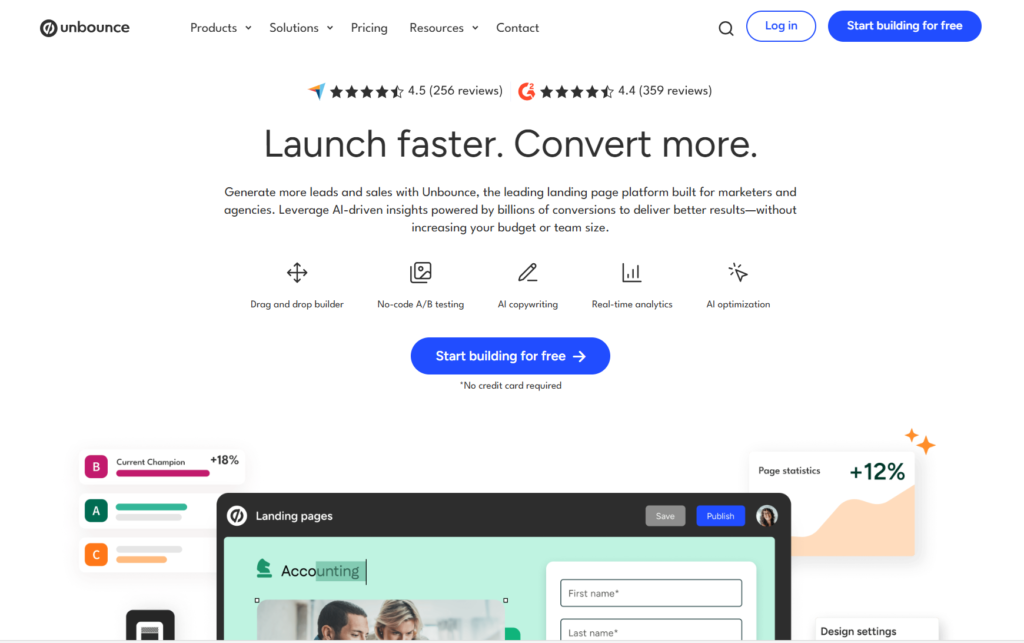
Unbounce has been in the landing page space since 2009, making it a pioneer in the category. Over the years, it has evolved into a conversion-focused platform that leans heavily on AI-driven optimization.
Its standout capability, Smart Traffic, uses machine learning to automatically route visitors to the landing page variant most likely to convert, without requiring you to wait for a statistically significant A/B test to complete. It targets marketers who want to launch pages fast and let data do the heavy lifting.
Instapage
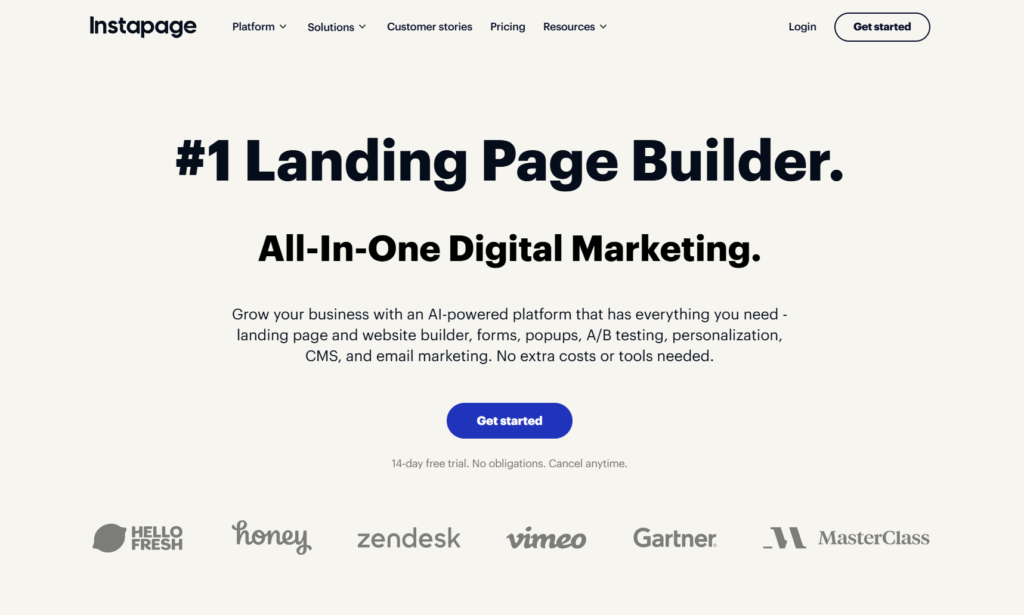
Instapage, founded in 2012, has carved out its own lane by focusing on post-click advertising experiences. The platform is built around the idea that ad-to-page relevance drives conversions, which is why its AdMap feature (exclusive to Instapage) visually maps your ad campaigns directly to dedicated landing pages.
Instapage also stands out for its team collaboration tools, making it a natural fit for agencies and in-house marketing teams that frequently review and iterate on pages.
Both platforms share DNA as premium landing page builders; they’re not cheap, but they’re purpose-built for conversion. Where they diverge is in the specific workflows they’re designed to support.
Page Builder and Ease of Use
A landing page builder is only as good as the experience of actually using it. Neither Unbounce nor Instapage asks you to write a single line of code, but the experience of building a page feels noticeably different between them.
Unbounce Builder
Unbounce uses a free-form drag-and-drop editor, meaning you can place any element — text, images, forms, buttons, videos- anywhere on the canvas without being locked to a grid. This gives designers and marketers a high degree of creative control. You can also add custom scripts and pixels directly to pages, which is a practical feature for teams that work closely with developers or need third-party tracking codes.
Unbounce also offers what it calls the Smart Builder, which uses AI to generate landing page layouts based on your campaign goal and industry. If you’re starting from scratch and want an intelligently structured page rather than a blank canvas, the Smart Builder gets you there significantly faster.
The learning curve on Unbounce is real, though. First-time users often take a few sessions before they feel fully confident navigating the interface. That said, once you’re familiar with it, the editor is both powerful and flexible.
Instapage Builder
Instapage’s builder takes a similar drag-and-drop approach, but it adds a layer of structure that many users find helpful. Its grid-based alignment system makes it easier to create polished, pixel-perfect pages without needing to manually nudge elements into position. The visual output from Instapage tends to look cleaner right out of the gate, which is part of why it’s popular with teams whose landing pages need to reflect a well-defined brand standard.
One of Instapage’s most distinctive design features is Global Blocks. These are reusable page sections, headers, footers, testimonial blocks, and CTAs, that you build once and then update across every page they appear on simultaneously. For teams managing dozens or hundreds of landing pages, this is a massive time-saver. The catch? Global Blocks are only available on the Convert plan, which is custom-priced at the enterprise level.
Instapage’s mobile editor is also worth noting, it does let you customize the mobile view, but some users report that mobile adjustments require more manual effort compared to desktop, since the mobile layout doesn’t always mirror desktop changes perfectly.
Winner: Instapage edges ahead for teams that value visual polish and real-time collaboration. Unbounce wins for flexibility and creative freedom.
Landing Page Templates
Both platforms offer a solid library of pre-designed templates, but they approach curation differently.
Unbounce currently offers over 100 conversion-optimized templates across a range of industries and use cases, from SaaS free trials to event registrations. The templates are clean, mobile-responsive, and designed with lead generation in mind. You can filter them by goal (clicks, leads, sales), which makes it easier to start with a relevant foundation.
Instapage offers a library of around 500+ templates, giving it a notable advantage in sheer volume. Instapage templates are also organized by use case and campaign type, and they tend to emphasize visual sophistication, they’re designed to look impressive without much additional tweaking. For teams that want to deploy a polished page quickly and move on, Instapage templates are a strong starting point.
Both platforms allow full template customization once you load one into the editor. Neither locks you into a rigid structure once the build process starts.
Winner: Instapage wins on template quantity and variety. Unbounce wins if you prefer fewer but more tightly curated options.
AI Features and Smart Optimization
This is an area where both platforms have invested heavily, and it’s one of the most relevant differentiators right now.
Unbounce Smart Traffic
Smart Traffic is genuinely one of Unbounce’s strongest selling points. Instead of running a traditional A/B test, where you wait weeks for statistical significance, Smart Traffic uses machine learning to analyze visitor attributes like device type, location, and browser behavior, then automatically sends each visitor to the variant most likely to convert for them. It starts working with as few as 50 visits and continuously improves over time.
The practical impact? Unbounce claims Smart Traffic can deliver up to 30% more conversions compared to standard A/B testing alone, because it’s routing visitors at an individual level rather than splitting traffic bluntly down the middle.
Smart Traffic is available on the Optimize plan and above.
Unbounce Smart Copy
Smart Copy is Unbounce’s built-in AI copywriting tool. It generates headlines, CTAs, body text, and ad copy based on a brief prompt and your target audience. It’s available on all plans, which means even entry-level users get access to AI-assisted content creation right away. It’s a practical tool for marketers who need multiple copy variants quickly without hiring a copywriter for every campaign.
Instapage AI Content Generator
Instapage includes an AI Content Generator on all plans that can produce headlines, paragraph copy, CTAs, and copy variations for A/B tests. The AI is trained to understand advertising context, so the outputs tend to be conversion-aware rather than generic. This is a meaningful advantage when you need to scale landing page creation across multiple campaign segments.
On the Convert plan, Instapage also includes AI Experiments, which analyze existing performance data and surface optimization suggestions. Rather than you having to interpret dashboards and form hypotheses, the tool proactively tells you what to test next.
Winner: Unbounce wins on AI-powered traffic optimization (Smart Traffic has no equivalent in Instapage’s standard plans). Instapage wins on AI content depth, especially for teams on the Convert plan.
A/B Testing and Conversion Optimization
For any serious marketer, A/B testing isn’t optional — it’s part of the standard workflow. Here’s how both platforms handle it.
Unbounce A/B Testing
Unbounce unlocks A/B testing on its Experiment plan (the second tier). From there, you can create unlimited page variants and manually set the traffic split between them. It tracks key metrics, including conversion rates, click-through rates, and form submissions, giving you the data to make informed decisions.
The platform also includes Dynamic Text Replacement (DTR) on the Experiment plan and above. DTR allows you to automatically swap out text on your landing page — headlines, subheadings, button copy — to match the exact search query or ad copy a visitor came from. For PPC campaigns, this is one of the highest-impact personalization tools available, since relevance between an ad and its landing page is one of the strongest conversion levers you have.
Unbounce also integrates Smart Traffic alongside A/B testing, so you’re not forced to choose between automation and manual experimentation.
Instapage A/B Testing
Instapage’s A/B testing is available on the Optimize plan. One of its technical advantages is server-side testing, which eliminates the page-flicker issue that can affect client-side tests (where visitors briefly see the wrong variant before the test loads). Server-side testing is particularly important for pages with a lot of personalization or heavy scripts.
Like Unbounce, Instapage supports unlimited page variants and flexible traffic splitting. It also includes a feature that lets you set a hypothesis before starting an experiment, which is a small but genuinely useful workflow detail that encourages more intentional testing. You can also access historical experiment results and reuse past variants, saving time on iterative testing cycles.
Dynamic text replacement is also available on the Optimize plan, letting you align on-page copy with the ad messaging that drove the click.
Winner: A near tie. Unbounce has Smart Traffic as an additional optimization layer. Instapage has server-side testing and a more structured experimentation workflow.
Integrations and Tech Stack Compatibility
Landing pages rarely operate in isolation. They feed into CRMs, email platforms, ad networks, and analytics tools. Both Unbounce and Instapage integrate well with the broader martech ecosystem, but the depth differs.
Unbounce supports over 1,000 integrations, largely facilitated through its native Zapier connection. It integrates directly and natively with tools like Mailchimp, HubSpot, Marketo, Salesforce, ActiveCampaign, and Google Analytics. It also allows custom scripts and pixels, so even if a tool isn’t in the official integration list, you can typically connect it manually with a bit of code.
Instapage has around 120+ native integrations, which is considerably fewer than Unbounce. The major ones are well-covered — HubSpot, Salesforce, Marketo, Mailchimp, Google Ads, and Facebook Ads all connect smoothly. Instapage also has a unique advantage in how it connects with advertising platforms through its AdMap feature (discussed more below), which gives it a tighter relationship with paid media workflows than most other builders.
If your tech stack is complex or you rely on niche tools, Unbounce’s integration depth gives it a clear practical advantage. If your stack centers around a core CRM and your Google/Meta ad campaigns, Instapage’s integrations are entirely sufficient.
Winner: Unbounce, by a significant margin, purely on integration breadth.
Instapage’s AdMap: A Feature Without a Direct Competitor
It would be unfair to discuss Instapage without dedicating specific attention to AdMap, because it’s genuinely one of the most distinctive features in the landing page builder space.
AdMap is a visual dashboard that maps your ad campaigns directly to their corresponding landing pages. You can see, at a glance, which ads are linked to which pages, identify gaps (ads without dedicated pages), and quickly create new pages from within the same interface. For teams running hundreds of ad sets across multiple campaigns, this visualization alone can save significant time in campaign management and auditing.
AdMap connects directly to your Google Ads and Facebook Ads accounts, pulling in your campaign structure automatically. When you notice an ad group without a dedicated, relevant landing page, you can build one and link it right there without switching platforms.
This is particularly valuable because ad-to-page relevance directly impacts Google Ads Quality Score, which in turn affects your cost-per-click and ad rank. Better message match between ad and landing page means lower CPCs and higher conversion rates — a double win.
The caveat is that AdMap is exclusive to the Convert plan, which is enterprise-tier and custom-priced. Smaller teams or individual marketers won’t have access to it without a significant budget commitment.
Winner: Instapage, uniquely, Unbounce has no comparable feature.
Collaboration Tools
If you’re a solo marketer, this section may be less relevant to you. But for agencies, in-house teams, or anyone who reviews pages with clients before publishing, the collaboration experience matters.
Instapage has a clear advantage here. It features a real-time collaboration system that works similarly to Slack — team members, clients, or stakeholders can leave comments directly on specific elements of a landing page, tag each other, and resolve threads once feedback is addressed. This eliminates the messy back-and-forth of emailing screenshots or scheduling review calls just to collect page feedback.
Unbounce has basic team collaboration, you can add multiple users and manage roles and permissions, but there is no native commenting or annotation system comparable to what Instapage offers. For teams that collaborate heavily on page design and copy, this gap is noticeable.
Winner: Instapage, clearly.
Pricing: A Detailed Breakdown
Pricing is one of the most critical decision points in this comparison, and it’s worth looking at carefully because both platforms have nuances that aren’t immediately obvious.
Unbounce Pricing
Unbounce offers three main plans (with enterprise Concierge options available):
- Build: $99/month (or $64/month billed annually). Includes unlimited landing pages, popups, sticky bars, AI copywriting, custom scripts, 1,000+ integrations, and up to 20,000 monthly unique visitors on 1 root domain.
- Experiment: $149/month (or $96/month billed annually). Everything in Build, plus unlimited A/B testing, dynamic text replacement, industry benchmark reporting, and up to 30,000 monthly visitors on 2 root domains.
- Optimize: $249/month (billed annually). Everything in Experiment, plus Smart Traffic, AMP landing pages, and higher visitor and domain limits.
- Concierge/Agency: Custom pricing. Designed for large agencies and enterprise teams with high traffic volume and dedicated support needs.
All plans include a 14-day free trial, though a credit card is required at signup.
Instapage Pricing
Instapage currently offers two primary plans plus a custom enterprise tier:
- Create: $99/month (or $79/month billed annually). Includes the drag-and-drop builder, AI content generation, unlimited landing pages, popups and sticky bars, up to 15,000 monthly unique visitors, 1 workspace, 10 team members, and 2 subdomains.
- Optimize: Standard coverage includes up to 30,000 unique monthly visitors; expanded option covers up to 50,000. Priced at $149/month billed annually for standard. Adds A/B testing (server-side), dynamic text replacement, multi-step forms, page scheduling, and traffic splitting. Still limited to 10 team members.
- Convert: Custom enterprise pricing. This is where AdMap, Heatmaps, Global Blocks, custom integrations, and bulk lead downloads live. Access to dedicated customer success management is included.
Both Create and Optimize plans include a 14-day free trial with a credit card required.
Pricing Verdict
At the entry level, Unbounce gives you 20,000 monthly visitors vs. Instapage’s 15,000 — a meaningful difference if you’re running active paid campaigns. Unbounce’s annual pricing ($64/month) is also more affordable than Instapage’s ($79/month) at the entry tier.
Instapage’s pricing can become difficult to justify for smaller teams because several of its most compelling features — AdMap, Heatmaps, Global Blocks — are locked behind the Convert plan, which requires a custom quote. You’re effectively paying for a premium product but not unlocking the premium features until you commit at the enterprise level.
Unbounce, by contrast, makes Smart Traffic available at the Optimize plan ($249/month billed annually), which is a concrete price point rather than a sales conversation.
Winner: Unbounce, for overall pricing transparency and better feature access at each tier.
Page Speed and Performance
Page load speed is not a nice-to-have — it’s a direct conversion factor. Studies consistently show that even a one-second delay in load time can reduce conversions by 7% or more. Both platforms host landing pages on fast infrastructure, but there are differences worth noting.
Unbounce offers an auto image optimizer and speed booster on all plans, which automatically compresses images and pre-loads critical assets without any manual effort on your part. Its Optimize plan also includes AMP landing pages (Accelerated Mobile Pages), which load almost instantaneously on mobile devices. For businesses that drive significant traffic from mobile ad campaigns, AMP support is a real competitive edge — and it’s a feature Instapage currently does not offer.
Instapage also delivers fast page loads and its infrastructure is enterprise-grade, particularly on the Convert plan which highlights performance as a key selling point for Fortune 1000-level advertisers. However, the absence of AMP support is a notable gap compared to Unbounce.
Winner: Unbounce, primarily because of AMP support and built-in speed optimization tools.
Customer Support
Both platforms offer support across live chat, email, and documentation resources, but the quality of that support can vary depending on which plan you’re on.
Unbounce includes customer support on all plans, with more dedicated and faster access on higher tiers. Its help center is comprehensive, and the platform has an active community. Users report mixed experiences with response times on the entry-level Build plan, while Concierge customers get dedicated account management.
Instapage’s customer support has consistently received strong reviews on third-party platforms. Multiple users specifically highlight the quality of live chat support as unusually responsive and knowledgeable. On the Convert plan, you get a dedicated Customer Success Manager who actively assists with page optimization, not just troubleshooting. For teams that want a service-like relationship with their software vendor, Instapage’s support culture is worth factoring into the decision.
Winner: Instapage, based on the consistent quality of user feedback around support.
Pros and Cons at a Glance
Unbounce
Pros:
- Smart Traffic is a genuinely differentiated AI optimization tool
- More generous visitor limits at every price tier
- AMP landing page support for fast mobile experiences
- 1,000+ integrations with broad martech compatibility
- Better pricing transparency — clear feature access at each plan level
- All plans include Smart Copy and AI copywriting from day one
Cons:
- No AdMap or visual ad-to-page mapping
- No native heatmap tools
- No team collaboration or commenting system
- Learning curve for new users, especially in the classic builder
- Several users have reported concerns around aggressive billing practices and renewal policies
Instapage
Pros:
- AdMap is a unique and highly practical feature for paid ad campaigns
- Superior team collaboration with real-time commenting
- Server-side A/B testing eliminates page flicker
- Strong template library with 500+ options
- AI Content Generator available on all plans
- Consistently praised customer support
Cons:
- Stricter visitor caps at the entry level (15,000/month)
- Most premium features (AdMap, Heatmaps, Global Blocks) require the custom Convert plan
- No AMP landing page support
- Fewer integrations than Unbounce (120+ vs. 1,000+)
- Higher entry-level annual price compared to Unbounce
- Some users report confusion over cancellation and auto-renewal policies
Unbounce vs Instapage: Who Should Use Which?
Choose Unbounce if you:
- Run PPC campaigns and need AI-powered traffic routing to squeeze more conversions out of your existing traffic
- Work solo or in a small team and need a capable, flexible builder without heavy collaboration needs
- Rely on a complex martech stack with many third-party tools, given Unbounce’s 1,000+ integration catalog
- Run mobile-heavy ad campaigns and want AMP landing page support
- Want clear, transparent pricing where you know exactly what features you’re getting at each tier
- Need Dynamic Text Replacement at a more accessible price point
Choose Instapage if you:
- Manage large volumes of paid ad campaigns across Google Ads and Facebook and want to maintain tight message match between ads and landing pages through AdMap
- Work on a team or with clients who need to review and comment on pages before publishing
- Want server-side A/B testing with a structured experimentation workflow
- Prioritize visual page quality and want a larger template selection to start from
- Are at the enterprise level and need dedicated customer success support and custom scalability through the Convert plan
Final Verdict
Unbounce and Instapage are genuinely strong platforms, and the honest answer is that neither one is universally better; they’re better for different people.
If you’re a performance marketer, a solo entrepreneur, or a small-to-mid-size team running conversion-focused campaigns, Unbounce is the stronger choice. Smart Traffic alone is a compelling reason to choose it, and the combination of fair visitor limits, AMP support, AI copywriting, and 1,000+ integrations gives you a well-rounded toolkit that scales cleanly with your campaigns. You also get more predictable pricing, which matters when you’re budgeting for marketing tools.
If you’re part of an agency, a large in-house marketing team, or an enterprise-level advertiser running complex multi-channel paid campaigns, Instapage’s AdMap and collaboration tools make a compelling case. The server-side A/B testing and dedicated support at the Convert level are genuinely enterprise-grade. Just be prepared for the fact that the features that make Instapage truly shine require the highest-tier plan.
For most marketers comparing these two tools head-to-head, Unbounce offers better value across more use cases; it delivers more at each price tier without requiring you to go enterprise to access its best tools. But if paid ad campaign management and team collaboration are your top priorities, Instapage earns its place at the table.
Frequently Asked Questions
Is Unbounce better than Instapage?
For most marketers, yes, Unbounce offers more features at each pricing tier, better visitor limits, and unique tools like Smart Traffic and AMP support. Instapage is the better choice for teams that need AdMap and advanced collaboration tools.
Does Instapage offer a free plan?
No. Instapage does not have a free plan but offers a 14-day free trial for its Create and Optimize plans. A credit card is required to start the trial.
Does Unbounce have a free plan?
Unbounce also does not offer a free plan. It provides a 14-day free trial across its Build, Experiment, and Optimize plans, and requires a credit card at signup.
What is Unbounce Smart Traffic?
Smart Traffic is Unbounce’s AI-powered visitor routing system. It analyzes visitor attributes in real time and automatically sends each visitor to the landing page variant most likely to convert for them. It starts producing results with as few as 50 visits and improves continuously over time.
What is Instapage AdMap?
AdMap is a visual tool exclusive to Instapage’s Convert plan that maps your ad campaigns to their corresponding landing pages. It connects with Google Ads and Facebook Ads to help you identify gaps in ad-to-page relevance and build new pages directly from the mapping interface.
Which landing page builder is better for beginners?
Instapage has a slightly lower initial learning curve thanks to its grid-aligned editor and large template library. Unbounce’s Smart Builder also makes a reasonable starting point for beginners. Both platforms have solid documentation and customer support.
Can I use both platforms for free?
Both Unbounce and Instapage offer 14-day free trials that give you full access to the selected plan’s features. Neither offers a permanently free tier.
Read more articles:
Unbounce Coupon Code: Get Upto 35% Discount