The AI coding revolution has fundamentally transformed how developers build applications.
You can now describe what you want in plain English and watch as intelligent agents write code, configure databases, and deploy working software, all within minutes. But here’s the million-dollar question: when you’re choosing between Emergent.sh and Bolt.new, which platform actually delivers on its promises?
I’ve spent weeks testing both platforms, building real applications, burning through credits, and discovering the hidden gotchas that marketing pages conveniently leave out. This isn’t another superficial comparison; it’s the comprehensive breakdown you need to make an informed decision in 2026.
What Makes These Platforms Different from Traditional Coding?
Before we dive into the head-to-head comparison, let’s establish what sets Emergent.sh and Bolt.new apart from conventional development approaches.
Traditional software development requires you to manually write every line of code, configure servers, set up databases, manage dependencies, and deploy infrastructure. Even with modern frameworks, launching a simple web app can take days or weeks.
AI-powered development platforms flip this model entirely. Instead of coding, you have a conversation. You describe your app’s functionality, and specialized AI agents handle the technical implementation. These platforms represent what the industry calls “vibe coding”, where natural language replaces syntax, and speed replaces complexity.
Both Emergent sh and Bolt new belong to this new category, but they approach the problem differently. Understanding these differences will determine which tool fits your specific needs.
Emergent.sh: The Full-Stack Specialist
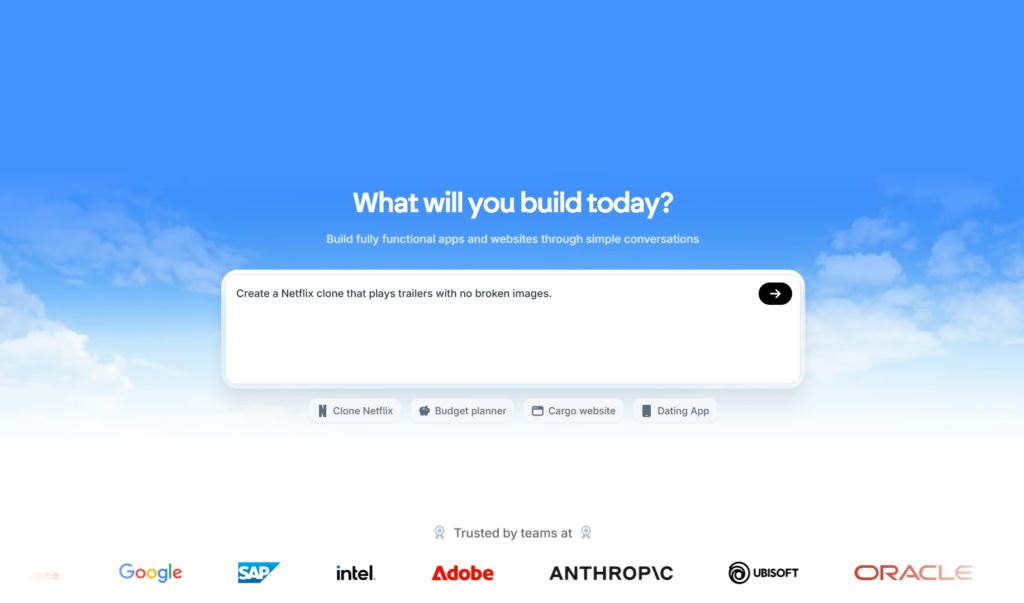
Emergent.sh positions itself as the first true full-stack AI builder. Founded by twin brothers Mukund and Madhav Jha, who bring serious tech credentials from Google, Amazon SageMaker, and India’s Dunzo, the platform launched from Y Combinator and quickly scaled to over 700,000 users with $10M in annual recurring revenue.
How Emergent sh Actually Works
When you start a project on Emergent.sh, you’re not just chatting with a single AI. The platform deploys multiple specialized agents working in coordination:
- A Manager Agent analyzes your requirements and creates the architectural plan
- A Backend Agent writes server logic, database schemas, and API endpoints
- A Frontend Agent builds the user interface and client-side functionality
- A Testing Agent validates functionality and catches bugs before deployment
This multi-agent approach means the platform understands the state and relationships between different parts of your application. When you ask for a user authentication system, Emergent doesn’t just generate login forms; it creates the database tables, writes the backend validation logic, implements JWT tokens, sets up password hashing, and connects everything.
The platform supports modern tech stacks, including React, Node.js, PostgreSQL, and MongoDB. You can choose from multiple AI models like GPT-4, Claude Sonnet 4, Claude Sonnet 4.5, and Gemini 2.5 Pro based on your specific task requirements.
What Emergent.sh Does Best
After testing Emergent extensively, several capabilities stand out:
Backend complexity: Emergent excels at building applications with real backend logic. When I built a SaaS comparison tool with user submissions, voting systems, and detailed pages, the platform automatically created the database schema, wrote the API endpoints, and implemented the business logic. Everything worked together seamlessly.
Production-ready code: The generated code quality surprised me. Opening the GitHub repo revealed clean, well-structured code with proper Pydantic validation, organized route handling, and security best practices. This isn’t throwaway prototype code, it’s production-grade.
Deployment included: Unlike platforms that generate code and leave you to figure out hosting, Emergent handles deployment automatically. Your app gets a live URL (like myapp.emergent.sh), SSL certificates, and managed infrastructure without touching AWS, Vercel, or any external hosting service.
Mobile app support: Emergent can generate React Native code compatible with Expo, meaning you can build iOS and Android apps. After generating your web application, you can request a mobile version and test it on your phone via QR code.
Stripe integration: The platform includes specialized agents for payment processing. You can prompt “Add a checkout button for $19/month subscription” and get a working payment flow with proper Stripe configuration.
Where Emergent.sh Falls Short
No platform is perfect, and Emergent has real limitations you should understand before committing:
Credit consumption unpredictability: This is the biggest complaint from users. Credits burn fast, especially when the AI makes mistakes, and you need additional credits to fix what it broke. One user reported spending $80 in top-ups before realizing the Pro plan would have been more economical. The credit-based system creates uncertainty around project costs.
Deployment costs: Here’s a surprise that catches many users, deploying your app costs 50 credits per month. That’s half of the entire Standard plan allocation. You won’t discover this until you click the Deploy button, which feels like a hidden fee.
Learning curve for prompting: Getting optimal results requires understanding how to structure prompts effectively. Vague descriptions lead to suboptimal implementations. You’ll need to invest time learning prompt engineering to extract maximum value from the platform.
Limited customization for pixel-perfect designs: If you’re extremely particular about spacing, colors, and visual details, customizing CSS through chat becomes tedious. The platform works best when you accept good-enough designs and focus on functionality.
Server reliability issues: Some users report occasional server problems that interrupt workflows. While not widespread, these reliability concerns matter when you’re in the middle of development.
Bolt.new: The Browser-Based Development Environment
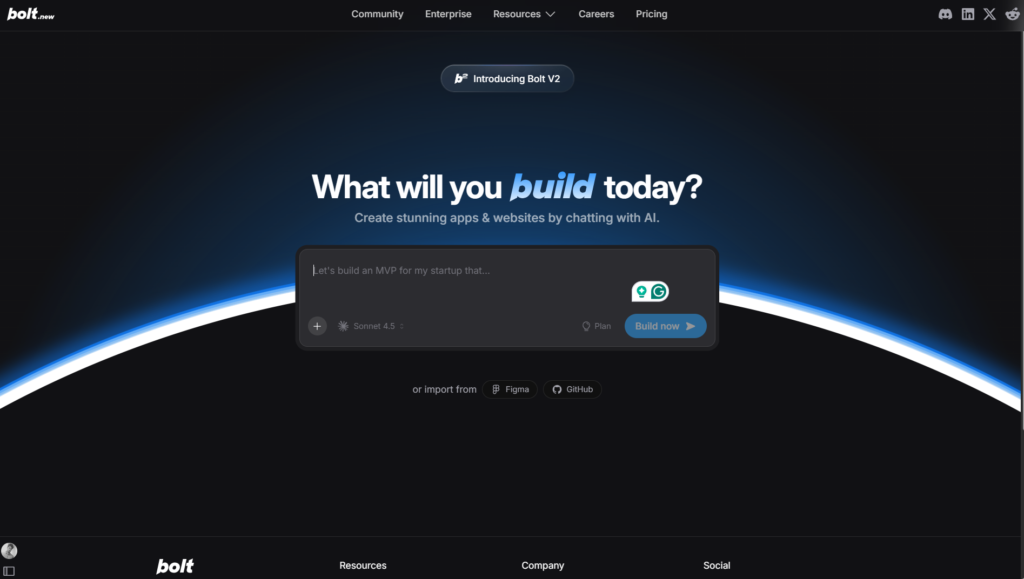
Bolt.new comes from StackBlitz, the team behind WebContainers, a technology that runs Node.js directly in your browser. The platform officially launched in October 2024 and achieved remarkable traction, reaching 5 million users and $40 million ARR within just five months.
How Bolt.new Operates
Bolt.new runs entirely in your browser using StackBlitz’s WebContainers technology. When you describe an application, the platform creates a complete development environment directly in your browser tab, eliminating the need for installations and local setup.
You get a full-fledged IDE interface with:
- Live code preview updating in real-time as changes occur
- File Explorer showing your entire project structure
- Terminal access for running commands and installing packages
- Integration with modern frameworks like Next.js, Astro, Vite, Vue, Svelte, and Remix
The AI assistant (powered primarily by Claude Sonnet 3.5 from Anthropic) generates code based on your prompts. Still, you can also manually edit files, install NPM packages, configure backends, and integrate databases like Supabase.
Bolt.new’s Key Strengths
Through extensive testing, these capabilities distinguish Bolt.new:
True browser runtime: Unlike AI code generators that only produce text, Bolt.new executes everything in your browser. You can npm install packages, start development servers, hit API endpoints, and see changes instantly, all client-side with no external servers needed during development.
Manual control: The platform strikes a balance between AI automation and developer control. You can let the AI generate everything, or you can manually edit specific files, giving you granular control over the final output.
Framework flexibility: Bolt.new supports a wide range of JavaScript frameworks and libraries. If it runs on StackBlitz, it runs on Bolt.new. This flexibility means you’re not locked into specific tech choices.
Netlify deployment: The platform simplifies deployment with integrated Netlify support. One-click deployment gets your application live with custom domains on paid plans.
Open-source availability: Surprisingly, Bolt.new is open-sourced. You can download the codebase and deploy it locally with your own API keys from Anthropic, giving you complete control and portability.
No hidden hosting fees: Unlike Emergent, deploying your Bolt.new application doesn’t consume additional credits or incur surprise charges. Deployment costs depend on your chosen hosting provider (like Netlify), which offers transparent pricing.
Bolt.new’s Limitations
Even with its strengths, Bolt.new has notable drawbacks:
Frontend-focused: While Bolt.new can generate full-stack applications, it shines primarily on frontend development. Backend logic and database management require more manual configuration compared to Emergent’s automated approach.
Token management complexity: The token-based pricing creates unpredictability. Long AI sessions, retries, and complex prompts burn through tokens faster than expected. Users report that heavy usage can make costs escalate quickly.
Database setup required: Unlike Emergent’s automatic database provisioning, Bolt.new requires you to set up external database services like Vercel Postgres or Supabase yourself. This adds configuration overhead.
Empty project issues: Multiple users report that Bolt.new sometimes produces empty projects or stops midway through generation, even after claiming success. This wastes tokens and creates frustration.
Limited human support: Users struggling with billing issues or technical errors rarely receive timely responses. The lack of responsive customer support frustrates paying subscribers dealing with problems.
Project size limitations: While improved context management allows larger projects, very complex applications may still hit limitations requiring you to break work into multiple sessions.
Head-to-Head Comparison: Emergent.sh vs Bolt.new
Let’s break down how these platforms compare across the dimensions that actually matter for your decision.
Development Speed and Workflow
Emergent.sh: From idea to deployed application in under 30 minutes for moderate complexity projects. The conversational approach asks clarifying questions upfront (authentication method, payment integration, database choices), then generates everything in one coordinated build. Simple apps can go live in under 10 minutes.
Bolt.new: Similar speed for frontend-heavy applications. The browser-based IDE lets you see code generation happen in real-time with live previews. However, backend setup and database configuration require additional time compared to Emergent’s automated approach.
Winner: Emergent.sh for complete full-stack applications. Bolt.new for frontend-focused projects where you want more manual control.
Code Quality and Maintainability
Emergent.sh: Generates clean, production-grade code with proper validation, organized structure, and security best practices. The multi-agent coordination ensures consistency across frontend, backend, and database layers. Code is immediately exportable to GitHub with a private repository.
Bolt.new: Produces modular full-stack applications with strong context handling. Code quality is generally good, though larger applications may have duplicate components that need cleanup. You have full manual editing capability to refine the output.
Winner: Tie. Both platforms generate maintainable code, but with different strengths—Emergent for backend cohesion, Bolt.new for frontend quality.
Tech Stack and Flexibility
Emergent.sh: Primarily supports React, Node.js, PostgreSQL, and MongoDB. Limited to the platform’s chosen stack, which covers most use cases but restricts advanced customization. Supports React Native for mobile applications via Expo.
Bolt.new: Supports any JavaScript-based framework, including Next.js, Astro, Vite, Vue, Svelte, and Remix. If it runs on StackBlitz, it works in Bolt.new. This flexibility accommodates diverse project requirements and developer preferences.
Winner: Bolt.new for flexibility and framework options.
Database and Backend Capabilities
Emergent.sh: Automatically provisions databases (PostgreSQL or MongoDB), creates schemas based on your requirements, generates API endpoints, and handles data relationships. Everything connects seamlessly without external setup.
Bolt.new: Requires manual database setup with services like Vercel Postgres or Supabase. The platform can generate backend code and API routes, but you’re responsible for provisioning and configuring data storage.
Winner: Emergent.sh decisively. The automatic database provisioning and backend generation saves significant setup time.
Deployment and Hosting
Emergent.sh: Fully managed deployment included. Your app gets a live URL with SSL, automatic scaling, and managed infrastructure. The catch: deployment costs 50 credits per month (approximately $10), which many users discover only at deployment time.
Bolt.new: Integrates with Netlify for one-click deployment. You manage hosting costs separately through your provider. Paid Bolt.new plans include custom domain support and SEO optimizations. No surprise deployment fees, you know hosting costs upfront from your provider.
Winner: Bolt.new for transparency. Emergent.sh for convenience if you don’t mind the credit cost.
Integrations and Extensibility
Emergent.sh: Includes specialized agents for Stripe payments, Google Sheets, Airtable, Notion, and Slack integrations. Payment processing integration is particularly polished. GitHub sync maintains your code repository automatically.
Bolt.new: Supports integrations with Supabase, Firebase, Stripe, and various APIs through manual configuration. GitHub integration keeps projects synchronized. The open-source nature allows community-built extensions.
Winner: Emergent.sh for out-of-the-box integrations. Bolt.new for extensibility and customization.
Learning Curve
Emergent.sh: Very beginner-friendly. The conversational approach with clarifying questions guides you through decisions. Non-technical founders can build functional applications. However, optimizing credit usage and mastering prompt engineering takes practice.
Bolt.new: Slightly steeper learning curve. Understanding the IDE interface, token management, and manual configuration requires some technical familiarity. However, the hands-on control helps developers understand exactly what’s being generated.
Winner: Emergent.sh for absolute beginners. Bolt.new for developers who want deeper understanding and control.
Collaboration and Team Features
Emergent.sh: Team plans support shared workspaces and collaboration. Multiple team members can work on projects together with proper access controls and role management.
Bolt.new: Real-time collaborative editing allows multiple developers to work simultaneously, similar to Google Docs for code. Team plans provide shared projects and coordinated workflows.
Winner: Bolt.new for real-time collaboration. Emergent.sh for team workspace management.
Pricing Breakdown: What You’ll Actually Pay
Understanding the true cost of each platform requires looking beyond monthly subscription prices to the hidden costs and usage patterns that affect your total spend.
Emergent.sh Pricing

Free Plan: 10 credits to test the platform. Enough for basic experimentation but insufficient to build anything substantial. You cannot deploy applications on the free tier.
Standard Plan: $20/month ($204/year with 17% discount). Includes 100 monthly credits, unlimited small projects, integrations with Google Sheets and Airtable, mobile app building, 10 daily credits, GitHub sync, and Fork functionality.
Pro Plan: $200/month ($2,004/year with 17% discount). Provides 750 monthly credits, premium integrations including Stripe, 1M token context window, custom agent creation, system prompt editing, priority support, faster machine performance, and advanced GitHub collaboration.
Hidden Costs: Deployment costs 50 credits per month per application (approximately $10 value). Complex builds consume credits faster than simple projects. AI mistakes requiring fixes eat additional credits. Many users report needing frequent credit top-ups beyond their plan allocation.
Real-World Cost: A solo developer building 2-3 projects monthly will likely need the Standard plan plus occasional credit top-ups ($30-40/month realistically). Professional developers working on complex applications should budget for the Pro plan.
Bolt.new Pricing
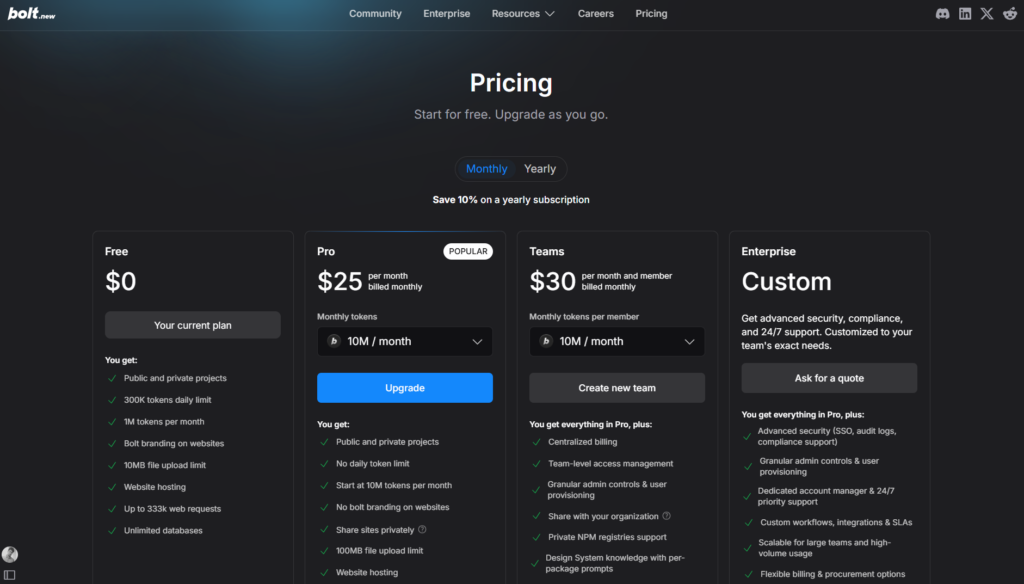
Free Plan: Generous for testing, 300K daily token limit and 2.5M tokens monthly. Includes hosting, the complete editor, and basic features. Shows Bolt branding and has lower file size limits. Good for learning and lightweight demos.
Simple Pro: $20/month with 10 million tokens. First practical tier for serious projects, includes private projects, custom domains, SEO tools, and expanded database capacity.
Pro 50: $50/month with 26 million tokens. For developers using AI acceleration across multiple projects.
Pro 100: $100/month with 55 million tokens. Ideal for daily heavy AI usage across numerous projects.
Pro 200: $200/month with 120 million tokens. For developers relying on Bolt as their primary full-time development environment.
Enterprise: Custom pricing for organizations with specific needs, custom token packages, and enhanced support.
Hidden Costs: Token burns from retries, long conversations, and rework can deplete allocations faster than expected. External database costs (Supabase, Vercel Postgres) add to monthly expenses. Hosting costs from Netlify or your chosen provider are separate.
Real-World Cost: Most solo developers find the $20 Simple Pro sufficient for moderate usage. Heavy users building multiple projects daily may need Pro 50 ($50/month) or higher tiers. Budget an additional $10-30/month for database and hosting services.
Cost Comparison Verdict
For budget-conscious developers, Bolt.new’s free tier provides more experimentation room. Both platforms charge $20/month for entry-level paid plans, but the cost predictability differs:
- Emergent.sh: Less predictable due to variable credit consumption and deployment fees
- Bolt.new: More transparent token-based usage, though heavy sessions still burn through allocations
If you’re building one significant project monthly, either the $20 plan works. For multiple projects or complex applications, both platforms push you toward higher tiers ($50-200/month).
Real-World Use Cases: Which Platform for Which Project?
The right choice depends heavily on what you’re actually building. Let’s break down specific scenarios.
Scenario 1: SaaS MVP with User Authentication and Payments
You’re a non-technical founder validating a SaaS idea. You need user accounts, a dashboard, payment processing, and a simple database to store user data.
Best Choice: Emergent.sh
Why: The platform’s automatic backend generation, database provisioning, Stripe integration, and authentication flows give you everything needed for a functional MVP. You’ll have a working product deployed and live within hours, letting you validate your idea with real users immediately.
Scenario 2: Landing Page with Complex Animations
You’re building a marketing website with sophisticated animations, custom interactions, and pixel-perfect design requirements.
Best Choice: Bolt.new
Why: The browser-based IDE with live preview lets you iterate rapidly on frontend design. Manual editing capability gives you precise control over animations and visual details. Framework flexibility means you can use Astro for static generation or your preferred frontend framework.
Scenario 3: Internal Business Tool (CRM, Dashboard, Admin Panel)
Your company needs a custom internal tool for tracking operations, managing customer data, or monitoring business metrics.
Best Choice: Emergent.sh
Why: These applications require real backend logic, database operations, and user management, all areas where Emergent excels. The platform’s focus on production-ready applications with proper authentication and data handling makes it ideal for business tooling.
Scenario 4: Rapid Prototyping for Client Presentations
You’re a freelancer or agency creating proof-of-concept demos for client pitches. Speed and presentation quality matter more than production readiness.
Best Choice: Bolt.new
Why: The real-time preview and fast iteration cycle let you demonstrate ideas quickly. No deployment fees mean you can spin up multiple demos without ongoing costs. The generous free tier accommodates experimentation without budget concerns.
Scenario 5: Mobile-First Application
You need to build a mobile application for iOS and Android alongside a web version.
Best Choice: Emergent.sh
Why: Native React Native support with Expo integration gives you mobile capabilities out of the box. Generate your web app, then request a mobile version and test it on your device immediately via QR code.
Scenario 6: Complex Web Application with Custom Backend Logic
You’re building a sophisticated application with custom business logic, multiple database relationships, and complex API requirements.
Best Choice: Depends on your technical expertise
- Emergent.sh if you want automated coordination between frontend and backend with minimal manual configuration
- Bolt.new if you prefer hands-on control over backend implementation and want to manually fine-tune server logic
Scenario 7: Learning AI-Assisted Development
You’re a developer or student learning how AI coding tools work and want to understand the technology without financial commitment.
Best Choice: Bolt.new
Why: The generous free tier (300K daily tokens) provides substantial room for learning and experimentation. Open-source availability lets you examine the codebase and understand implementation details.
2026 Updates and What’s Changed
Both platforms have evolved significantly since their launches. Here’s what’s new in 2026:
Emergent.sh Recent Developments
- Improved context window: Pro plan now includes 1M token context, allowing work on significantly larger codebases without losing coherence
- Custom agent creation: Advanced users can build specialized agents tailored to specific workflows
- System prompt editing: Professional developers can customize how agents interpret requirements and generate code
- Enhanced GitHub integration: Better synchronization between Emergent projects and GitHub repositories
- Mobile app enhancements: Strengthened React Native support with improved Expo compatibility
- Enterprise features: Expanded security, compliance, and team management capabilities for larger organizations
Bolt.new Recent Developments
- Bolt V2 release: Handles projects up to 1000 times larger through improved context management
- Native authentication: Built-in authentication flows with email verification and password leak checks
- Automatic security reviews: One-click security scanning with automated fix suggestions
- Bolt Cloud: Managed backend infrastructure with database support and automatic schema management
- Enhanced deployment: Custom domains, SEO optimization tools, and simplified publishing on paid plans
- Model improvements: Better Claude Sonnet integration with reduced token consumption for equivalent results
User Testimonials and Community Feedback
Understanding real user experiences provides insights beyond marketing claims.
What Emergent.sh Users Say
Positive feedback:
- “Built a working SaaS in under an hour without writing a line of code”
- “The backend generation is genuinely impressive—it just works”
- “Finally, a platform that understands how to connect frontend and backend properly”
- “GitHub integration keeps everything organized and version-controlled”
Critical feedback:
- “Credits disappear faster than expected, especially when fixing AI errors”
- “Deployment costs caught me by surprise, should be included in the base plan”
- “Customer support response times are slow when you’re stuck”
- “Occasional server reliability issues interrupt workflows”
What Bolt.new Users Say
Positive feedback:
- “The browser-based IDE is brilliant—no installation, no setup headaches.”
- “Real-time collaboration with teammates is a game-changer.”
- “Open-source availability means I’m not locked into a single vendorr”
- “Framework flexibility lets me use my preferred tools”
Critical feedback:
- “Token management is confusing—hard to predict monthly costs.”
- “Sometimes produces empty projects that waste tokens.”
- “Customer support is nearly non-existent for paying users.”
- “Backend setup requires more manual work than expected.”
Expert Verdict: Which Should You Choose?
After extensive testing, here’s my honest recommendation based on specific circumstances:
Choose Emergent.sh If You:
- Need a complete full-stack application with real backend logic
- Want automatic database provisioning and management
- Lack technical coding experience but have a clear product vision
- Need payment processing integration (Stripe)
- Plan to build mobile apps alongside web applications
- Value coordinated multi-agent architecture over manual control
- Prioritize speed-to-production over fine-grained customization
Choose Bolt.new If You:
- Focus primarily on frontend development and UI design
- Want hands-on control over technical implementation details
- Prefer working with diverse JavaScript frameworks
- Value transparent pricing without surprise deployment fees
- Need real-time team collaboration capabilities
- Want open-source portability and vendor independence
- Have technical expertise to configure backends and databases
Consider Both If You:
Build different types of projects regularly. Use Emergent.sh for backend-heavy applications and internal tools. Use Bolt.new for frontend-focused projects and rapid prototyping. The $20/month entry point for each platform makes this combination financially viable for professional developers.
The Bigger Picture: AI Coding
Both Emergent.sh and Bolt.new represent a fundamental shift in software development. The question isn’t whether AI-assisted coding will become standard—it already is. The question is which tools will earn developer trust through reliability, transparency, and genuine value delivery.
What we’re witnessing in 2026 is the maturation of “vibe coding” from experimental technology to production-ready tools. These platforms demonstrate that natural language interfaces can genuinely replace traditional coding for many use cases, democratizing software creation for non-technical builders while accelerating workflows for experienced developers.
However, both platforms reveal persistent challenges in the AI coding space:
Cost predictability remains problematic. Credit-based and token-based systems create uncertainty around project budgets, making financial planning difficult for both individuals and organizations.
Debugging AI-generated code still requires human expertise. When the AI makes mistakes, you need enough technical knowledge to identify and fix issues—or enough credits to ask the AI to fix its own mistakes.
Production scalability questions persist. While these platforms generate functional applications, scaling to handle millions of users requires expertise beyond what the AI provides automatically.
Alternative Considerations
While this comparison focuses on Emergent.sh and Bolt.new, several other platforms deserve mention:
Cursor: Best for developers who want AI assistance directly in their IDE (VS Code). Provides inline code suggestions, agent-driven refactoring, and codebase-wide understanding. Requires more manual development work but gives total control.
Lovable: Similar to Emergent and Bolt, but with a stronger focus on design-centric workflows. Includes Figma integration and visual point-and-click editing. Message-based credit system with predictable daily limits.
Replit: Cloud IDE with AI assistance (Ghostwriter). Excellent for learning, education, and collaborative coding. More traditional development approach with AI acceleration.
v0 by Vercel: Specialized in generating React components and UI elements. Perfect for frontend developers who need high-quality component generation with shadcn/ui styling.
Making Your Final Decision
The “right” choice between Emergent.sh and Bolt.new ultimately depends on your specific circumstances. Consider these final decision factors:
Technical expertise level: Non-technical founders should lean toward Emergent.sh for its guided, conversational approach. Developers comfortable with manual configuration may prefer Bolt.new’s flexibility.
Project type predominance: Backend-heavy applications favor Emergent.sh. Frontend-focused projects favor Bolt.new.
Budget flexibility: If you need predictable costs, Bolt.new’s token model (despite its challenges) provides clearer monthly expenses. Emergent’s credit system creates more variability.
Team collaboration needs: Real-time collaborative editing makes Bolt.new superior for distributed teams working synchronously.
Mobile requirements: Native mobile app support makes Emergent.sh the clear choice if your roadmap includes iOS and Android applications.
Learning goals: If you want to understand AI coding deeply while maintaining control, Bolt.new’s open-source approach and manual editing capabilities provide better educational value.
Conclusion: Both Tools Deliver, But Differently
The headline question—”Which AI coding tool actually delivers in 2026?”—has a nuanced answer: both Emergent.sh and Bolt.new deliver genuine value, but they excel at different things.
Emergent.sh delivers on the promise of true full-stack automation. Non-technical founders can genuinely build, deploy, and launch real businesses. The multi-agent architecture creates cohesive applications with properly connected frontends, backends, and databases. When it works, it feels magical. The credit system and deployment costs create friction, but the end result—a production-ready application from conversation—justifies the investment for many users.
Bolt.new delivers a professional-grade browser-based development environment with intelligent AI assistance. The platform doesn’t hide the technical complexity—it surfaces it in an accessible way while accelerating development through AI. Developers maintain control and understanding while moving faster than traditional coding allows. Token management creates some unpredictability, but the open-source nature and framework flexibility provide long-term value.
My recommendation? Start with Bolt.new’s generous free tier to understand AI-assisted development. If your project needs sophisticated backend logic and database management, try Emergent.sh’s free credits. Most developers will quickly identify which platform aligns with their workflow preferences and project requirements.
The real winner in this comparison is you, the developer who now has access to tools that can turn ideas into working software faster than ever before. The AI coding revolution isn’t coming; it’s here. Choose the tool that empowers you to build what you’ve been imagining.
Ready to start building? Visit Emergent.sh or Bolt.new and experience the future of software development yourself. Your next great idea is just a conversation away.