Carrd and Unbounce are two distinct landing page builders that cater to different market segments. These platforms provide unique approaches to creating landing pages, with Carrd focusing on simplicity and affordability while Unbounce offers enterprise-grade conversion optimization features.
Moreover, with Carrd boasting a G2 score of 4.7/5 and Unbounce holding 4.4/5, both platforms have earned user trust, though for vastly different reasons.
Yet, choosing between these two solutions requires careful consideration. While both platforms help you build landing pages, they differ significantly in approach — Carrd excels at ultra-simple one-page sites at an unbeatable price point, while Unbounce provides sophisticated AI-powered testing and optimization tools for serious marketers.
To help you find the right platform for you, in this guide we cover the main differences between Carrd and Unbounce.
We’ll compare the two landing page builders on pricing, features, templates, integrations, building pages at scale, and more. Additionally, with an abundance of landing page solutions available today, we’ll also discuss whether one of these two options is even the best choice or whether there might be a better fit for you.
So let’s get to it.
Carrd vs Unbounce: Main Differences
| Carrd | Unbounce | |
|---|---|---|
| Pricing | Free – 3 Pro Lite – From $9/year Pro Standard – From $19/year Pro Plus – From $49/year | Build – From $74/month Experiment – From $112/month Optimize – From $187/month Concierge – From $649/month |
| Number of templates | 100+ | 100+ |
| Number of integrations | 15+ native, 1000+ via Zapier | 40+ native, 1000+ via Zapier |
| Editor type | Block-based (snap-to-grid) | Fully drag-and-drop |
| Mobile previews | Editable | Editable (separate editor) |
| A/B testing | No | Yes |
| AI features | No | Yes (Smart Traffic, Smart Copy) |
| Multi-page websites | No (one-page only) | Yes |
| Pop-ups and sticky bars | No | Yes |
How Do the Page Builders Compare?
Carrd
Carrd’s page builder features a minimalist, block-based interface that allows you to create and publish a one-page site within minutes. No coding knowledge is required.
Note that Carrd is specifically designed for one-page websites only. The platform doesn’t support multi-page sites, making it ideal for portfolios, landing pages, link-in-bio pages, and simple business cards.
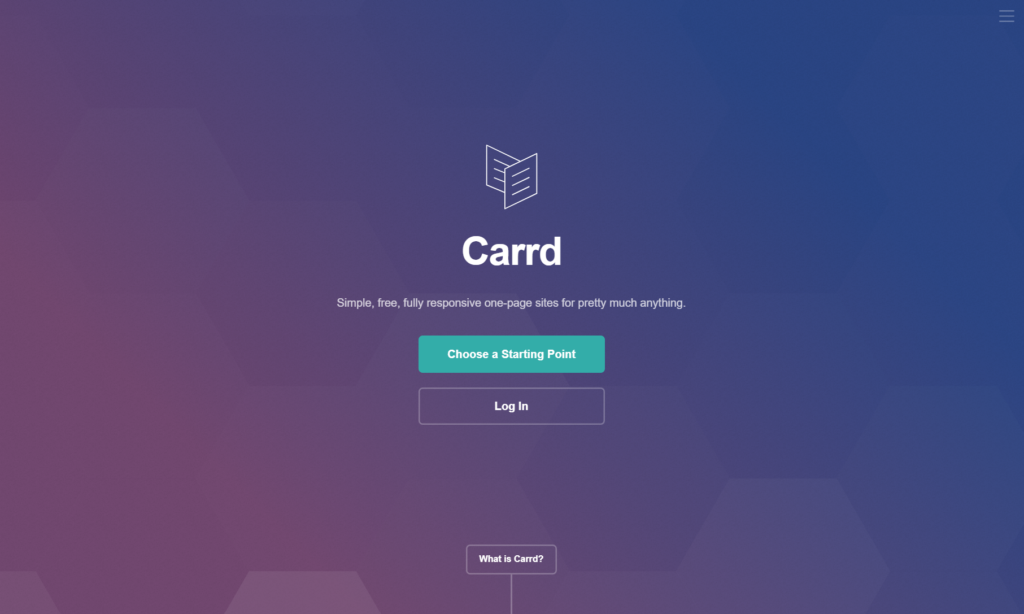
The builder includes pre-designed templates where you can find multiple layouts across various categories (Personal, Business, Portfolio, etc).
As for the elements, you can add components like text blocks, images, videos, buttons, forms, icons, and embeds. You can also add custom HTML and CSS for greater control over your page’s design (available on Pro plans).
The page builder is straightforward and works on a block-based system, meaning that elements snap into designated placeholders rather than allowing free placement.
That brings us to one of Carrd’s main limitations: The restricted customization options.
For one, you’re limited in terms of element placement. You can only place components in predetermined spots (unlike Unbounce, Instapage, or Wix which allow you to place elements anywhere you’d like). Secondly, while the mobile preview is editable, the platform uses a single-column approach for mobile optimization.
Although this feature ensures your page looks good on mobile devices, you don’t get separate desktop and mobile editors. Consequently, complex layouts may not translate perfectly across all viewports.
Lastly, Carrd lacks advanced features like A/B testing and conversion tracking. The platform is built for simplicity rather than conversion optimization, which means you won’t find tools for running experiments or analyzing visitor behavior in detail.
Unbounce
At first glance, Unbounce’s page builder appears significantly more robust than Carrd’s. It features a fully drag-and-drop interface with extensive customization options and widgets similar to professional landing page builders (e.g., countdown timers, forms, buttons, etc.). However, Unbounce makes up for Carrd’s limitations and then some.

Unbounce allows you to place widgets wherever you like with pixel-perfect precision. Also, the desktop and mobile editors are separate, so you can adjust your design for each device independently (i.e., you can have one layout/design for desktop and a completely different layout/design for mobile).
Moreover, besides HTML, you can also add custom Javascript and CSS code with Unbounce, which is not possible with Carrd’s free plan.
Then there’s the Smart Builder functionality. This AI-powered feature helps you generate landing pages quickly by analyzing your inputs and creating optimized designs. You also have access to the Classic Builder if you prefer more manual control.
Moreover, Unbounce includes built-in A/B testing and Smart Traffic — an AI algorithm that automatically routes visitors to the landing page variant where they’re most likely to convert. This feature alone can boost conversion rates by up to 30% on average.
As for the drawbacks, Unbounce comes with a significantly steeper learning curve compared to Carrd. The platform packs so many features that beginners might feel overwhelmed initially. The pricing is also considerably higher, making it less accessible for solopreneurs and small businesses on tight budgets.
Carrd vs Unbounce: Templates
Carrd
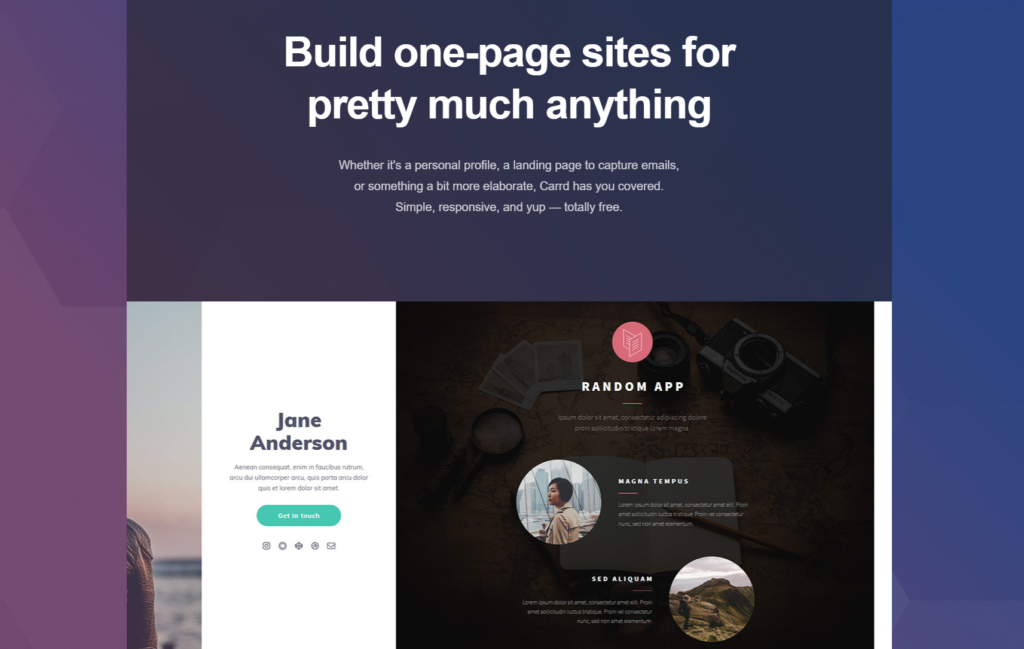
Carrd includes 100+ templates designed specifically for one-page sites. The templates are split into the following categories:
- Personal (e.g., bio pages, portfolios, resumes)
- Landing page (e.g., product launches, waitlist signups)
- Profile (e.g., social media link hubs)
- Form (e.g., contact forms, surveys)
You can filter these templates by style and purpose. Most templates feature clean, minimalist designs that look modern and professional.
Overall, Carrd offers sufficient variety for most one-page site needs, and the platform makes it easy for you to find the right template for your project.
Unbounce
Unbounce offers 100+ landing page templates, matching Carrd in quantity but offering more variety for conversion-focused campaigns.
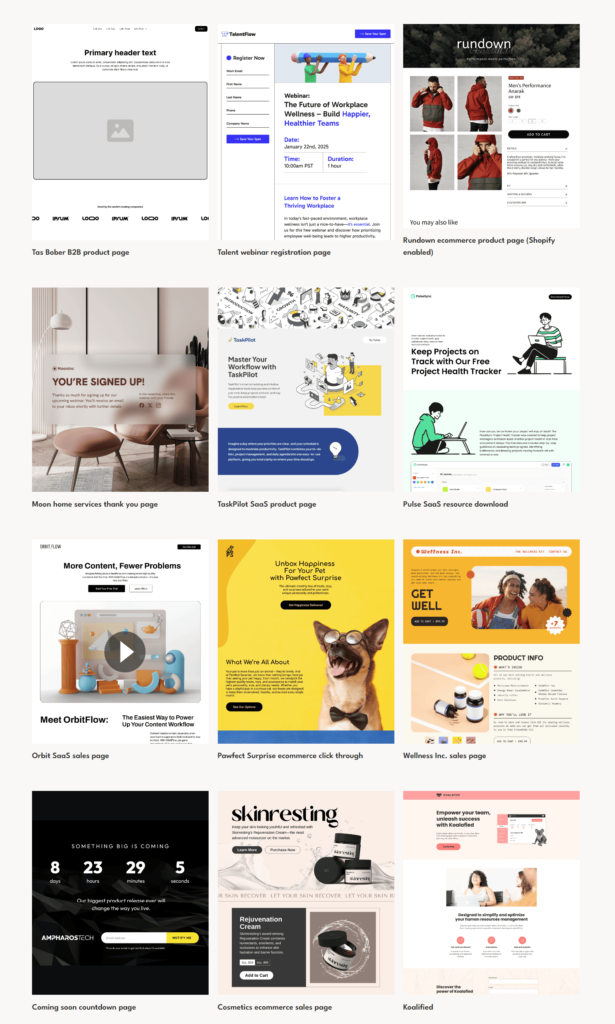
Unlike Carrd, you can filter these templates by industry, goal (e.g., lead generation, sales, webinar signups), and use case. Consequently, you can find templates specifically designed for your campaign type more easily.
The templates are highly polished and built with conversion optimization in mind. You can find most templates under the Lead Generation, Product Demo, Event Registration, and Webinar Signup tabs.
Unbounce also provides mobile-optimized versions of all templates, ensuring your pages look great across all devices.
Carrd vs Unbounce: Building Pages at Scale
If you manage multiple landing pages or work with multiple clients, features like workspace management and the ability to create various sub-accounts under your master account are crucial for remaining organized and saving time.
Carrd
Carrd’s approach to scaling is straightforward but limited. Depending on your plan, you can create between 3 to 500 sites from a single account.
The free plan allows 3 sites, Pro Lite gives you 10 sites, Pro Standard provides 25 sites, and Pro Plus unlocks up to 500 sites. Each site is managed from your main dashboard.
However, the platform lacks advanced team collaboration features. There are no sub-accounts, workspaces, or permission management tools. If you’re a freelancer building sites for multiple clients, you’ll need to share your account credentials or publish sites to client domains.
Also, Carrd lacks smart sections, meaning that you cannot edit elements across multiple pages simultaneously. Each site must be updated individually.
Unbounce
Unbounce includes robust features for building pages at scale.
The platform allows you to create unlimited landing pages, even on the basic Build plan. You can also organize your pages by campaigns, making it easy to manage multiple projects.
Moreover, the Experiment and Optimize plans allow multiple user accounts. You can invite team members and assign different permission levels (View, Edit, Manage). This makes collaboration with designers, copywriters, and marketers seamless.
Additionally, Unbounce’s page duplication feature lets you quickly create variants for A/B testing or repurpose successful designs for new campaigns. The platform also includes detailed analytics and conversion tracking for each page, helping you understand what works and what doesn’t.
Carrd vs Unbounce: Integrations
Carrd
Carrd integrates with 15+ apps natively, focusing on essential tools for simple websites. The native integrations include email marketing platforms, payment processors, and form services.
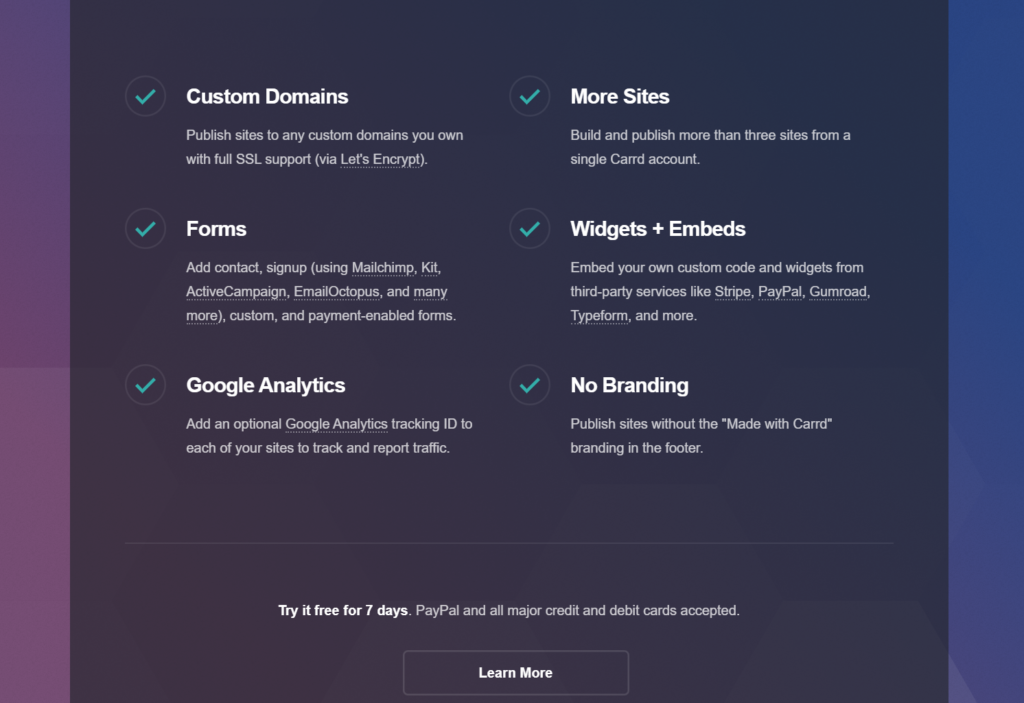
Here are some popular native integrations with Carrd:
- Email marketing: Mailchimp, ConvertKit, ActiveCampaign, EmailOctopus
- Payments: PayPal, Stripe
- Forms: Formspree, Basin
You can get access to thousands of other third-party apps via Zapier and other automation platforms.
The integration setup is straightforward. For example, connecting an email marketing tool simply requires copying your API key and pasting it into Carrd’s form settings.
Unbounce
Unbounce integrates with 40+ apps natively with access to more tools through Zapier. Unbounce’s integrations span across marketing automation, CRM, email marketing, analytics, and advertising platforms.
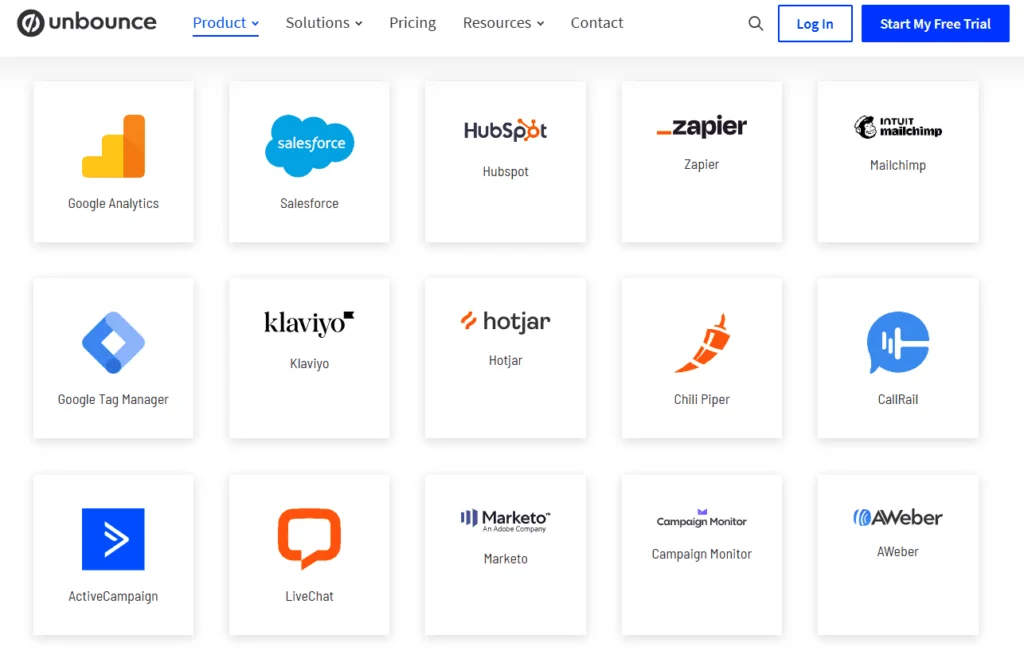
Unlike Carrd, Unbounce includes direct integrations with major marketing platforms like HubSpot, Salesforce, Marketo, and Google Analytics 4. This makes it easier to track conversions and sync leads with your existing marketing stack.
Here are a few more Unbounce integrations that you won’t find in Carrd:
- Mailchimp (native)
- Salesforce (native)
- HubSpot (native)
- ActiveCampaign (native)
- Shopify (native)
- Facebook Ads (native)
Additionally, Unbounce includes webhooks for custom integrations, allowing developers to connect with virtually any tool.
Carrd vs Unbounce: Pricing
Carrd Pricing
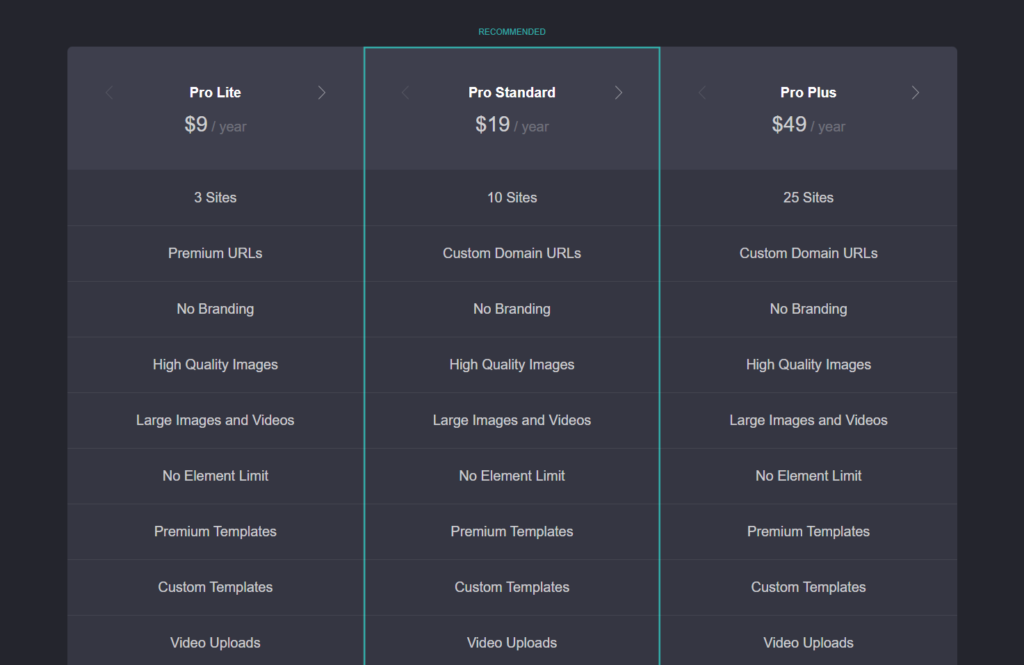
Carrd includes four pricing options:
- Free: 3 sites, carrd.co subdomain, 100 elements
- Pro Lite: $9/year (annually only) – 10 sites, custom domain
- Pro Standard: $19/year (annually only) – 25 sites, forms, widgets, Google Analytics
- Pro Plus: $49/year (annually only) – 500 sites, redirects, advanced forms
All plans include unlimited traffic and bandwidth, which is remarkable for the price point.
The Free plan gives you access to 3 fully functional sites with a Carrd subdomain. This plan is perfect for testing the platform or creating simple link-in-bio pages.
If you choose the Pro Standard plan (the most popular option), you’ll get custom domain support, contact forms, Google Analytics integration, and embed widgets. This plan also provides SSL certificates for all your sites.
The Pro Plus plan unlocks advanced features like redirects, priority support, and the ability to manage up to 500 sites. This plan is ideal for agencies or freelancers managing multiple client websites.
Notably, all paid plans are billed annually only. There are no monthly payment options available.
Unbounce Pricing

There are four pricing plans available:
- Build: $99/month (monthly), $74/month (annually) + 14-day free trial
- Experiment: $149/month (monthly), $112/month (annually) + 14-day free trial
- Optimize: $249/month (monthly), $187/month (annually) + 14-day free trial
- Concierge: $649/month (contact sales)
The Build plan includes unlimited landing pages, popups, and sticky bars. You also get 20,000 monthly visitors, Smart Copy (AI copywriting), 1000+ integrations, and free hosting. This plan is suitable for small businesses launching their first landing page campaigns.
However, note that this plan doesn’t include A/B testing or Smart Traffic, which are arguably Unbounce’s most powerful features.
The Experiment plan unlocks unlimited A/B testing, dynamic text replacement, and raises the visitor limit to 30,000 per month. Furthermore, you have access to advanced reporting features and page variants.
Most notably, this plan gives you access to Unbounce’s staple features. More specifically:
- Smart Traffic (AI-powered traffic optimization that automatically routes visitors to the best-performing variant)
- Dynamic Text Replacement (Match landing page text to visitor search terms)
- Advanced Reporting (Track conversions, analyze visitor behavior, and compare variants)
The Optimize plan provides everything in Experiment plus Smart Traffic, audience targeting, advanced scheduling, and support for 100,000 monthly visitors. This plan is designed for businesses serious about conversion optimization.
Lastly, the Concierge plan offers custom limits on traffic and domains, dedicated customer success management, and priority support. You can also request custom features and integrations.
Carrd vs Unbounce: Unique Features
Carrd
Simple Drag-and-Drop Builder
Actually, Carrd uses a block-based builder rather than true drag-and-drop. However, this simplicity is its strength.
Elements snap into predetermined positions, preventing design mistakes that beginners often make with free-form editors. You can’t accidentally create misaligned layouts or overlapping elements.
This approach makes Carrd incredibly fast to use. Most users can build a complete landing page in under 20 minutes.
Affordable One-Page Website Hosting
Carrd’s pricing is almost unbelievable when compared to competitors. For just $19 per year (Pro Standard), you get:
- 25 fully hosted websites
- Custom domain support for each site
- SSL certificates
- Unlimited bandwidth and traffic
- Form submissions and widgets
No other platform offers comparable value at this price point.
Custom HTML, CSS, and Embeds
Available on Pro plans, this feature lets you extend Carrd’s functionality beyond its built-in elements.
You can embed third-party widgets like calendars, chat tools, payment buttons, and more. Advanced users can also add custom CSS to fine-tune their designs or create unique effects.
This flexibility makes Carrd surprisingly capable despite its simplicity.
Unbounce
Smart Traffic Optimization
Smart Traffic is Unbounce’s flagship AI feature. It automatically analyzes visitor attributes (device type, location, browser, time zone, etc.) and routes each visitor to the landing page variant where they’re most likely to convert.
Unlike traditional A/B testing that eventually crowns one “winner,” Smart Traffic continuously optimizes for each visitor segment. This means different types of visitors see different page variants based on what works best for people like them.
The results speak for themselves — Unbounce reports an average 30% lift in conversions when Smart Traffic is enabled. The feature starts optimizing after just 50 visits, much faster than traditional testing methods.
Dynamic Text Replacement (DTR)
DTR automatically matches your landing page headlines and text to the keywords in your visitors’ search queries.
For example, if someone searches “blue running shoes” and clicks your ad, DTR can automatically change your headline from “Running Shoes” to “Blue Running Shoes.” This creates a more personalized experience and improves relevance.
This feature is particularly powerful for PPC campaigns where you’re targeting multiple keywords with the same landing page. Instead of creating dozens of pages, you can use DTR to dynamically customize a single page.
AI Copywriting (Smart Copy)
Smart Copy is Unbounce’s AI-powered copywriting assistant built directly into the page builder.
You can use it to generate headlines, body copy, call-to-action text, and more. The AI understands marketing principles and can write conversion-focused copy in various tones and styles.
Additionally, Smart Copy can rewrite existing text, expand short ideas into full paragraphs, or condense lengthy sections. This speeds up the content creation process significantly, especially when you’re building multiple landing pages.
The Verdict
Overall, the “better” option depends entirely on your needs and budget.
Carrd is unbeatable for solopreneurs, freelancers, and small businesses that need simple, affordable one-page sites. The platform’s extreme simplicity and rock-bottom pricing make it accessible to anyone. If you’re creating portfolios, link-in-bio pages, simple product launches, or personal websites, Carrd delivers exceptional value.
However, Carrd lacks essential features for serious conversion optimization — no A/B testing, limited analytics, no team collaboration, and basic integrations.
Unbounce, on the other hand, is built for conversion. The platform’s AI-powered Smart Traffic, comprehensive A/B testing, dynamic text replacement, and robust analytics make it the clear choice for businesses focused on maximizing ROI from paid advertising campaigns.
Moreover, Unbounce’s team collaboration features, unlimited pages, and extensive integrations make building landing pages at scale much easier. Not to mention that Unbounce also offers significantly more advanced features.
However, Unbounce is dramatically more expensive — the basic plan costs $74/month (annually) compared to Carrd’s $19/year. This pricing gap of nearly 50x makes Unbounce inaccessible for many small businesses and individuals.
If only there was an alternative that combines Carrd’s affordability with Unbounce’s conversion features, right?
Well, that’s where Landingi comes in.
Carrd vs Unbounce: The Better Alternative?
We believe that Landingi is an excellent alternative to both Carrd and Unbounce. Firstly, there’s the pricing.
Landingi covers four plans:
- Core: $35/month (monthly), $29/month (annually)
- Create: $79/month (monthly), $65/month (annually)
- Automate: $109/month (monthly), $89/month (annually)
- Agency: $129/month (monthly), $89/month (annually)
There’s also a 14-day free trial for all pricing plans. Landingi is more affordable than Unbounce while offering significantly more features than Carrd. This platform also offers more pricing package variety than both competitors. Consequently, you’ll get more value for your money.
Moreover, Landingi offers 400+ templates — significantly more than both Carrd and Unbounce. These templates are categorized by industry and landing page goals (e.g., event signup, webinar registration, product launch, etc.)
As for the features, Landingi includes Smart Sections. With Smart Sections, you can easily edit a section and the changes will automatically port over to all landing pages that include that specific section. You can also duplicate landing pages to create similar designs more easily.
Landingi, as the only player in the business, has onboard in-built analytics for tracking micro-conversions like clicks, views, scrolls, etc. It’s a great alternative to Google Analytics as regards landing pages.
Moving to the landing page builder, Landingi allows you to edit desktop and mobile previews separately with a true pixel-perfect drag-and-drop editor. Elements can be placed anywhere on the canvas without restrictions.
The platform also includes workspace management with subaccounts, page tracking, and built-in white-labeling for easier client collaboration.
Lastly, Landingi includes 180+ integrations with various CRM, email marketing, chat, eCommerce, and analytics tools. Some popular integrations include HubSpot, Salesforce, Mailchimp, ActiveCampaign, and more. You can also integrate Landingi with Zapier for access to thousands of additional apps.
Overall, with a flexible pixel-perfect builder, affordable pricing, and a wide number of templates and integrations, Landingi is a worthy alternative to both Carrd and Unbounce that anyone serious about building quality landing pages at scale should consider.
Moreover, according to user reviews, the support team is fast, attentive, and always provides users with helpful answers. Additionally, you can opt for Landingi’s design and support services if you’re short on time or need help with importing your existing designs into the platform.
Sign up for a 14-day free trial here to test it out for yourself!
Frequently Asked Questions
What is Carrd best used for?
Carrd is excellent for creating simple, single-page websites like portfolios, link-in-bio pages, personal profiles, product launches, and landing pages where you need an affordable, fast solution without complex features.
Is Unbounce better for marketing campaigns?
Yes, Unbounce is specifically designed for marketing campaigns. It offers AI-powered optimization (Smart Traffic), A/B testing, dynamic text replacement, and comprehensive analytics — features essential for maximizing conversion rates from paid advertising campaigns.
Can I use Carrd to create multiple landing pages?
Yes, but each page is separate and limited to one-page sites. The free plan allows 3 sites, while paid plans support between 10 to 500 sites depending on your subscription level. However, you cannot create multi-page websites with Carrd.
Which platform is more affordable for small businesses?
Carrd is dramatically more affordable, starting at just $9/year for the Pro Lite plan and $19/year for the popular Pro Standard plan. Unbounce starts at $74/month (annually), making it roughly 50 times more expensive than Carrd.
Do Carrd and Unbounce offer integrations with email or CRM tools?
Yes, both platforms offer integrations. Carrd integrates with popular email marketing tools like Mailchimp, ConvertKit, and ActiveCampaign. Unbounce offers more extensive integrations with 40+ native connections including HubSpot, Salesforce, and Marketo, plus access to 1000+ apps via Zapier.
Read more related blog article:
Unbounce Coupon Code: Get Upto 35% Discount