
Every team building an AI agent runs into the same wall sooner or later. The model is smart, but it can’t see the live web, and the moment you try to give it that ability you inherit a pile of unglamorous problems: headless browsers that crash, proxies that get blocked, HTML that burns half your token budget, and sites that redesign themselves the week after you finish your parser.
Context.dev is a web data API that wants to make all of that someone else’s problem. It scrapes any URL into clean, LLM-ready Markdown, crawls entire websites, searches the web, monitors pages for changes, and pulls company and brand data, all through one REST API and one API key.
It began as Brand.dev, a logo and brand-data API, and it has spent 2026 growing into a broader web context platform for AI agents and RAG pipelines.
This review covers what Context.dev actually does, what it costs once you read the credit tables closely, how it compares with alternatives such as Firecrawl, ScrapingBee and Tavily, and where it falls short. By the end, you should know whether it deserves a place in your stack.
Context.dev Review at a Glance: Quick Verdict
Context.dev is a well-built, fairly priced web scraping API for AI agents, RAG pipelines and SaaS products. Setup is fast, the pricing model is easy to reason about, and the brand-data side is something most scraping APIs don’t have.
It is also a young company with very little independent benchmarking, so its boldest claims deserve a test run before you commit production traffic.
| Category | Details |
|---|---|
| Best for | Developers building AI agents, RAG pipelines, support chatbots, research tools and SaaS onboarding flows |
| Starting price | Free (1,000 credits per month); paid plans from $19 per month |
| Core products | Scrape, Crawl, Map, Batches, Web Search, Answers, Monitors, Brand and Styleguide, Parse File |
| Output formats | Markdown, HTML, schema-based JSON, screenshots, images, PDF content |
| SDKs and tooling | TypeScript, Python, Ruby, Go and PHP SDKs, plus a CLI and an MCP server |
| Compliance | SOC 2 Type II (per the company’s trust center) |
| Biggest strengths | One key for many jobs, JS rendering and proxies included in base price, quick integration |
| Biggest weaknesses | Young company, no independent benchmarks, no self-hosted option |
| Our verdict | Worth it for most small and mid-sized AI teams; run a pilot first if reliability at scale is critical |
How This Review Was Done
Transparency matters in a review, so here is exactly what this one is based on. The analysis draws on Context.dev’s public documentation, its pricing and product pages, the case studies the company has published, independent launch coverage, and competitor comparison pages, all checked in October 2026.
This review did not include a controlled benchmark of scrape success rates, latency or data quality across thousands of URLs. Where a figure comes from the company and hasn’t been independently verified, the text says so. Pricing and plan limits change, so confirm anything you plan to budget around on the official pricing page. If you want to verify the product yourself, the section near the end explains how to run a meaningful test in about fifteen minutes.
What Is Context.dev?
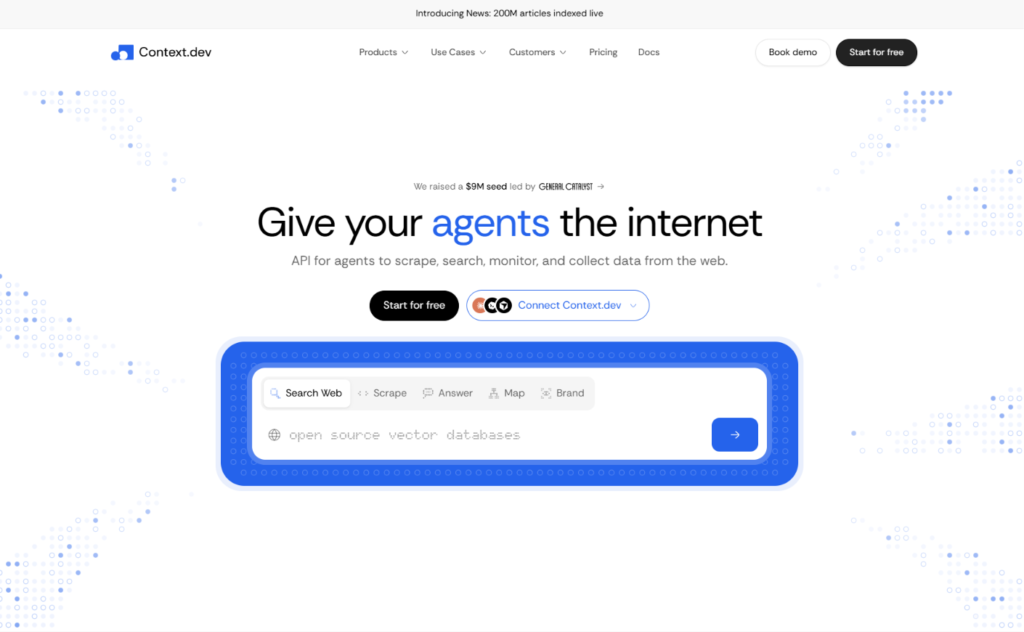
Context.dev describes itself as the web context API for agents: one API to scrape, search, monitor and collect data from the web. In practice, you send it a URL, a domain or a question, and it returns structured, usable content instead of raw HTML.
The company’s history explains a lot about the product. It started as Brand.dev, which helped developers pull logos, colors, fonts and company details from a domain to personalize software. According to its docs changelog, the rebrand to Context.dev happened on March 21, 2026, as the founder, Yahia Bakour, expanded into general web extraction. The company is part of Y Combinator’s Summer 2026 batch, and independent launch coverage describes a small team of four.
Traction figures vary depending on where you look. The company’s homepage cites more than 20,000 developers, while launch coverage quoted the founder as saying the product has more than 400 customers, including Mintlify, Passionfroot and Rho. Those numbers may count different things, so treat them as evidence of real adoption rather than precise measurements.
One naming note, since it trips people up: the company has publicly clarified that it is Context.dev, not Context.ai, which is an unrelated product.
Who Is Context.dev For?
Context.dev fits best when web data is an ingredient in your product rather than the whole product. That includes:
- AI agent builders who need live web access, page screenshots or sourced answers inside an agent loop.
- RAG and knowledge-base teams who crawl documentation sites and keep an index fresh. SiteGPT, an AI support chatbot platform, uses it this way.
- SaaS product teams who want to personalize onboarding with a customer’s logo, colors and company details the moment they type an email address.
- Sales and research tooling that enriches companies and people, or watches competitor pages for changes.
- Startups that want predictable monthly pricing instead of running their own proxy fleet and browser cluster.
It is a weaker fit for teams that need to self-host everything, or for heavy site-specific automation, such as logging into accounts and completing multi-step workflows at scale.
Context.dev Features: What You Actually Get
The homepage lists six product families, but the useful way to think about them is by the job each one does.
Scrape API: Any URL to Markdown, HTML, JSON or Screenshots
The Scrape endpoint is the foundation. You pass a URL and choose the formats you want, and you can request several at once: Markdown, HTML, images, screenshots, the raw response body, or structured fields. A mainContentOnly option strips navigation, footers and cookie banners, which matters more than it sounds. Cleaner Markdown means fewer tokens, lower LLM costs and fewer irrelevant chunks in your vector database.
Every request loads in a real browser, so single-page apps and lazy-loaded content come back complete. There is no switch to turn rendering off. When a page needs a click or a scroll first, browser actions are available. You can also set maxAgeMs to 0 to force a fresh capture, or allow a longer window and let the API reuse recent content.
Structured Extraction With a JSON Schema
If you’d rather get typed data than Markdown, you can send a JSON Schema and receive matching fields back from any page, without writing CSS selectors. This is the feature that spares you from rewriting a parser every time a site changes its layout. It costs more than a plain scrape, at five credits per page in total, which we’ll come back to in the pricing section.
Crawl and Map
Map discovers the URLs on a domain, with titles and descriptions where available. Crawl goes further and scrapes up to 500 pages into Markdown in a single call, with controls for depth, page count, URL patterns and subdomains. Used together, they are a clean way to find the pages worth scraping before you spend credits on them.
Batches
For bigger jobs, Batches lets you submit up to 25,000 URLs, or crawl a whole site, as a background job. You track progress with a job ID, page through the results, or receive a webhook when the batch finishes. Sourcely, which crawls academic journals and PDFs, relies on this kind of large-scale collection.
Web Search and Answers
Search returns live web and news results for agents, at one credit per ten results. Answers is the more ambitious feature: you ask a research question and get a structured response with source URLs, in either a Fast mode (10 credits) or an Ultra mode (100 credits). Both are newer additions to a product that began with brand data, so they are the areas to test most carefully against dedicated search APIs.
Monitors
Monitors watch pages, sitemaps or extracted fields on a schedule and call your webhook when something changes. Typical uses include price tracking, competitor page changes and refreshing the sources behind a RAG index. The monitor allowance scales with your plan, from 10 on the free tier to 10,000 on Scale.
Brand, Styleguide and Company Data
This is the part of Context.dev that makes it different from most scraping APIs, and it is a direct inheritance from Brand.dev. From a single domain, the Brand API returns a company profile with logos, colors, fonts, social handles and industry classification codes. A separate Styleguide endpoint extracts a website’s design system. There is also a People enrichment endpoint at 20 credits per match, and a Logo Link service that serves logos from a direct image URL under its own quota.
One caveat: brand data may be served from cache for up to roughly 90 days by default. You can set the cache age to zero to request a fresh retrieval, and a request form exists for corrections after a rebrand.
PDFs and File Parsing
Scrape handles public PDF URLs, with options to choose pages and turn on OCR for scanned documents. If you already have the file bytes, Parse File handles them directly. OCR adds one credit per recovered page.
Developer Experience: How Easy Is It to Get Started?
Setup is where Context.dev is at its most convincing. Sign-up is self-serve, an API key appears immediately, and the first request is a few lines of code:
import ContextDev from 'context.dev';

const client = new ContextDev({ apiKey: 'YOUR_API_KEY' });

const page = await client.web.scrape({
  url: 'https://linear.app',
  formats: { markdown: true, html: true, screenshot: true },
  sharedParams: { mainContentOnly: true },
});

console.log(page.markdown.data);
Beyond the SDKs, there is a browser-based playground for testing requests, a CLI, and an MCP server that lets coding assistants such as Claude, Cursor and Codex call the API directly. The company even publishes an agent-readable sign-up file, so a coding agent can register, fetch a key and integrate the API for you (a human still has to verify the email address).
The customer testimonials all point in the same direction. Mintlify’s engineering manager says the team was integrating within ten minutes, and the COO of Sixtyfour reports testing production workloads within an hour of first hearing about the product. These are quotes from the company’s own case studies, so they are not neutral, but they match what the documentation suggests: a short path from API key to working output.
Reliability and Anti-Bot Performance
Context.dev advertises a 99.96 percent scrape success rate with no configuration. The mechanism behind the claim is sensible. Each request renders in a real browser, and if a site blocks it, the request automatically escalates to a stronger proxy and retries with a different strategy before anything returns to you. You never choose a proxy tier or pay extra for one.
Treat the number with the same skepticism you’d give any vendor statistic. It comes from the company, the definition of success isn’t published alongside it, and launch coverage noted that no benchmark data accompanied the announcement. A 99.96 percent rate on a typical mix of public pages says little about how the API performs on the specific, heavily protected sites you care about.
Two practical details are worth knowing. Scrape waits up to 90 seconds by default, and you can raise the timeout to 300 seconds for slow pages. There is also a return-partial option that keeps whichever outputs finish instead of failing the whole request. The pages reviewed don’t mention country-level geotargeting, and since the platform picks proxies for you, teams that need requests to originate from a particular country should ask before committing.
Security, Privacy and Compliance
Context.dev lists SOC 2 Type II compliance and links to a public trust center and a live status page. Terms, a data processing agreement and a privacy policy are all published. SSO and SAML are available self-serve on the Scale plan, while SCIM provisioning, an uptime SLA of 99.9 percent, an MSA and annual invoicing sit in the Enterprise tier.
Privacy-sensitive teams will care about one case study in particular. Tinfoil, which runs a private web search agent, moved from Zyte to Context.dev specifically for zero data retention. If data handling is central to your decision, request the retention terms in writing rather than relying on a case study.
Context.dev Pricing: What It Really Costs
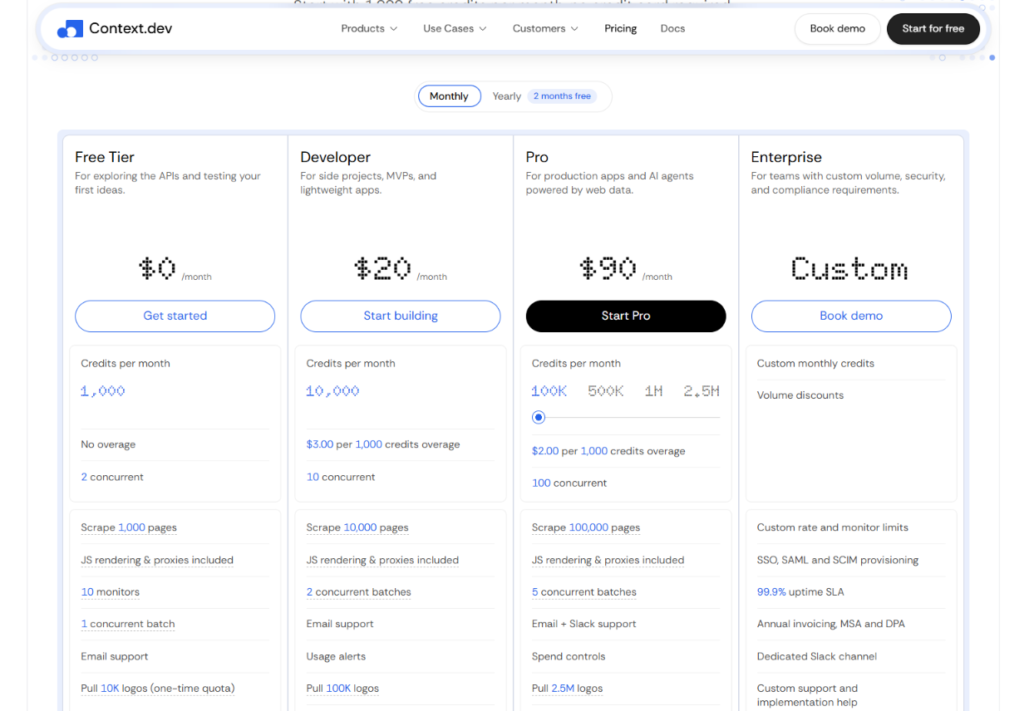
Context.dev uses a single pool of credits across every API, billed as a monthly subscription. That is simpler than the per-feature multipliers some competitors charge, and it is one of the product’s real selling points.
| Plan | Price per month | Credits per month | Concurrent requests | Overage per 1,000 credits |
|---|---|---|---|---|
| Free | $0 | 1,000 | 1 | None |
| Developer | $19 | 7,500 | 10 | $2.20 |
| Pro | $99 | 125,000 | 100 | $1.80 |
| Growth | $299 | 500,000 | 250 | $1.40 |
| Scale | $499 | 1,000,000 | 500 | $1.00 |
| Enterprise | Custom | 2,000,000 or more | Custom | Volume discounts |
Annual billing saves two months on every paid plan, and eligible startups and nonprofits can apply for 30 percent off an annual plan for 12 months. No credit card is needed for the free tier.
How Many Credits Does Each Request Use?
| Request type | Credits |
|---|---|
| Standard scrape (Markdown, HTML or screenshot) | 1 |
| Scrape with browser actions | 2 |
| Scrape with JSON extraction | 5 total |
| Crawl | 1 per page |
| Web or news search | 1 per 10 results |
| Answers | 10 (Fast) or 100 (Ultra) |
| Brand retrieval or Styleguide | 10 |
| People enrichment | 20 per match |
| PDF OCR | 1 extra per recovered page |
JavaScript rendering, anti-bot bypass and proxies are included in the base price, which is the most important line in the table. Many scraping APIs charge multiples for those same features.
What This Means in Practice
On the Pro plan, 125,000 credits at $99 works out to roughly $0.0008 per standard page. That is the same plan that gives you 25,000 AI-extracted pages or 12,500 Fast-mode Answers per month. On the Developer plan, the effective rate is about $0.0025 per page, so Developer makes sense for prototypes and light workloads, while Pro becomes cheaper once you pass roughly 44,000 credits a month.
Two scenarios show how this plays out. A support chatbot that crawls a 2,000-page documentation site once a month uses about 2,000 credits, which fits comfortably inside the Developer plan. A data team extracting structured JSON from 10,000 pages a month needs 50,000 credits and should be on Pro, because the Developer plan would cover only 1,500 such pages.
The Fine Print Worth Reading
Most failed requests aren’t billed, but not every failure is free. A 404 is billed at the request’s base price, and a request that returns a 200 with partial failures still charges if at least one output succeeded. Check the credits-consumed field in each response when you run your first tests. The free tier allows a single concurrent request and has no overage, so a busy test will simply stop.
The pricing page also doesn’t say whether unused credits roll over. For a metered API that matters, so ask support before you buy a larger plan than you need.
Context.dev Alternatives and Competitors: How It Compares
The obvious comparison is Firecrawl, but the field is wider than that.
| Tool | What it does best | How Context.dev differs |
|---|---|---|
| Firecrawl | Open-source, self-hostable scraping and crawling for LLMs, with an agent endpoint and browser interaction | Context.dev adds brand and company data and monitors in one key, but offers no self-hosting |
| ScrapingBee and ScraperAPI | General proxy-based scraping, usually returning HTML | Context.dev returns LLM-ready Markdown and says rendering and anti-bot bypass carry no credit multipliers |
| Tavily and Exa | Search built for AI agents | Context.dev’s search is newer; its edge is what happens after the search, such as scraping and extraction |
| Apify | A marketplace of site-specific scrapers | Context.dev is a generic API with no actor catalog to choose from |
| Crawl4AI | Free, open-source crawling you host yourself | Context.dev is the managed option with no browsers or proxies to operate |
| Brandfetch and Logo.dev | Logo and brand-data specialists | Context.dev pairs brand data with general scraping |
Context.dev vs Firecrawl
This is the matchup most readers are searching for, and the honest answer is that it depends on your priorities. Firecrawl has a bigger community, an open-source core you can run yourself, and features such as browser interaction sessions. If self-hosting or deep browser automation matters, it has the edge.
On price and capacity, Context.dev holds up well. Third-party pricing roundups from mid-2026 list Firecrawl’s Standard plan at about $83 per month, billed yearly, for 100,000 credits and 50 concurrent requests. Context.dev’s Pro plan is $99 monthly, or about $82.50 per month on annual billing, for 125,000 credits and 100 concurrent requests. That is a modest advantage rather than a runaway win, and Firecrawl’s plans change often, so check both pages on the day you buy.
One caution about the comparison pages themselves. Firecrawl’s own page claims Context.dev has no search or monitoring endpoint, which no longer matches Context.dev’s current product list. Context.dev’s page, in turn, claims better price and concurrency. Both are marketing, so run your own test.
It’s also notable that SiteGPT switched from Firecrawl to Context.dev for crawling and reported finishing the migration in under a day. That’s one customer’s experience, but it shows the two APIs are similar enough to swap without a rewrite.
Real-World Use Cases
The company’s case studies, all of them vendor-published, show where the product is being used:
- Mintlify turns any GitHub repository URL into a branded documentation site, using brand data to style the result.
- SiteGPT crawls entire customer websites to build the knowledge bases behind its support chatbots.
- Sourcely collects academic journals and PDFs at scale.
- Squad gave its AI agents webpage scraping, screenshots and structured extraction in about five minutes.
- Tinfoil added scraping and metadata to a private web search agent while keeping zero data retention.
- Daily.dev verifies company data in an internal enrichment system.
The pattern is consistent. Customers describe fast integration and a broad feature set, and very few discuss raw scraping performance on difficult sites, which is the question independent testing would answer.
Context.dev Pros and Cons
Pros
- One API for many jobs. Scraping, crawling, search, monitoring and brand data share a single key and credit pool.
- Honest base pricing. Rendering, anti-bot bypass and proxies are included, so a basic scrape is one credit.
- Fast onboarding. Self-serve sign-up, five SDKs, a playground, a CLI, an MCP server and agent-assisted setup.
- A real free tier. 1,000 credits a month with no credit card.
- Unusual brand data. Logos, colors, fonts and company profiles are rare in scraping APIs.
- Enterprise basics covered. SOC 2 Type II, SSO and SAML on Scale, plus an SLA at Enterprise.
- Generous discounts. Two free months on annual billing and 30 percent off for eligible startups.
Cons
- Young and small. The product was rebranded in 2026, and independent coverage describes a team of four.
- No independent benchmarks. The 99.96 percent success rate is vendor-reported.
- No self-hosting. There’s no open-source or on-premise route if you need one.
- Credit math can surprise you. AI extraction costs five credits, Ultra answers cost 100, and 404s are billed.
- Limited free-tier concurrency. One request at a time, with no overage.
- Less proxy control. Proxy selection is automatic, and geotargeting isn’t documented on the pages reviewed.
- Newer search and answers products. They have a shorter track record than dedicated search APIs.
Should You Use Context.dev?
Choose Context.dev if you’re building an AI product and want scraping, search, monitoring and brand data behind one key; if you value a fast integration over fine-grained control; or if you’re a startup that wants predictable monthly pricing.
Look elsewhere if you need to self-host for compliance or cost reasons, if your workload depends on logged-in, multi-step browser automation, if you need a specific exit country for requests, or if you require independently audited reliability numbers before you start.
How to Test Context.dev Yourself in 15 Minutes
A fair trial costs nothing, and the free tier is enough for it.
- Create a free account at context.dev and copy your API key.
- Pick 20 to 30 URLs you actually care about, including a few that give your current scraper trouble: JavaScript-heavy pages, sites behind bot protection, and a PDF.
- Scrape them as Markdown with
mainContentOnlyon, and read the output. Look for missing sections and leftover navigation clutter. - Record success rate and response time, and compare the credits charged against what the pricing table predicts.
- Try one JSON-schema extraction on a page with a table or product list, and check the field accuracy.
- Run a small crawl of a documentation site and see how well the Markdown holds up for chunking and embeddings.
- Run the same URLs through your current tool. The comparison tells you more than any vendor figure.
If the results match your needs, the Developer plan at $19 is a low-risk place to start.
Final Verdict: Is Context.dev Worth It?
For most developers building AI agents, RAG pipelines or data-enriched SaaS features, yes, Context.dev is worth trying, and likely worth keeping. It does the unglamorous work of rendering, proxying and retrying without making you configure any of it. Its pricing is clear, its onboarding is quick, and the brand-data heritage gives it a capability that Firecrawl, ScrapingBee and similar tools lack.
The reservations are real but manageable. This is a young company with a small team, and the performance claims haven’t been independently tested. Plan for a pilot rather than a leap, and keep a fallback in mind if scraping reliability is mission-critical for your business.
| Category | Score |
|---|---|
| Features and breadth | 4.5 / 5 |
| Ease of use and documentation | 4.5 / 5 |
| Pricing and value | 4.2 / 5 |
| Reliability (based on vendor claims and case studies) | 4.0 / 5 |
| Security and compliance | 4.0 / 5 |
| Company maturity and track record | 3.5 / 5 |
| Overall | 4.2 / 5 |
Frequently Asked Questions About Context.dev
What is Context.dev used for?
Context.dev is a web data API used to scrape pages into Markdown, HTML or structured JSON, crawl whole websites, search the web, monitor pages for changes, and retrieve company and brand data. Developers typically use it to power AI agents, RAG pipelines, chatbots and onboarding flows.
Is Context.dev free?
There is a free plan with 1,000 credits per month and no credit card requirement. A standard scrape costs one credit, so that covers about 1,000 pages. Paid plans start at $19 per month for 7,500 credits.
Is Context.dev the same as Brand.dev?
Yes. Brand.dev was renamed Context.dev on March 21, 2026, as the product expanded from brand and logo data into general web scraping and search. The brand-data features are still part of the platform.
Does Context.dev render JavaScript?
Yes. Every request loads in a real browser, so single-page apps and lazy-loaded content come back complete. JavaScript rendering is included in the base credit price.
How does Context.dev compare with Firecrawl?
Both return LLM-ready Markdown and structured data. Firecrawl offers an open-source core and self-hosting, while Context.dev adds brand data and monitors and, on current published prices, gives somewhat more credits and concurrency per dollar. Test both on your own URLs.
Can Context.dev scrape PDFs?
Yes. Pass a public PDF URL to Scrape and request Markdown or HTML, with options to choose pages and enable OCR for scanned documents. The Parse File endpoint handles files you already hold.
Does Context.dev have an MCP server?
Yes. It offers an MCP server and a CLI, so AI coding assistants and agent frameworks can call the API directly.
Which programming languages does Context.dev support?
Official SDKs exist for TypeScript, Python, Ruby, Go and PHP, and the REST API works from any language through cURL or an HTTP client.
Is Context.dev secure?
The company lists SOC 2 Type II compliance, a public trust center and a data processing agreement. Enterprise customers can add SSO, SAML, SCIM provisioning and an uptime SLA. Review the retention terms yourself if you handle sensitive data.
Will I be charged for failed requests?
Mostly not. Blocked requests are generally not billed, but 404 responses are charged at the base price, and a partially successful request can still be charged. Each response reports the credits consumed.
