
AI agents can write code, answer questions and draft emails. Ask one about a website that changed this morning, though, and it often guesses. Language models know what they were trained on. They don’t know what is on the web right now.
That gap is the reason a young startup called Context.dev keeps coming up in developer chats, launch threads and AI engineering blogs. So what is Context.dev, exactly, and does it deserve the attention?
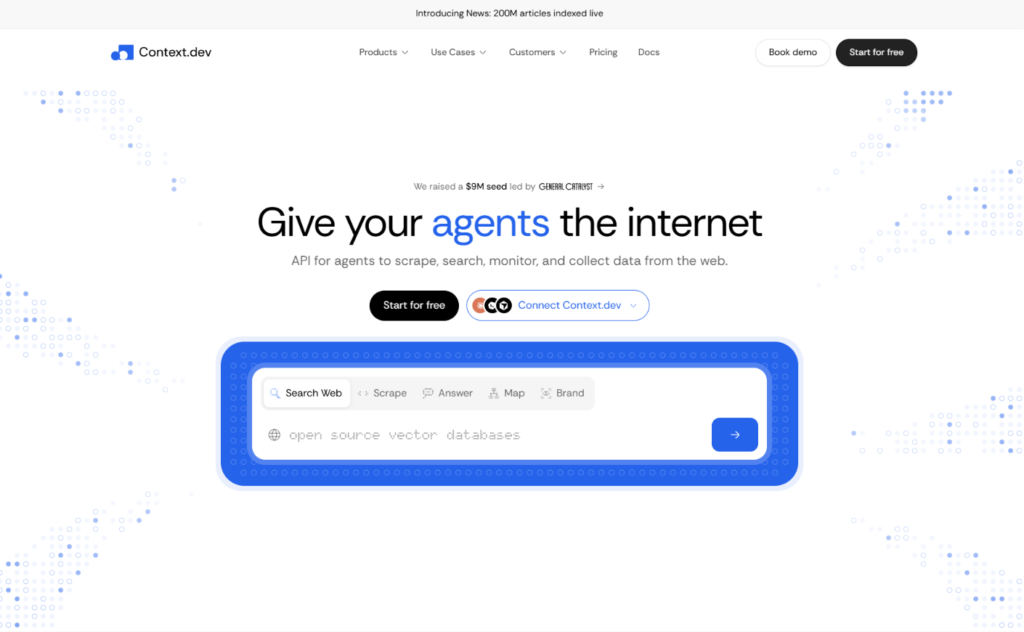
Context.dev is a web data API for AI agents and LLM applications. With a single REST API, developers can scrape any URL into clean Markdown, crawl whole websites, search the live web, extract structured data, monitor pages for changes and pull company brand data. Rendering, proxies and retries happen behind the scenes.
This guide explains what Context.dev is, how it works, who uses it, what it costs, how it compares with alternatives, and where it falls short. Read on and you’ll know whether it belongs in your stack.
Context.dev at a Glance
| Detail | What to know |
|---|---|
| What it is | A web data API for AI agents, RAG pipelines and LLM apps |
| Core jobs | Scrape, crawl, map, search, extract, monitor, answer questions, retrieve brand data |
| Output formats | Markdown, HTML, JSON, screenshots, images |
| Developer tools | REST API, SDKs (TypeScript, Python, Ruby, Go, PHP), CLI, MCP server |
| Free tier | 1,000 credits a month, no credit card |
| Paid plans | $19 (Developer), $99 (Pro), $299 (Growth), $499 (Scale), plus custom Enterprise |
| Backing | Y Combinator (Summer 2026 batch) |
| Compliance | SOC 2 Type II, according to the company |
| Former name | Brand.dev |
Why AI Agents Need a Web Data API in the First Place
Before looking at the product, it helps to understand the problem it targets.
A language model has a training cutoff. Anything that happened after that date, such as a price change, a new feature, a policy update or a fresh competitor, is invisible to it unless you hand over the information. That is why so many AI products need live web access: support chatbots that read a customer’s help center, research agents that compare vendors, sales tools that look up a prospect’s company.
Building that access yourself is harder than it looks. Modern sites rely on JavaScript, so a plain HTTP request often returns an empty shell. Many sites block bots. Proxies get banned. Pages arrive wrapped in navigation menus, cookie banners and ads that waste tokens when you feed them to a model. Teams that start with a quick Playwright script often end up maintaining a small scraping department.
A managed web data API takes that burden away. You send a URL and get back usable content. Context.dev is one of several products in this category, and its pitch is breadth: one API and one credit balance for everything an agent might need from the web.
What Does Context.dev Do? The Core Capabilities
The product is a set of connected endpoints. Here is what each one does.
Scrape: any URL into LLM-ready content
The Scrape endpoint is the foundation. Send a URL and choose your formats, and you get back Markdown, HTML, screenshots, images or structured fields, often several in one request. It handles webpages and PDFs, and a main-content option strips away menus and clutter so the output is cleaner for a model.
The company reports a 99.96% scrape success rate. That is a vendor claim, so test it against your own target sites, but it shows what the product is designed to optimize.
Map and Crawl: from one page to a whole site
Map discovers the URLs across a domain, with titles and descriptions where available. Crawl goes further and scrapes up to 500 pages into Markdown in a single call, with controls for depth, page count, URL patterns and subdomains. These two are the backbone of knowledge-base tools that need to ingest an entire website.
Batches: thousands of URLs in the background
When 500 pages isn’t enough, Batches lets you submit a large URL list or run a crawl as a background job. You collect results through pagination or a completion webhook. The homepage shows an example job with 25,000 URLs.
Search: the live web for agents
The Search API queries the live web and news, so an agent can find sources before it scrapes them. Search is priced per ten results, which keeps exploratory lookups inexpensive.
Answers: research questions with sources
Answers lets you ask a question and receive a structured response with source URLs. That matters for agents because a finding without evidence is hard to trust, and a finding with links can be checked. It comes in a Fast mode and a deeper Ultra mode.
Monitors: watch pages for changes
Monitors check pages on a schedule and send updates to your webhook when something changes. Typical uses include price tracking, competitor watching and refreshing a retrieval index when a source page is edited.
Brand and company data
This is where Context.dev started. Give it a domain and it returns a company profile and the website’s design system, including logos, colors and descriptive details. There are also endpoints for styleguide extraction, news search and person enrichment.
How Context.dev Works Under the Hood
Most of the engineering effort in a scraping API hides in the failure cases, so it is worth seeing how Context.dev handles them. The company describes three behaviors that run on every scrape request.
JavaScript rendering is always on. Every request loads in a real browser, with no opt-out. The reasoning is that half-rendered HTML from a single-page app looks like a success but is really a failure.
Proxies escalate automatically. If a site blocks a request, the system moves to a stronger proxy on its own. You never choose a proxy tier or pay extra for one.
Retries adapt. A failed attempt is retried with a different strategy before anything returns to your code, and that retry logic runs on Context.dev’s side.
The practical effect is a simple developer experience: you send a URL, and you get the page or a clear error. For small teams, that simplicity is the main reason to buy a managed API instead of running browser clusters.
From Brand.dev to Context.dev: The Origin Story
Context.dev didn’t start as a general web scraping company. According to startup coverage from RuntimeWire, it operated earlier under the name Brand.dev and changed its name on March 21, when the founder expanded beyond logos and company metadata into broader web extraction. That history still shows. Several customer stories on the site use Brand.dev in their URLs, and brand data remains a core product.
The company was officially launched on Y Combinator’s platform on August 5 and is listed in YC’s Summer 2026 batch. The same report quotes founder Yahia Bakour as saying the four-person team serves more than 400 customers, including Mintlify, Passionfroot and Rho. Treat those figures as the founder’s claims at the time of publication rather than audited numbers.
The rename tells you something useful about the product. It grew up serving real onboarding and enrichment workloads, then widened its scope as AI agents created demand for general web access.
What Is Context Highlights?
One reason Context.dev has been in the news recently is Context Highlights, launched on September 28.
Highlights takes a webpage and a query, then returns the passages that matter plus a little surrounding context. It is extractive rather than a model-written summary, so the text comes straight from the page. The point is to save tokens: instead of pasting a whole page into a model’s context window, your agent receives only the relevant parts.
Context.dev published its own benchmark, run on September 25. In that test, Highlights returned an average of 229 tokens with 76.0% groundedness, compared with 6,889 tokens and 57.6% groundedness for Codex’s native page-opening tool. Against Exa Highlights, the groundedness scores were nearly equal (75.6%), while Context.dev returned roughly 20% fewer tokens. Independent coverage notes that the figures come from the company’s own test and that the Codex comparison used a limited baseline, so read them as a promising signal and not as settled proof.
Highlights is available through the scrape API and through Context.dev’s MCP setup for coding agents such as Claude Code and Codex. It also adds one credit on top of a standard scrape.
How Developers Connect: SDKs, CLI, MCP and Agent Signup
Context.dev leans heavily on the idea that agents, not only humans, will be its users.
- SDKs: official libraries for TypeScript, Python, Ruby, Go and PHP.
- CLI: a command-line tool for quick calls and scripting.
- MCP server: a remote Model Context Protocol endpoint, so MCP-compatible clients such as Claude, Cursor and VS Code can call Context.dev tools directly.
- Agent-readable docs: documentation pages are available as Markdown, which is friendlier to coding agents.
- Agent signup: an
auth.mdguide lets an AI agent register and fetch credentials programmatically. A human still has to verify the email. - Third-party tooling: Context.dev is also available through integration platforms such as Composio.
The human setup is just as short: sign up, copy your API key from the dashboard, install an SDK and make your first call. Several published customer stories mention integration times of five to ten minutes, with Mintlify’s engineering manager saying his team was integrating within ten minutes.
Who Uses Context.dev?
The company publishes customer stories across several kinds of products. A few examples:
- Mintlify uses it for a tool that turns any GitHub repository URL into a branded documentation site.
- SiteGPT, an AI customer-support chatbot platform, switched from Firecrawl to Context.dev to scrape entire websites into chatbot knowledge bases, and describes a migration that took under a day.
- Sourcely crawls academic journals and PDFs at scale.
- Daily.dev uses it to verify and enrich company data.
- Squad gave its AI agents web access, screenshots and structured extraction in about five minutes.
- Tinfoil moved from Zyte to Context.dev, citing zero data retention for its private web search agent.
The homepage also lists logos such as Klarna, Similarweb, Chatwoot and Super.com under “Powering products and agents at.” The site says it has more than 20,000 developers. Customer stories and logo walls are marketing material, so they show who is willing to be named, not how deeply each team relies on the product.
Why Is Everyone Talking About Context.dev?
“Everyone” is a strong word for a company with a small team and a launch in August. Still, there are real reasons it has attracted attention.
1. The timing fits. AI agents moved from demos to production, and production agents need fresh, structured web data. Infrastructure for scraping, searching and monitoring suddenly became a crowded and fast-growing market.
2. It bundles what teams usually assemble from several vendors. Scraping, crawling, search, monitoring, extraction and brand enrichment often come from separate providers. Putting them behind one API and one credit balance is an appealing story for a small team that wants fewer contracts and dashboards.
3. The pricing is easy to read. A standard scrape costs one credit, and JavaScript rendering, anti-bot bypass and proxies are included in that base price. Most failed requests aren’t billed.
4. It is built for agents first. The MCP server, agent-readable docs, CLI and agent signup flow all assume an AI agent may be doing the work.
5. It is shipping quickly. The site’s blog shows a steady run of releases and technical posts through September and October, including Highlights, guides to headless scraping and notes on agent frameworks such as LangGraph, CrewAI and the OpenAI Agents SDK.
6. Y Combinator backing adds visibility. A YC launch tends to attract developer attention, and the company is part of the Summer 2026 batch.
There is a fair counterpoint. Startup coverage points out that Context.dev now has to prove that combining extraction, monitoring and company intelligence in one API gives better economics and reliability than stitching together specialist vendors. That claim will be settled by production workloads, not by launch posts.
Common Context.dev Use Cases
Here is where the product fits best in practice.
- RAG pipelines: crawl a site, convert pages to Markdown, embed them, and use Monitors to refresh content when sources change.
- AI agent grounding: give an agent live web access so its answers don’t depend on stale training data.
- Chatbot knowledge bases: ingest a customer’s website to power a support or sales bot.
- Research agents: search the web, scrape the best sources, and return structured answers with citations.
- Competitor and price monitoring: watch pricing pages, changelogs and product listings for changes.
- Onboarding personalization: pull a company’s logo, colors and description from an email domain so a product can feel branded from the first screen.
- Lead and company enrichment: attach industry and company details to records in a CRM.
- Bulk data collection: run large batch jobs across thousands of URLs.
Context.dev vs Alternatives
Context.dev competes with several kinds of tools, and they are not all identical. A fair comparison starts by sorting them.
| Option | What it is best known for | Where Context.dev differs |
|---|---|---|
| Firecrawl | Scraping and crawling for LLMs | Context.dev adds brand data, monitors and answers behind the same credit balance |
| Exa and Tavily | Search APIs for AI | Context.dev centers on scraping and extraction, with search as one feature |
| Browserbase | Headless browser infrastructure | Context.dev returns finished content instead of a browser session to manage |
| Zyte and similar scraping services | General-purpose scraping and proxies | Context.dev is aimed at AI agents and bundles agent tooling |
| Playwright or Puppeteer, self-hosted | Full control and low unit cost | Context.dev removes the maintenance of browsers, proxies and retries |
Two points deserve emphasis. First, these categories overlap, so the best choice depends on your workload and not on a universal ranking. Second, features and prices in this market change often, so compare current plans before you commit. Context.dev also maintains its own comparison page, though a vendor’s comparison will naturally favor the vendor.
Context.dev Pricing in Brief
Pricing runs on API credits.
| Plan | Price per month | Credits per month |
|---|---|---|
| Free | $0 | 1,000 |
| Developer | $19 | 7,500 |
| Pro | $99 | 125,000 |
| Growth | $299 | 500,000 |
| Scale | $499 | 1,000,000 |
| Enterprise | Custom | 2,000,000+ |
A standard scrape costs 1 credit. Structured JSON extraction brings a page to 5 credits, a Brand lookup costs 10, and Answers costs 10 in Fast mode or 100 in Ultra. Annual billing saves two months, and eligible startups and nonprofits can apply for 30% off an annual plan for 12 months. See the official pricing page for current details, because plans can change.
Security and Compliance
For teams sending web data through a third party, security matters. Context.dev says it is SOC 2 Type II compliant and publishes a trust center and a public status page. Enterprise customers can get an MSA and DPA, SSO / SAML with SCIM provisioning, and a 99.9% uptime SLA. The Tinfoil case study highlights zero data retention as the reason for its move. Ask the vendor for the latest audit report and data-handling terms before you handle sensitive workloads.
Pros and Cons of Context.dev
Strengths
- One API for scraping, crawling, search, monitoring, extraction and brand data
- JavaScript rendering, anti-bot bypass and proxies included in the base price
- A free tier of 1,000 credits a month, with no card required
- Developer-friendly SDKs, CLI and MCP server
- Fast self-serve onboarding, with an API key issued immediately
- Frequent product updates
Limitations
- A young company with a small team, so long-term track record is limited
- Several headline numbers, such as the scrape success rate and the Highlights benchmark, come from the vendor
- Credit costs rise quickly with structured extraction and Answers
- No one-time lookups; pricing is subscription-based
- A broad platform may not beat a specialist in every single category
Who Should Use Context.dev, and Who Shouldn’t
A good fit: developers and small teams building AI agents, RAG apps, chatbots or data products who want live web data without running scraping infrastructure. It also suits SaaS teams that need company and brand data for onboarding.
Probably not the best fit: teams that only need a one-time data pull, projects that scrape huge volumes of plain, unprotected pages where a self-hosted crawler would cost less, and organizations that require a long vendor history before adopting new infrastructure.
The best way to decide is to test. Run the free tier against your five hardest target URLs and check success rate, output quality and credits used per request.
How to Get Started With Context.dev
- Create an account at context.dev and verify your email. You get an API key right away.
- Pick your interface: an SDK in your language, the CLI, or the MCP server for your coding agent.
- Make a first call to Scrape with Markdown output, and note the credits used.
- Try your hardest pages: JavaScript-heavy sites, protected pages, long documents.
- Add what you need: Crawl for whole sites, Monitors for change tracking, Highlights to cut tokens.
- Choose a plan once you know your monthly credit volume.
Context.dev FAQ
What is Context.dev?
Context.dev is a web data API for AI agents and LLM applications. It scrapes URLs into Markdown, crawls websites, searches the live web, extracts structured data, monitors pages for changes and retrieves company brand data through one REST API.
Is Context.dev the same as Brand.dev?
It is the same company. The product was previously known as Brand.dev and was renamed Context.dev as it expanded from brand and company data into broader web extraction. Brand data is still part of the platform.
Is Context.dev free?
There is a free tier with 1,000 API credits a month and no credit card required. Paid plans start at $19 a month.
Who is behind Context.dev?
It was founded by Yahia Bakour and is backed by Y Combinator, listed in the Summer 2026 batch.
What can I scrape with Context.dev?
You can scrape public webpages and PDFs into Markdown, HTML, screenshots, images or structured JSON. Always check a site’s terms of service and the legality of your use case before scraping at scale.
Does Context.dev handle JavaScript and anti-bot protection?
Yes. JavaScript rendering, anti-bot bypass and proxy escalation are part of every scrape request and are included in the base price.
Does Context.dev work with Claude, Cursor and other AI tools?
Yes. It offers an MCP server that works with MCP-compatible clients, plus official SDKs and a CLI.
What is Context Highlights?
Highlights returns only the passages from a page that match your query, plus nearby context, which reduces the tokens an agent has to read. It launched on September 28.
Is Context.dev a good Firecrawl alternative?
It can be, especially if you also want monitoring, answers and brand data in the same API. Compare both on your own workload, since features and pricing change quickly.
Is Context.dev secure?
The company says it is SOC 2 Type II compliant and offers enterprise options such as SSO / SAML, an uptime SLA and a DPA. Review its trust center for current documentation.
The Bottom Line: So, What Is Context.dev?
Context.dev is a one-stop web data API for the age of AI agents. It turns messy, JavaScript-heavy websites into clean content, and it extends that idea to crawling, search, monitoring, structured answers and company data.
Is everyone talking about it? Not quite, but the people who build agents are paying attention, and the reasons are sensible: good timing, a bundled product, readable pricing and a developer experience built for both humans and machines. It is also young, and some of its boldest numbers come from its own tests.
The smartest move is a practical one. Sign up for the free tier, point it at the pages that give you trouble, and see whether the results justify a place in your stack.
