
For years, the web design workflow followed a predictable path. Designers built mockups in Figma, developers rebuilt them in code, and everyone spent a few weeks arguing about why the live site did not match the design. Framer was built to close that gap. Then Figma launched its own site-publishing feature, and the line between the two tools got blurry.
So, which one should you use for web design? The honest answer is that they started in different places. Figma is the industry-standard design and collaboration tool, built for interface design, prototyping, design systems, and developer handoff. Framer is a website builder that lets you design and publish a live site in the same canvas. If your goal is a finished, hosted website, Framer gets you there faster. If your goal is designing products, apps, and design systems for a team, Figma is the stronger tool.
This comparison looks at both tools across design workflow, publishing, interactivity, CMS, SEO, collaboration, AI, developer handoff, and pricing. It also explains where Figma’s own site-publishing feature fits, and how many teams combine both tools.
Framer vs. Figma: Quick Comparison
| Category | Framer | Figma |
|---|---|---|
| What it is | A no-code website builder with a design canvas, CMS, and hosting | A collaborative design and prototyping platform |
| Best for | Launching live websites, landing pages, portfolios, and marketing sites | UI and UX design, design systems, prototypes, and developer handoff |
| Publishes a live website | Yes, built in | Yes, through Figma Sites, which is newer and still maturing |
| Built-in CMS | Yes | Limited compared with Framer; check current Sites features |
| Design systems at scale | Components and variants for site design | Mature shared libraries, variables, and tokens for large teams |
| Developer handoff | Not the main goal, since the site is already built | Core strength, with Dev Mode and code snippets |
| Prototyping | Interactive, and the result becomes the real site | Industry-leading prototyping for products and apps |
| Localization and A/B testing | Built in or available | Not a focus |
| Free plan | Yes | Yes, with limits |
| Typical paid cost | Roughly $10 to $30 per month per site | Roughly $16 per month for a Professional full seat, with higher org tiers |
| Learning curve | Moderate | Moderate, with a huge library of tutorials |
What Is Framer?
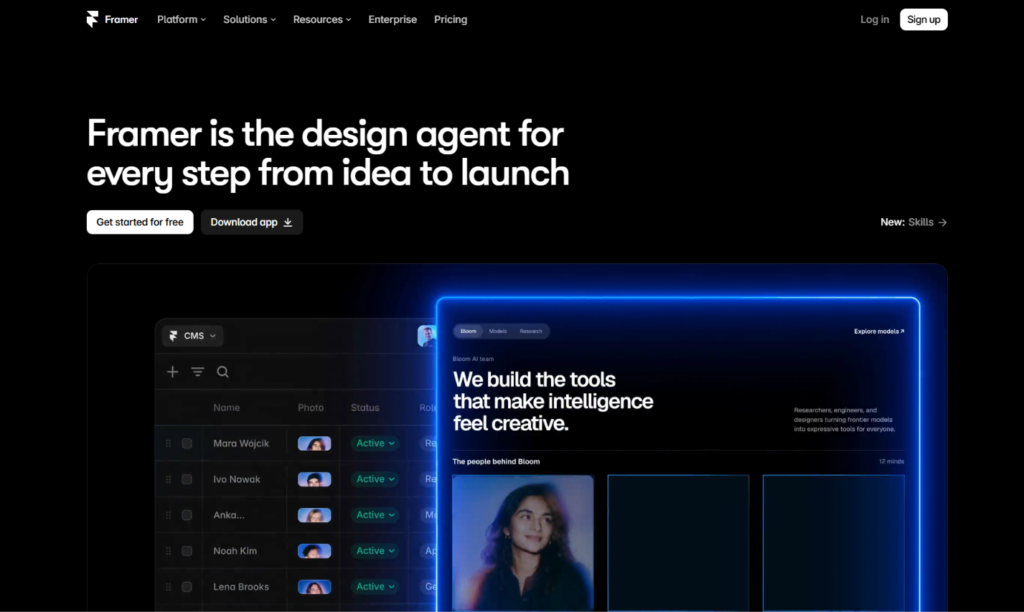
Framer is a visual website builder with a design-tool feel. You design on a canvas using frames, stacks, and components, then connect a CMS, add animations, and publish to a live site without leaving the editor. Hosting, security certificates, and delivery are handled for you.
Its strengths are design control, built-in marketing features such as a CMS, localization, redirects, and A/B testing, and flexibility for developers who want to add custom code or React components. Framer also includes AI tools that can draft pages and layouts that you then refine. It changed its plans and pricing in June 2026, introducing AI credits and revising editor pricing, so check the details before you buy.
Because the design and the website are the same thing, there is no handoff step. What you design is what visitors see.
What Is Figma?
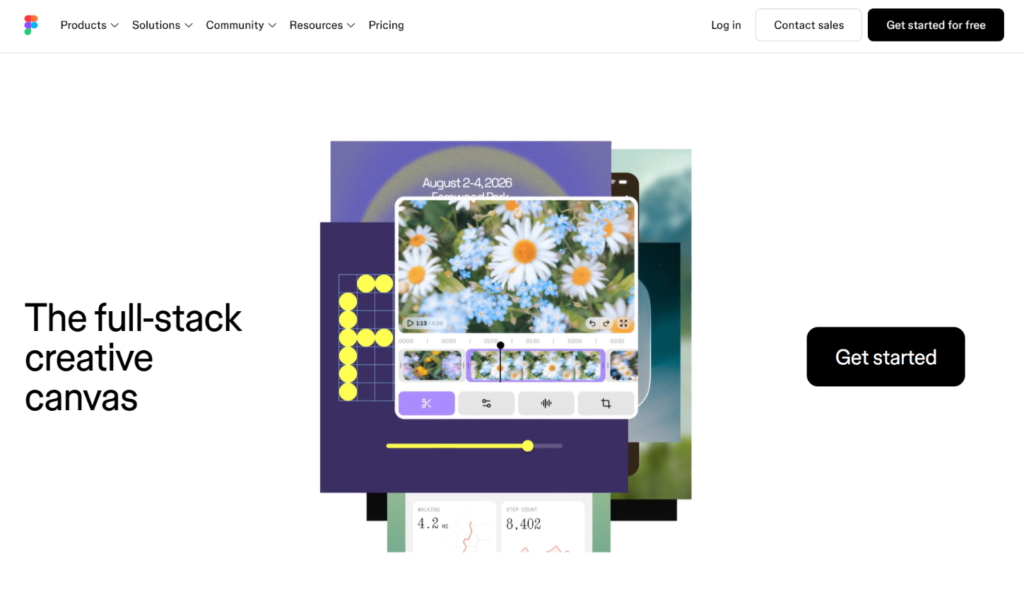
Figma is a browser-based design platform used by product designers, UX teams, and developers around the world. It includes Figma Design for interfaces and vector work, FigJam for whiteboarding, Slides for presentations, Dev Mode for developers, and Figma Make, an AI feature that generates working prototypes from prompts. Its multiplayer editing and shared component libraries made it the standard tool for design teams.
Figma’s core job is to help teams design, test, and agree on what to build. A typical Figma file contains screens, flows, components, variables, and notes. Developers then inspect those designs and build them in code.
Figma also offers Figma Sites, introduced at its Config 2025 event. It lets designers publish websites straight from the Figma canvas. Figma Sites is a newer product, and reports from mid-2026 describe it as still in beta, so its feature set is not yet as deep as a dedicated website builder.
The Core Difference: Design Tool vs. Website Builder
This is the simplest way to see it. Figma is where you decide what to build. Framer is where you build and publish it.
For an app, a SaaS dashboard, or a design system, you need a tool that handles complex flows, shared libraries, and developer handoff. Figma is built for that, and Framer is not. For a marketing website, a portfolio, or a campaign page, you need a CMS, hosting, SEO controls, and a fast route to launch. Framer is built for that, and Figma, even with Sites, is still catching up.
The mistake many beginners make is comparing the design canvases and ignoring everything that surrounds them. Both look similar. They are surrounded by very different products.
Design Workflow and Canvas
Figma’s canvas is free-form. You place frames, shapes, text, and components anywhere, with auto layout to make elements respond to content. This freedom suits UI design, illustration, user flows, and wireframes. Its component system, variants, variables, and shared libraries are the best in the business for teams managing large design systems.
Framer’s canvas looks and feels similar, but it is built around responsive web layouts from the start. You work with stacks, breakpoints, and components that behave like real web pages. That means the design you create is already a working website, with responsive behavior, interactions, and animation built in.
If you are used to Figma, Framer feels familiar within an hour or two. The main change is thinking in terms of real responsive layouts instead of static artboards.
Verdict: Figma for flexible, product-wide design work. Framer for designs that will become a live website.
Publishing and Hosting
Framer includes hosting. You connect a custom domain on a paid plan, publish, and your site is live. Security certificates, delivery, and updates are managed for you.
Figma Sites lets you publish from the canvas as well, but it sits inside Figma’s seat-based model. Only a Full seat can publish, and custom domains require a paid plan. Because it is a younger product, you should test whether its publishing features, performance, and integrations cover what your project needs.
For teams that need a mature publishing platform today, Framer is the safer choice. For designers who already live in Figma and want to launch a simple campaign page, Figma Sites is worth exploring.
Verdict: Framer for a proven, full-featured publishing platform. Figma Sites for simple pages from within Figma.
Interactivity and Animation
Figma’s prototyping tools are excellent for testing flows. You can connect screens, add transitions, and use smart animate to preview how an interface will behave. These prototypes are made for feedback and user testing, not for launching on the open web.
Framer’s interactions are real. Scroll effects, hover states, page transitions, and animated components work in the published site. You do not need to explain to a developer how something should move, because it already moves.
Verdict: Figma for prototyping. Framer for interactions that go live.
CMS and Dynamic Content
Framer has a built-in CMS. You can build collections for blog posts, case studies, team members, or product listings, then design templates that display each entry. Marketers can add and edit content without touching the layout.
Figma’s design tools do not include a CMS in the traditional sense. Figma Sites has been adding content features, but if you need a full blog, dynamic pages, or regular publishing, check what is currently supported before you commit.
Verdict: Framer, clearly, for content-driven websites.
SEO and Performance
Google does not favor a website because of the tool behind it. It rewards crawlable, fast, mobile-friendly pages with helpful, original content. Neither tool changes that.
Framer gives you direct control over page titles, meta descriptions, clean URLs, headings, alt text, redirects, sitemaps, and structured data through custom code. Pages run on a lean foundation that helps with Core Web Vitals, and marketers can manage SEO themselves.
Figma, as a design tool, does not produce a website at all unless you use Sites or hand the designs to developers. A developer-built site gives you complete control over SEO and performance, but the quality depends on the team. With Figma Sites, check which SEO controls are available before relying on it for organic traffic.
Verdict: Framer for marketers who want SEO built in. Figma plus developers for teams that want full custom control.
Design Systems and Large-Team Collaboration
This is where Figma shines. Shared libraries, variables, design tokens, branching, and version history help large organizations keep hundreds of designs consistent. Roles and permissions scale across teams, and Figma has become a foundation for many product design systems.
Framer supports real-time collaboration, comments, and reusable components, which is enough for small and mid-sized teams building websites. It is not designed to manage a company-wide product design system.
Verdict: Figma for large teams and enterprise design systems. Framer for lean teams building sites.
Developer Handoff
Figma was built for the handoff loop. Dev Mode gives developers measurements, tokens, assets, and code snippets. Newer integrations let AI coding tools read design context directly from Figma files, shortening the path from design to code.
Framer takes a different approach by removing the handoff for websites. If the site is built in Framer, there is nothing to hand over. The trade-off is that your site lives on Framer’s platform, and you cannot export it as standalone code.
Verdict: Figma for product teams with developers. Framer for teams that want to skip handoff altogether.
AI Features
Both tools have strong AI features, but they aim at different goals.
Figma Make generates working prototypes and code from a prompt, which is useful for quickly testing ideas and producing starting points. Figma also bundles AI credits with its seats.
Framer’s AI helps you draft pages and layouts inside the editor, which you can then refine and publish. In 2026 it introduced AI credits as part of its pricing.
A word of caution for both: AI output is a starting point. Generated layouts often look generic, and the copy needs rewriting to sound like your brand.
Verdict: Figma Make for prototypes and code generation. Framer AI for drafting and publishing websites.
Learning Curve
Figma has an enormous community, thousands of tutorials, templates, and plugins, and many designers already know it. Its learning curve is moderate, and the skills transfer across product design jobs.
Framer is easy to pick up if you know Figma, since the interface is similar. Beginners need to learn responsive layout concepts such as stacks and breakpoints, but the documentation and community are strong.
Verdict: Both are approachable. Figma has the larger learning ecosystem. Framer is quick for anyone coming from Figma.
Pricing: Framer vs. Figma
Both companies have updated their plans recently, and prices vary by source and billing period. Treat the figures below as approximate and confirm them on each official pricing page.
Framer pricing
- Free: A framer.website subdomain with a Framer badge.
- Basic: Around $10 per month per site, billed annually.
- Pro: Around $30 per month per site, billed annually.
- Enterprise: Custom pricing.
Framer charges per site, and extra editors are billed on top. Recent reports put additional editors at roughly $20 per month each, with cheaper content-only seats, but verify the current numbers.
Figma pricing
Figma uses seat-based pricing, so what you pay depends on who needs to do what.
- Starter (free): Limited projects and files, suitable for learning.
- Professional: A Full seat costs around $16 per month billed annually, or $20 billed monthly. A Dev seat costs around $12 per month. Collab seats cost a few dollars per month.
- Organization: Full seats cost around $55 per month and Dev seats around $25.
- Enterprise: Full seats cost around $90 per month and Dev seats around $35.
Only a Full seat can create and edit designs, and publishing with Figma Sites requires one. Figma bundles multiple tools into each seat, including Design, FigJam, Slides, and Make, with monthly AI credits that vary by seat type.
What the price comparison really shows?
For one designer publishing one website, the numbers are close. A Framer Basic site costs about $120 a year, and a Professional Figma Full seat costs about $192 a year, according to an October 2026 comparison. The difference grows with your needs.
Framer adds cost for each site and editor, while Figma adds cost for each person on the team. A product company with ten designers and many developers will pay more in Figma but gets a design system and handoff tools in return. A marketing team with one site and two editors may pay less with Framer and get hosting and a CMS in the same price.
Verdict: Framer for lower, more predictable costs on website projects. Figma for team-based design work where the seat structure matches your organization.
Limitations to Know Before You Choose
Framer limitations
- Not built for app and product interface design at scale
- No native e-commerce
- No code export
- Smaller ecosystem than Figma for design resources
Figma limitations
- A traditional website needs developers or Figma Sites, which is still maturing
- No built-in hosting, CMS, or SEO tooling for design files
- Seat-based costs rise with team size
- Prototypes are not production websites
Can You Use Framer and Figma Together?
Yes, and many designers do. A common workflow looks like this: plan and explore in Figma, build the design system and brand assets there, then bring the designs into Framer to create the live site. Framer provides tools for bringing Figma designs into its canvas, though complex layouts often need cleanup after import because they were not built with responsive behavior in mind.
This approach works well for agencies and in-house teams that use Figma for brand and product work and Framer for marketing sites. The key is to build Figma files with auto layout and consistent components, which makes the move to Framer much smoother.
Who Should Choose Framer?
Framer is the better choice if you:
- Want to design and publish a live website in one tool
- Need a built-in CMS, localization, or A/B testing
- Are a marketer, founder, or designer who wants to ship without a developer
- Care about animation and polished interactions on a real site
- Build marketing sites, portfolios, or landing pages
- Prefer predictable per-site pricing
Who Should Choose Figma?
Figma is the better choice if you:
- Design software products, apps, or dashboards
- Maintain a design system for a team or company
- Work closely with developers who need specs and code snippets
- Need advanced prototyping and user testing
- Collaborate across design, product, and engineering teams
- Want a tool with a large community and many plugins
Real-World Scenarios
A SaaS startup building its product and marketing site. Both. Figma for the product design and design system, Framer for the marketing website.
A freelance designer building a portfolio. Framer. It is faster and gives you a live site with a custom domain.
A product team designing a mobile app. Figma. Prototyping, shared components, and Dev Mode fit the job.
A marketing team launching campaign landing pages every month. Framer. Quick edits, A/B testing, and a CMS save time.
An agency delivering brand guidelines and a website. Figma for brand work, Framer for the site.
A designer who already pays for Figma and needs a single simple page. Figma Sites may be enough, but test it before you depend on it.
How to Decide: A Short Checklist
- Do you need a live, hosted website? If yes, lean Framer.
- Are you designing an app, product, or design system? If yes, lean Figma.
- Do developers need specs and code? If yes, lean Figma.
- Do you need a CMS, SEO controls, and A/B testing? If yes, lean Framer.
- Do you already pay for Figma? If yes, test Figma Sites first, then compare it with Framer.
Try both free plans. Build a simple landing page in each and see which workflow fits how you think.
Frequently Asked Questions
Is Framer better than Figma for web design?
For building and publishing a website, Framer is usually the better choice. Figma is stronger for interface design, prototyping, design systems, and developer handoff.
Can Figma publish a website?
Yes, through Figma Sites, which launched in 2025. It is newer than Framer and still maturing, so check its current features for your needs.
Is Framer a replacement for Figma?
Not for most teams. Framer replaces the step of handing designs to developers for a website. It does not replace Figma’s product design, design system, and handoff capabilities.
Can I import Figma designs into Framer?
Yes. Framer offers ways to bring Figma designs into its canvas. Designs built with auto layout and consistent components transfer more cleanly.
Is Framer easier than Figma?
Framer is easy to learn for anyone who knows Figma. Beginners may find both tools take some practice, and Figma has more learning resources.
Which is cheaper, Framer or Figma?
It depends on your setup. For one person with one site, the yearly cost is similar. Framer charges per site and editor. Figma charges per seat and bundles more tools.
Does Framer have a free plan?
Yes. Framer’s free plan lets you publish on a framer.website subdomain. Paid plans add a custom domain and higher limits.
Does Figma have a free plan?
Yes. Figma’s Starter plan is free with limits on projects and files. Publishing with Figma Sites on a custom domain requires a paid plan with a Full seat.
Is Framer good for SEO?
Yes. Framer provides meta tags, clean URLs, redirects, and sitemaps, and it generally produces lean pages. Rankings still depend on content quality, search intent, and authority.
Can developers use Framer?
Yes. Developers can add custom code and React components. Framer does not provide the same code-handoff workflow as Figma.
What are the best alternatives to Framer and Figma?
Webflow, Wix, and Squarespace are common alternatives to Framer. Penpot, Sketch, and Adobe XD successors are alternatives to Figma. Choose based on whether you need a website builder or a design tool.
Final Verdict: Framer or Figma?
Framer and Figma are not enemies, and for many teams they are partners.
Choose Framer if you want to design, build, and publish a website without a developer. It is the stronger choice for marketing sites, portfolios, landing pages, and any project where speed to launch and built-in content tools matter.
Choose Figma if you design products, apps, and design systems, or if your team depends on developer handoff and large-scale collaboration. It remains the standard for interface design in 2026.
If you do both, use both. Design your brand and product in Figma, then bring marketing work into Framer for a fast, live website. If you only have budget for one, ask what you must deliver. A hosted website points to Framer. A set of product designs for a development team points to Figma. Features and prices change often, so check each company’s pricing page before you subscribe.
