
Here is a comparison that, on the surface, should not even be close. WordPress powers approximately 43% of every website on the internet.
It has been running the web for over two decades, and its plugin library has grown to more than 70,000 extensions that can theoretically turn your site into almost anything. Framer, by contrast, is a five-year-old no-code website builder that raised $100 million in Series D funding in August 2025 and currently serves around 500,000 monthly active users.
So why is this a real decision that thousands of designers, developers, and business owners are actively wrestling with in 2026?
Because the way people build websites has changed, the true cost of running WordPress has become much more visible, and Framer has closed more capability gaps than most people realize.
This comparison does not declare a universal winner, because no honest comparison can. What it does is give you an accurate, detailed look at exactly what each platform delivers, where each one falls short, and which one fits your specific situation. By the time you finish reading, you will not need anyone else’s opinion.
Framer vs WordPress – Quick Comparison Table
| Feature | Framer | WordPress |
|---|---|---|
| Best For | Designers, startups, marketing teams, creative agencies | Content publishers, enterprises, developers, e-commerce businesses |
| Platform Type | Fully hosted, all-in-one no-code builder | Self-hosted, open-source CMS |
| Learning Curve | Moderate (Figma-like; intuitive for designers) | Moderate to steep (increases significantly with customization needs) |
| Starting Cost | $10/month (Basic, all-inclusive) | Free software; $25-$60/month hosting + plugins + themes |
| True Annual Cost | $120-$360/year (hosting, SSL, CDN included) | $500-$1,500+/year for a properly maintained, professional site |
| Design Flexibility | Very high; freeform canvas, full creative control | Very high; but depends heavily on theme and page builder choice |
| Animations | Industry-leading; Framer Motion built in natively | Requires plugins or custom JavaScript; no native animation system |
| CMS Depth | Good for marketing sites; limited at enterprise scale | Exceptional; the gold standard for content management at any scale |
| Blogging | Functional; covers basic publishing needs | Best-in-class; built for high-volume, multi-author publishing |
| E-commerce | No native store; integrates with Shopify, LemonSqueezy | Full WooCommerce integration; controls 36% of global online stores |
| SEO Tools | Built-in fundamentals; fast pages; clean markup | Industry-leading via plugins; Yoast, RankMath, full schema control |
| Security | Fully managed; no user-side patching required | Self-managed; 91% of vulnerabilities originate in plugins |
| Maintenance | Zero; platform handles all updates automatically | Regular; core, plugin, and theme updates need ongoing attention |
| Plugin Ecosystem | Small; limited third-party integrations | 70,000+ plugins; virtually unlimited extensibility |
| Code Export | Not available; locked to Framer hosting | Full code ownership; self-host anywhere |
| Performance | Very fast; React-based, 90+ Lighthouse scores | Varies widely; depends on hosting, caching, and plugin load |
| Ideal User | Designer, startup founder, marketing team, creative agency | Developer, publisher, content-heavy business, enterprise |
Understanding the Core Identity of Each Platform
Before any feature comparison makes sense, you need to understand what each platform was fundamentally built to accomplish. That identity explains why both tools make the choices they do, and it is the most reliable guide for deciding which one belongs in your workflow.
Framer
Framer was originally built in 2014 as a prototyping tool for product designers and made a decisive pivot to becoming a full website builder around 2022.
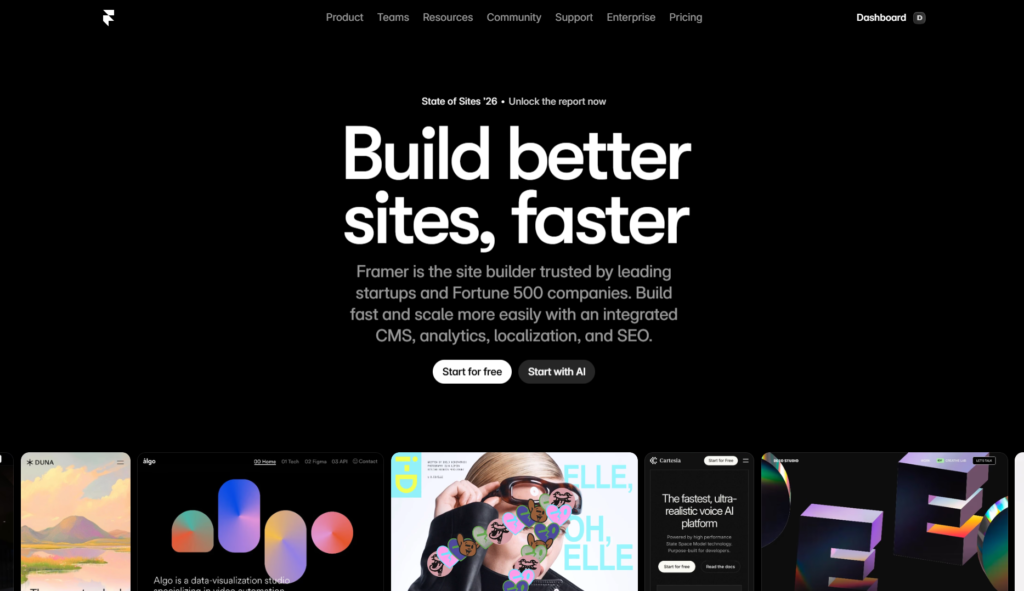
Its architecture is React-based, its design environment is modeled closely on Figma, and its core value proposition is simple: help design-forward teams build fast, beautiful, production-ready websites without handing files to a developer or configuring server infrastructure.
In January 2026, Framer simplified its pricing structure as part of a broader push to sharpen its product positioning. The platform is fully hosted and managed, meaning hosting, SSL certificates, CDN delivery, security patching, and performance optimization are all handled automatically. You ship your design, and Framer handles everything that happens after it goes live.
WordPress
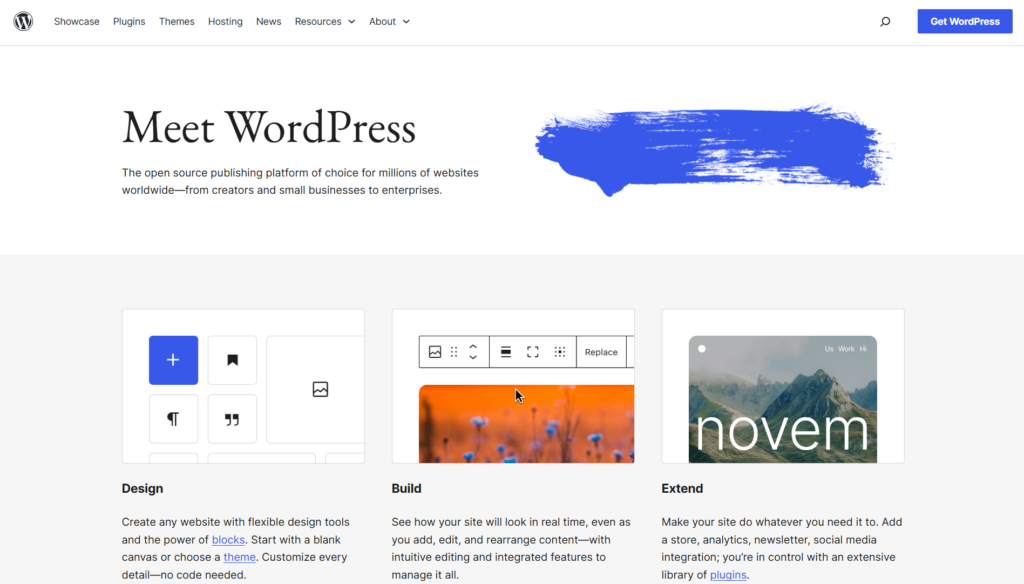
WordPress was released in 2003 as a blogging platform by Matt Mullenweg and Mike Little. It is open-source software, which means anyone can download it for free, modify its code, deploy it on any web server, and build virtually anything on top of it.
That open-source foundation is responsible for everything that makes WordPress great and everything that makes it complicated.
Over two decades, an ecosystem of developers, theme designers, plugin authors, hosting companies, and agencies has grown around WordPress to the point where it now powers roughly 43% of all websites globally and holds approximately 62% of the CMS market. These numbers are not just impressive statistics; they represent structural lock-in and a network effect that no competitor has come close to matching at the same scale.
WordPress is not one thing. It is a platform that becomes whatever combination of theme, page builder, plugins, and hosting infrastructure you assemble around it.
A minimal WordPress blog running twenty plugins is a fundamentally different machine from a WooCommerce-powered e-commerce store built on a premium theme with Elementor and caching optimization. This flexibility is both WordPress’s greatest strength and the source of its most significant operational burdens.
The identity contrast in a single sentence: WordPress is maximum freedom with maximum responsibility. Framer is optimized for output with managed infrastructure.
Design Flexibility and the Building Experience
For a category that sounds straightforward, design flexibility is actually one of the most nuanced areas to compare between these two platforms, because both offer high ceilings in very different ways.
Framer: The Designer’s Canvas
Framer’s editing experience is a direct product of its Figma-adjacent DNA. You work on a freeform canvas where you place frames, define constraints, build components, configure responsive breakpoints, and layer elements without any structural template dictating what is or is not possible.
For designers who already think in terms of layout systems, spacing logic, and component hierarchies, the interface is intuitive and fast. The feedback from the design community since Framer’s pivot to a full website builder has been consistent: it is the closest thing to designing in Figma and publishing directly to the web.
Framer’s design workflow removes the traditional handoff problem. You design, publish, and iterate all in the same environment. There is no export to a developer, no translation loss between the mockup and the production build, and no need to manage a separate deployment pipeline.
For marketing teams and agencies that operate in fast-moving iteration cycles, this matters. A landing page that might take two weeks to brief, design, develop, and publish in a traditional WordPress workflow can ship in days on Framer.
The creative ceiling is high. The platform supports asymmetric layouts, layered design logic, physics-based animations, and custom React components that let technical users extend the experience far beyond what standard templates anticipate.
Templates in Framer skew toward modern, motion-forward designs that look like the sites you see winning awards on Awwwards or landing on the front page of Product Hunt. They are built for a specific audience, and they serve that audience extremely well.
WordPress: Maximum Flexibility, Maximum Assembly Required
WordPress’s design flexibility is technically unlimited in a way that Framer’s is not. Because WordPress is open source and runs on standard web hosting, you can implement any design, any feature, any integration, and any custom functionality your development budget allows. The platform itself has no design opinion. Your site looks like whatever combination of theme and page builder you install.
In 2026, the most widely used approach to visual design in WordPress is the Block Editor (Gutenberg), which powers Full Site Editing and is used in more than 75% of new WordPress themes. Alongside the native block editor, third-party page builders like Elementor, Bricks, and Breakdance continue to have large user bases among developers and agencies who want more granular layout control than the block editor currently provides.
The building experience in WordPress is more fragmented than in Framer. You assemble the design environment yourself, choosing a theme that sets the structural foundation, a page builder that governs the visual layout system, and then configuring both to work together without conflict.
This assembly process is not difficult for an experienced WordPress developer, but it is genuinely time-consuming and creates ongoing maintenance obligations. Every plugin you add to extend your site’s design is also a potential source of future conflicts, performance drag, and security exposure.
The honest creative ceiling in WordPress is higher than in Framer for technically complex projects because a WordPress site can be anything a developer is capable of building. But for most marketing site and startup website use cases, Framer achieves better visual results faster with significantly less infrastructure overhead.
Verdict: Both platforms offer high design ceilings. Framer is faster, more intuitive for designers, and produces consistently polished output with less effort. WordPress offers greater theoretical flexibility but requires more assembly, more maintenance, and more technical expertise to reach its full potential.
CMS Capabilities and Blogging
Content management is one of the areas where WordPress’s two decades of development investment shows most clearly, and it is one of the most important categories to evaluate honestly if content is a core part of your website strategy.
WordPress CMS: The Undisputed Standard
WordPress was born as a content management system, and despite two decades of evolution into a general-purpose web platform, content management remains its deepest capability.
Custom post types, taxonomies, categories, tags, author management, content scheduling, revision history, bulk editing, editorial workflows, multi-author permission systems, comment management, RSS feed control, and native support for thousands of content items without performance degradation are all part of the standard WordPress installation.
The Block Editor in its current form supports rich, block-based content composition that goes well beyond a traditional text editor. Image galleries, video embeds, custom layout blocks, code blocks, pull quotes, and complex formatted content are all handled natively without plugins.
For publishing teams that manage high editorial volume, WordPress provides the infrastructure to support dozens of authors, granular permission hierarchies where editors see only what they need, and content pipelines sophisticated enough to run a major media publication.
The combination of WordPress with WooCommerce for e-commerce adds another dimension to the CMS story. WooCommerce currently controls approximately 36% of all online stores globally and processed a scale of transactions in 2025 that positions it among the most widely deployed e-commerce platforms on the internet.
If your content strategy intersects with commerce, WordPress plus WooCommerce is a proven, scalable combination that few platforms can match for capability depth and extensibility.
For businesses running content at enterprise scale, WordPress also supports headless configurations where it functions as a backend API serving content to a React or Next.js frontend. This headless approach preserves WordPress’s CMS power while enabling the modern frontend performance that React-based frameworks deliver.
It is a technically involved setup, but it is a widely understood and well-supported architecture in 2026.
Framer CMS: Practical for Marketing Sites, Limited at Scale
Framer’s CMS has improved meaningfully since the platform’s pivot to a full website builder, and it is now capable enough for most startup blogs, marketing site content hubs, and small business use cases.
Collections, custom field types, dynamic page generation, and basic content filtering are all available. For a team that publishes weekly blog posts and manages a modest library of case studies or product pages, Framer’s CMS handles the workflow without major friction.
The honest limitation shows up at the content scale. Framer does not support the kind of custom taxonomy systems, multi-author editorial permissions, bulk content operations, or revision histories that WordPress manages natively.
The CMS content editor, while functional, is embedded in the design environment rather than a standalone content management interface, which adds friction for non-designer team members whose only job is writing and publishing posts.
There is also no native mechanism in Framer to migrate an existing WordPress blog without significant effort. The formatting differences between WordPress’s markup and Framer’s content model mean that any serious migration of archived content requires scripting, intermediate formatting steps, or professional migration services. For businesses switching platforms, that migration cost is a real planning consideration.
Verdict: WordPress wins this category by a wide margin. For any site where content volume, editorial complexity, or publishing workflow sophistication matters, WordPress is the stronger foundation. Framer’s CMS is adequate for focused marketing sites and startup blogs; it is not built for serious content operations.
Animations and Interactions
This is one of the few categories where the comparison is genuinely one-sided, and the outcome may surprise people who associate animation capability with development complexity.
Framer’s animation tools are built on Framer Motion, the open-source React animation library used by some of the most respected product teams in the industry for professional frontend development.
Physics-based spring animations, scroll-triggered effects, entrance and exit transitions, hover interactions, stagger animations across repeated elements, parallax effects, and full-page transitions are all available through Framer’s visual interface without writing a single line of animation code.
You configure these interactions through panels that feel native to the design environment, and the results are indistinguishable from what a skilled frontend developer would produce working directly in code.
For startups and agencies where the website’s motion design is part of how the brand communicates quality and attention to detail, Framer’s animation capability is a practical competitive advantage. Visitors notice the difference between a site with deliberately designed scroll interactions and a site with generic fade-ins, even if they cannot articulate why.
WordPress does not have a native animation system. Getting meaningful motion design onto a WordPress site requires either a plugin that provides limited pre-built animation triggers, custom JavaScript implementation (which requires developer involvement), or a premium page builder with animation features built into its commercial license.
The GSAP-powered animation options available through advanced WordPress page builders can produce impressive results, but they require developer expertise to implement well, and every additional JavaScript library loaded on a WordPress page adds weight to the page’s performance profile.
For most standard WordPress business sites, this means animations are either absent or come from simple plugin-based fade and slide effects that are functional but not distinctive. The gap in motion design quality between a well-built Framer site and a typical WordPress site is significant enough that it regularly comes up as a key reason designers choose Framer for client projects in 2026.
Verdict: Framer wins this category clearly. If motion design is a meaningful part of how you want your website to represent your brand, Framer is the right tool.
SEO Capabilities: Depth vs. Performance
Both platforms can support strong SEO, but they approach the problem from different starting points, and the right choice depends on how much of your SEO work is technical infrastructure versus content-driven execution.
WordPress SEO: The Plugin-Powered Ecosystem
WordPress has the deepest SEO toolset available in any website platform, and that depth is delivered primarily through the plugin ecosystem.
Yoast SEO, RankMath, and All in One SEO are the three most widely deployed SEO plugins, and any one of them gives you meta title and description management, Open Graph control, XML sitemap generation, canonical URL configuration, structured data and schema markup, breadcrumb navigation, redirect management, keyword focus tools, content readability analysis, and integration with Google Search Console.
At the technical SEO level, WordPress gives experienced practitioners control that no hosted no-code platform currently matches. Custom schema markup for product pages, local businesses, events, recipes, FAQs, and any other content type that benefits from structured data is accessible through plugins or direct PHP customization.
Hreflang implementation for international SEO, custom robots.txt configurations, log file access for crawl analysis, and server-level caching and compression are all achievable on WordPress because you own the hosting environment.
For businesses where organic search is the primary growth channel and where a dedicated SEO practitioner needs granular control over every technical signal the site sends to Google, WordPress provides the infrastructure to support that work.
The plugin-dependent model does mean that SEO configuration requires setup time, plugin selection judgment, and ongoing management to ensure nothing breaks when updates are applied.
Framer SEO: Fast Foundation, Sensible Controls
Framer covers the SEO fundamentals cleanly. Meta titles, meta descriptions, canonical tags, Open Graph settings, indexing controls, XML sitemaps, and 301 redirects are all configurable through a built-in interface that is straightforward enough for non-technical users to operate without training.
Where Framer genuinely outperforms WordPress at the foundation level is page speed. Framer’s React-based architecture produces clean, lightweight HTML output. The platform includes server-side rendering, automatic lazy loading, and image optimization by default, without plugins.
Well-optimized Framer sites regularly achieve Lighthouse performance scores above 90 without any additional configuration. In 2026, where Core Web Vitals (LCP under 2.5 seconds, INP under 200ms, CLS under 0.1) are established Google ranking signals, Framer’s performance baseline is a meaningful SEO asset.
WordPress performance varies dramatically based on hosting quality, caching configuration, and plugin load. A WordPress site running on managed hosting with a proper caching layer, optimized images, and a lean plugin set can achieve excellent Core Web Vitals scores. But it requires intentional effort and often additional tooling, whereas Framer achieves comparable performance with no configuration required.
The honest SEO limitation in Framer is depth. Complex schema markup requires custom code injection. Template-level meta management for large CMS-driven content libraries is less robust than what WordPress provides. There is no native integration with SEO analytics platforms or keyword research tools. For a startup site or a focused marketing site targeting a defined set of keywords, these limitations are not blocking. For an enterprise site where a dedicated SEO team needs full-stack technical access, they matter significantly.
Verdict: WordPress wins on technical SEO depth and ecosystem tooling. Framer wins on out-of-the-box page performance and Core Web Vitals compliance. The right choice depends on whether you need technical depth or performance-first simplicity in your SEO setup.
Security and Maintenance: The Hidden Cost of WordPress
This is the area where most Framer vs. WordPress comparisons are least honest, and it is one of the most practically important differences for business owners who need to think beyond launch day.
WordPress Security: A Perpetual Responsibility
WordPress’s security profile in 2026 reflects its market position directly. Powering 43% of the web, it is by far the largest attack surface available to malicious actors. Security databases currently track over 64,000 vulnerabilities across the WordPress ecosystem, with approximately 91% originating in plugins rather than WordPress core software.
WordPress core itself is maintained carefully by Automattic and the core development team, and in 2025, only six vulnerabilities were discovered in the core codebase. The problem is structural: the same plugin ecosystem that makes WordPress infinitely extensible is also what makes it continuously vulnerable.
In the first week of January 2026 alone, 333 new vulnerabilities were disclosed across 253 WordPress plugins. In February 2026, a WooCommerce vulnerability was discovered that could have exposed full admin access, including customer order information across all affected stores.
The Patchstack security organization, which coordinates WordPress vulnerability disclosure, reports that 43% of WordPress vulnerabilities are exploitable without authentication, meaning attackers can potentially compromise a site without needing any login credentials.
Managing WordPress security responsibly requires a dedicated approach. You need to keep WordPress core updated (WordPress 7.0 is scheduled for April 2026), update every plugin and theme on a regular schedule, monitor for newly disclosed vulnerabilities, run a security plugin or Web Application Firewall, configure proper user permission roles, maintain regular off-site backups, and implement two-factor authentication for admin accounts. This is not optional maintenance; it is the minimum responsible operating standard for a production WordPress site.
For businesses without a dedicated technical resource monitoring their WordPress site, security becomes a real risk. Plugin updates can also introduce breaking changes that require testing and, sometimes, developer involvement to resolve. The actual time and cost of proper WordPress security management is one of the most underestimated factors in total cost of ownership calculations.
Framer Security: Fully Managed, Zero User-Side Overhead
Framer handles security at the infrastructure level. The platform’s environment is continuously patched, monitored, and updated without any action required from the site owner. There are no plugins to update, no theme vulnerabilities to track, no hosting configurations to harden, and no security plugins to purchase. SSL certificates are provisioned and renewed automatically.
For a business owner who wants to run a professional website without maintaining a security operation alongside it, this difference is substantial. You cannot accidentally expose your site to compromise through an abandoned plugin or a theme that has not been updated in eighteen months, because that category of risk does not exist in Framer’s architecture.
The tradeoff is control. Framer manages the infrastructure, but you cannot access the server environment, configure custom security policies at the server level, or implement enterprise-grade security features outside of what Framer provides natively. For most marketing sites and startup websites, this is not a relevant limitation. For enterprises with specific compliance requirements or security architectures, the lack of infrastructure access is worth evaluating.
Verdict: Framer wins decisively on security simplicity and maintenance overhead. WordPress gives you more control over your security infrastructure, but that control comes with ongoing responsibility that has real operational cost. For non-technical site owners, Framer’s managed environment removes a significant category of risk.
Framer vs. WordPress Pricing: The True Cost Comparison
This is where most comparisons dramatically undersell the difference, because WordPress’s zero-dollar license price creates a misleading impression of its total cost of ownership.
Framer Pricing
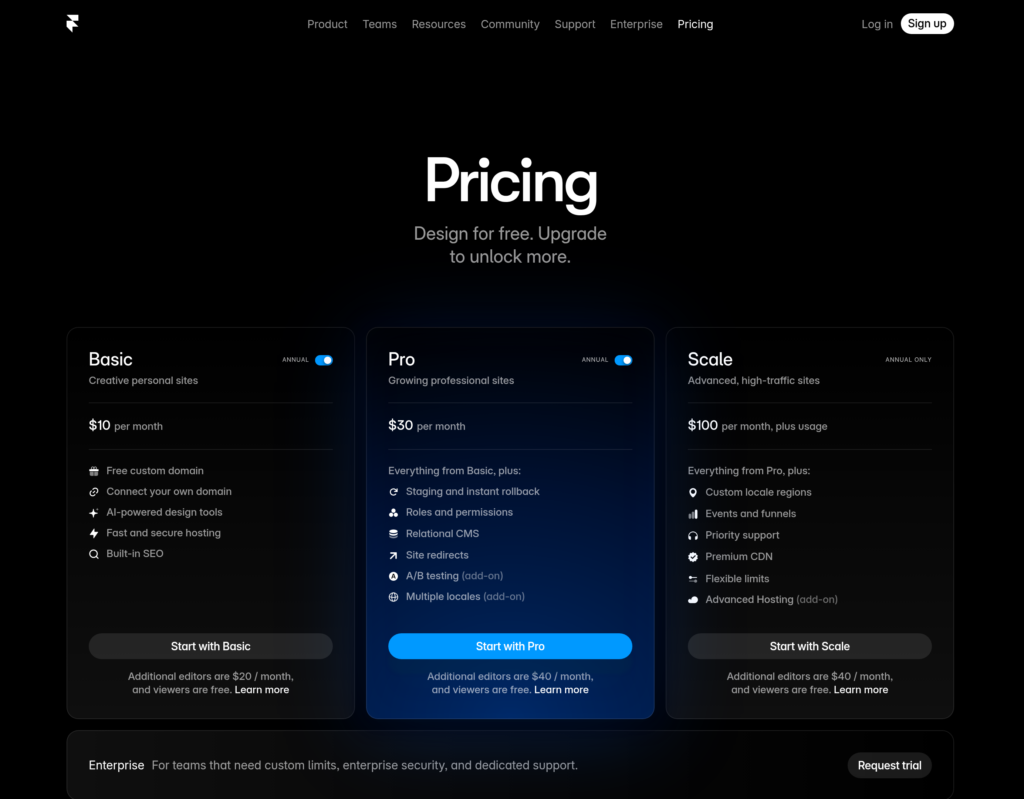
Framer’s pricing is transparent and all-inclusive. Every paid plan includes hosting, SSL certificates, CDN delivery, automatic security management, and platform updates. There are no surprise add-ons for features that are essential to running a professional site.
- Free Plan: One project, Framer-branded subdomain, limited pages. Suitable for testing.
- Basic ($10/month, billed annually): Custom domain, unlimited pages, 2 editor seats, and basic CMS.
- Pro ($30/month, billed annually): 10 editor seats, staging environments, password protection, expanded CMS, and priority support.
- Business ($75/month, billed annually): Advanced CMS with higher page and item limits, more collaboration seats, and enterprise-adjacent features.
- Enterprise: Custom pricing with dedicated support and SLA commitments.
The annual cost of running a professional Framer site ranges from $120 to $360 per year for most users, with no additional costs for the infrastructure that hosting, security, and CDN delivery represent.
WordPress Pricing: The Real Math
WordPress software is free to download and use. That is where the straightforward pricing ends.
To run a production WordPress site professionally in 2026, you need:
Managed Hosting: Running WordPress on cheap shared hosting produces poor performance and creates security exposure. Quality managed WordPress hosting from providers like WP Engine, Kinsta, or Flywheel typically costs $25 to $60 per month depending on traffic volume and features. That is $300 to $720 per year for hosting alone.
Premium Theme or Page Builder: Most professional WordPress sites use a premium theme or a commercial page builder license. These typically cost $60 to $200 per year, with many page builders moving to annual subscription models.
Essential Plugins: A professionally run WordPress site needs, at minimum, an SEO plugin, a security plugin, a caching plugin, a backup solution, and likely a form builder. Many of these are available in both free and premium tiers. Budgeting $200 to $400 per year for essential premium plugin licenses is a reasonable conservative estimate for most business sites.
Maintenance Time or Agency Cost: WordPress requires regular attention. Core, plugin, and theme updates need to be applied, tested, and monitored. Sites without regular maintenance become security liabilities quickly. If you are doing this yourself, it costs time. If you are hiring an agency or retainer developer, it costs money. Conservative estimates put WordPress maintenance at two to four hours per month of dedicated attention for a moderately complex site.
Total Annual Cost of a Professional WordPress Site: When you add quality managed hosting, a premium theme or page builder, essential plugin licenses, and account for maintenance time, the realistic annual cost of running a properly maintained professional WordPress site ranges from $500 to over $1,500 per year, before factoring in any custom development work.
For a straightforward business or marketing site, Framer is often the more cost-effective option over a three to five year period when true total cost of ownership is calculated honestly.
Verdict: Framer has a significantly lower and more predictable total cost of ownership for most standard business site use cases. WordPress’s license-free entry point is deceptive; the real costs of hosting, plugins, themes, and maintenance are substantial. WordPress becomes more cost-competitive for large-scale sites where the additional investment in infrastructure and plugins enables capabilities that Framer cannot match.
E-commerce: A Genuine WordPress Advantage
If your website needs to support serious online selling, this category deserves the most weight in your decision, and WordPress holds a clear advantage.
WooCommerce, WordPress’s primary e-commerce extension, controls approximately 36% of all online stores globally.
It supports unlimited product listings, complex inventory management, variable products with multiple attributes, detailed shipping rules including zone-based pricing and carrier integrations, subscription and recurring billing, membership-gated content, dropshipping, multi-currency selling, tax automation by region, and thousands of WooCommerce-specific extensions that add virtually any commerce functionality you can imagine. The depth of WooCommerce is matched only by dedicated platforms like Shopify and BigCommerce.
In March 2026, WooCommerce patched a significant CSRF vulnerability (CVE-2025-47504) that affected all 52 versions below 5.4. Automattic rolled out automatic patches to stores on managed infrastructure. This is an important reminder that WooCommerce’s scale means it is a consistent target for security researchers and malicious actors alike, and that keeping a WooCommerce installation current requires active management. But the depth of e-commerce capability WooCommerce provides is unmatched in the open-source space.
Framer has no native e-commerce system. Connecting Shopify to a Framer site using the Shopify Buy Button or an embedded storefront is the most capable e-commerce integration available, and it works well for straightforward product catalogs and direct-to-consumer marketing sites.
LemonSqueezy is a practical option for digital product sales like templates, courses, and software licenses. These integrations handle simple selling scenarios adequately.
What they cannot replicate is WooCommerce’s operational depth. Complex shipping rules, custom checkout flows built to your specific requirements, subscription management, multi-vendor marketplaces, and the ecosystem of hundreds of WooCommerce-specific extensions are simply not accessible through a Framer-plus-integration model.
Verdict: WordPress with WooCommerce wins this category for any serious e-commerce use case. Framer’s third-party integrations work for simple selling scenarios, but they are not an equivalent to a natively integrated, enterprise-capable e-commerce platform.
Plugin Ecosystem vs. Built-in Tooling
The plugin debate is central to the Framer vs. WordPress conversation, and it cuts both ways.
WordPress’s ecosystem of over 70,000 plugins is genuinely one of the most remarkable software achievements in modern technology.
Any functionality you need for your website almost certainly already exists as a WordPress plugin, and the community around those plugins is active, well-documented, and globally distributed.
Learning management systems, CRM integrations, membership platforms, multilingual support, forum functionality, directory listings, event management, restaurant ordering systems, multi-vendor marketplaces, and advanced analytics pipelines are all available as WordPress plugins with documented installation paths.
The cost of that extensibility is complexity and risk. Every plugin you add to a WordPress site is a dependency that needs to be maintained, tested for compatibility with WordPress core updates and other plugins, monitored for security vulnerabilities, and evaluated for performance impact.
The more plugins a site runs, the more maintenance overhead it carries and the higher the statistical probability of encountering a conflict or a security issue. This is not a theoretical concern; it is the daily operational reality of running WordPress at any non-trivial scale.
Framer’s integration ecosystem is smaller by an order of magnitude. You can embed HTML and JavaScript from third-party services, connect analytics tools, add form functionality through embeds, and build custom React components for more sophisticated integrations.
Custom code support is meaningful for technical teams. But for non-technical users who need to connect their website to CRM software, email automation platforms, or business management tools without writing code, Framer’s ecosystem requires more workarounds than WordPress does.
Verdict: WordPress wins on ecosystem breadth. Framer’s smaller integration surface is a real limitation for businesses that need deep third-party connectivity. The right perspective on this tradeoff: every plugin WordPress installs is a capability gained and a maintenance obligation added simultaneously.
Framer vs. WordPress: Who Should Use Which?
Everything in this comparison points toward two distinct ideal users, and the decision becomes clear when you match the platform to the user honestly.
Choose Framer If:
- You are a designer or creative professional who wants a website that reflects the same quality standard as your design work, without managing server infrastructure.
- You are building a startup landing page, a SaaS product site, a portfolio, a marketing campaign site, or a brand presence where visual quality and page performance are primary requirements.
- Your team works in Figma or similar design tools, and you want to ship directly from the design environment to the web.
- You value a fully managed platform where security, updates, and hosting are handled automatically without ongoing attention.
- You are a freelancer who builds sites for design-forward clients and wants a smooth, low-friction handoff experience.
- You want predictable monthly costs without the variable expenses that plugin ecosystems and hosting management introduce.
- Motion design and animation quality matter to how you want your site to represent your brand.
- Your content needs are focused, meaning a professional blog and marketing pages rather than a high-volume publishing operation.
Choose WordPress If:
- You are building or managing a content-heavy website where editorial scale, multi-author publishing, complex content taxonomies, and high article volumes are central requirements.
- E-commerce is a core function, and you need the depth of WooCommerce, including complex shipping, subscriptions, memberships, or a large product catalog.
- You have developer resources available to maintain, update, and extend the platform over time.
- You need the flexibility of the open-source model, including self-hosting on your own infrastructure, code ownership, and the ability to implement custom functionality that no off-the-shelf plugin provides.
- You are running an enterprise-level digital operation that requires specific compliance standards, custom security architecture, or integration with internal business systems at a depth that hosted platforms cannot support.
- You need the deepest possible SEO infrastructure, including full schema control, hreflang implementation, log file access, and server-level technical optimization.
- You are a developer who is comfortable with the ongoing obligations of managing a self-hosted platform and values the total control that comes with it.
Final Verdict
WordPress and Framer are not competing for the same users. The comparison is only confusing when you ignore what each platform was designed to accomplish and who it was designed to serve.
WordPress is the most powerful and scalable open-source content platform ever built. Its market position is structural, its capability depth is unmatched at enterprise scale, and its e-commerce and content management tools represent two decades of continuous development investment.
For businesses where content volume, technical customization, e-commerce complexity, and open-source ownership are what matter, WordPress remains the superior choice. The operational cost is real, but it is a price that large-scale users pay willingly for the control they receive in return.
Framer is the most capable fully managed design-first website platform available in 2026. For designers, startups, marketing teams, and agencies that want to build visually exceptional, fast-loading websites without managing a self-hosted infrastructure, Framer delivers a level of output quality and operational simplicity that WordPress cannot match without significant development investment. The tradeoff is a smaller ecosystem, no native e-commerce, and a publishing workflow that is not optimized for high-volume content operations.
The clearest decision guide is this: if your website is a design and performance deliverable managed by people with design skills, Framer is the modern answer. If your website is a content and commerce engine that needs to scale, integrate deeply with business systems, and operate with total infrastructure control, WordPress is the proven foundation. Both platforms are excellent at what they were designed to do. The mistake is choosing the wrong tool for the job you actually need done.
Frequently Asked Questions: Framer vs. WordPress
Is Framer better than WordPress in 2026?
For design-forward sites, marketing sites, portfolios, and startup web presences managed by design-capable teams, Framer is often the better practical choice. It produces faster, more visually distinctive output with significantly less maintenance overhead. For content-heavy sites, e-commerce operations, and enterprises that need deep customization and open-source control, WordPress remains the stronger platform.
Is Framer cheaper than WordPress?
On a total cost of ownership basis, Framer is typically cheaper for standard business sites. WordPress’s software is free, but quality managed hosting, essential plugins, a premium theme, and maintenance time typically add up to $500 to $1,500 or more per year. Framer’s all-inclusive plans range from $120 to $360 per year with no additional infrastructure costs.
Can Framer replace WordPress for blogging?
For simple to moderate blogging needs, yes. Framer’s CMS handles a regular publishing schedule, categories, and standard post management adequately. For high-volume publishing operations with multiple authors, complex editorial workflows, and large content archives, WordPress’s native blogging tools are significantly more capable and purpose-built.
Is WordPress more secure than Framer?
Framer is more secure by default because it is a fully managed platform with no user-installable plugins. WordPress core is well-maintained, but 91% of WordPress vulnerabilities originate in plugins. Security databases tracked over 64,000 total vulnerabilities across the WordPress ecosystem as of early 2026. Managing WordPress security responsibly requires ongoing active effort that Framer’s architecture eliminates.
Can I migrate from WordPress to Framer?
Yes, but it requires planning. Framer does not import WordPress content directly due to formatting differences between the platforms. Migrating a large blog requires scripting or intermediate format conversion. You should set up 301 redirects for any changed URLs to protect your SEO equity. Well-executed migrations often result in meaningfully faster page performance on Framer.
Which platform is better for SEO: Framer or WordPress?
WordPress has greater technical SEO depth through its plugin ecosystem, including full schema markup control, advanced redirect management, and granular metadata configuration across large content libraries. Framer has a performance advantage with faster page load times and consistent Core Web Vitals scores that contribute to Google ranking signals. For most marketing sites, Framer’s SEO tools are sufficient. For enterprise-scale content operations, WordPress’s depth is the stronger foundation.
Does Framer allow code export?
No. Framer does not allow you to export the code of your site. You are committed to Framer’s hosting infrastructure for as long as you use the platform. WordPress, being open-source, gives you full code ownership and the ability to self-host anywhere. This vendor lock-in consideration is worth factoring into long-term infrastructure planning.