
Here is the situation most people find themselves in: you need to launch a website, you have a limited runway of time and budget, and you keep seeing both Framer and Squarespace pop up as recommendations.
One platform promises beautiful, motion-rich designs. The other promises everything you need under one roof. Both look polished, both have real users who swear by them, and neither one is obviously wrong for the job.
So, which one is actually better for you?
The honest answer is that neither platform is universally superior.
Framer and Squarespace are designed for different kinds of builders, with different priorities, different skill levels, and different goals for their websites. The comparison only gets useful when you go deep on the specific categories that matter for your project.
That is exactly what this guide does. By the time you finish reading, you will have a clear picture of what each platform does well, where each one falls short, and which one fits your specific situation in 2026.
Framer vs. Squarespace: Quick Comparison
| Feature | Framer | Squarespace |
|---|---|---|
| Best For | Designers, startups, marketing teams, creative agencies | Small businesses, entrepreneurs, bloggers, service providers |
| Learning Curve | Moderate (Figma-like canvas; less intuitive for non-designers) | Low (guided, structured editor; beginner-friendly) |
| Starting Price (Paid) | $10/month (Basic, billed annually) | $16/month (Basic, billed annually) |
| Free Plan | Yes (limited, framer.site subdomain) | No (14-day free trial only) |
| Design Flexibility | Very high; freeform canvas, full creative control | Moderate; structured templates with style customization |
| Templates | Modern, motion-forward; strong for SaaS and startups | 195+ professionally designed; strong across industries |
| CMS and Blogging | Functional for marketing sites; limited at content scale | Strong native CMS; excellent built-in blogging tools |
| E-commerce | No native store; requires Shopify or LemonSqueezy | Full native e-commerce with inventory, checkout, and payments |
| Animations | Industry-leading; Framer Motion built in | Basic transitions and template effects only |
| SEO Tools | Solid fundamentals; meta, sitemaps, redirects, CDN | Built-in SEO suite; AI-generated alt text, meta scanning |
| AI Features | Native layout generation, copy assist in editor | Blueprint AI for full site generation; Design Intelligence suite |
| Blogging | Basic; no rich post editor comparable to Squarespace | Excellent; native post editor, categories, tags, RSS |
| Email Marketing | Not included; third-party integrations only | Built-in email campaigns on higher plans |
| Customer Support | Community, docs, email support | 24/7 live chat and email; extensive help center |
| Ideal User | Designer, founder, developer, creative team | Small business owner, blogger, service professional |
What Are Framer and Squarespace, Really?
To make a smart decision between these two platforms, you need to understand what each one was built to accomplish, because that core purpose shapes every feature, every pricing decision, and every tradeoff you will encounter.
Framer
Framer started in 2014 as a prototyping tool for product designers, evolved into a full website builder around 2022, and has grown at a rapid pace since then.
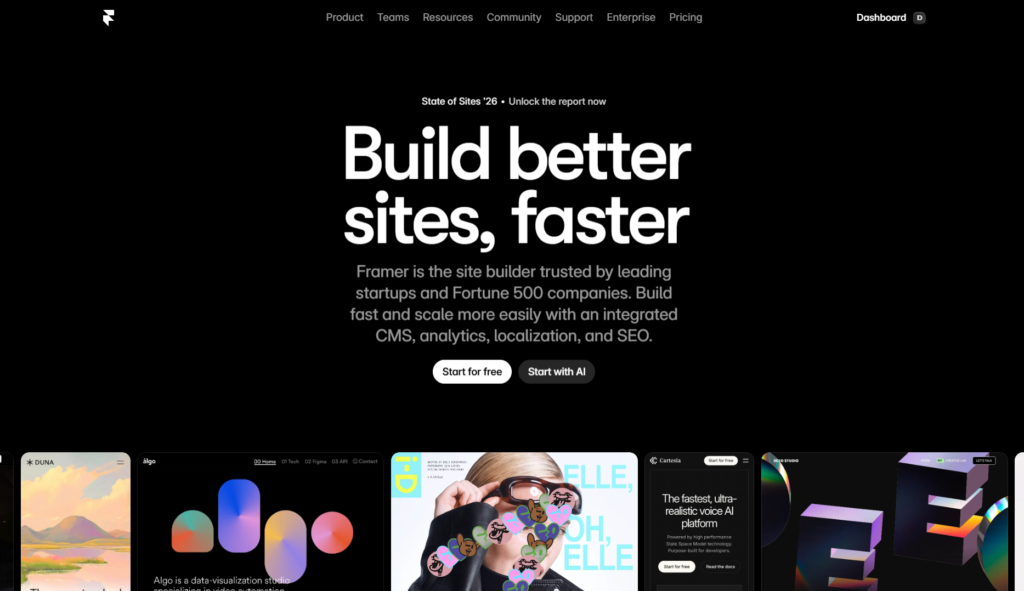
In August 2025, Framer raised $100 million in Series D funding at a $2 billion valuation. The platform now reports over 500,000 monthly active users and hosts hundreds of thousands of live sites, with those numbers climbing steadily. Framer’s approach to web design is fundamentally different from Squarespace’s.
Rather than guiding you through a structured template, Framer hands you a freeform canvas and trusts you to build what you envision. The results, when executed well, tend to be visually distinctive and technically impressive. The tradeoff is that Framer rewards users who come in with design skills or are willing to develop them.
Squarespace
Squarespace was founded in 2004 by Anthony Casalena, initially as a blog hosting service, and grew into one of the most widely used website builders in the world.

In 2026, Squarespace powers over 4 million websites globally and has expanded its capabilities well beyond design. The platform now includes e-commerce tools, email marketing campaigns, appointment scheduling through its Acuity Scheduling integration, invoicing, and a growing suite of AI-powered features under the Blueprint AI and Design Intelligence branding.
Squarespace is built on a single guiding principle: make it possible for anyone, regardless of technical background, to build a professional website that actually looks good. Its structured template system, guided editing interface, and all-in-one feature set are all in service of that goal.
The central identity difference in one line: Squarespace builds websites for you. Framer helps you build websites yourself.
Design Flexibility and Ease of Use
This is the area where the contrast between Framer and Squarespace is most dramatic, and where the majority of users make or break their decision.
Squarespace: Guided, Structured, and Genuinely Polished
Squarespace’s editor is built around the idea of guardrails. You choose from over 195 professionally designed templates, and from there you customize colors, fonts, images, and content within a structured editing environment.
The templates are genuinely impressive. Squarespace has long held a reputation for the best-looking default designs among mainstream website builders, and that reputation is still earned in 2026.
The editing experience is drag-and-drop with intelligent alignment guides, which means you can rearrange content blocks and sections without accidentally breaking your layout.
The platform prevents you from making certain design mistakes by design, which is exactly the right call for someone who is not a trained designer.
What you trade away for that structure is the ability to build a layout that falls completely outside what Squarespace’s templates anticipate.
If you want to move a navigation element to an unconventional position, layer sections in a way that breaks the standard grid, or build something that looks genuinely unlike any other Squarespace site, you will run into limits quickly.
Blueprint AI, Squarespace’s AI-powered site generation tool, adds another accessibility layer. You answer a few questions about your brand, your industry, and your goals, and the system generates a starting website layout with placeholder copy and design choices that fit your context.
For a first-time website builder or a small business owner who does not have hours to spend evaluating templates, Blueprint AI meaningfully reduces the time from “I need a website” to “I have a working draft.”
Framer: Freeform Canvas, Full Creative Control
Framer’s design environment feels like Figma. If you have ever worked in a modern design application, you will recognize the interface immediately: a canvas, frames, layers, constraints, and component logic. You place elements where you want them, define their behavior across breakpoints, and build without any structural template telling you what is or is not allowed.
The creative ceiling in Framer is significantly higher than in Squarespace. You can build asymmetric layouts, overlapping sections, text animations that respond to scroll position, interactive elements powered by Framer Motion, and component systems that propagate design changes across an entire site instantly. For designers who know what they want to build, Framer is an extraordinarily capable tool.
The flip side is the learning curve. Non-designers who open Framer for the first time frequently report feeling lost in ways that do not happen in Squarespace. The freeform canvas requires you to make decisions that Squarespace makes for you automatically, and those decisions add up quickly for someone without a design background.
The gap in ease of use between these two platforms is real and meaningful, particularly for small business owners or solo entrepreneurs who need to build and maintain their own site without design expertise.
Verdict: Squarespace wins decisively on ease of use and accessibility for non-designers. Framer wins on design flexibility, creative ceiling, and the ability to build visually distinctive sites that break from template conventions.
CMS Capabilities and Blogging
For anyone building a content-driven website, including businesses that rely on blog content for SEO, service providers who publish case studies, or creators who publish regular articles, the CMS matters as much as the design tools.
Squarespace: A Content Machine Built for Real Publishers
Squarespace’s blogging and content management tools are genuinely strong. The native blog editor is clean, feature-rich, and easy for non-technical writers to use without training.
You can organize posts by category and tag, enable comments, schedule posts in advance, set featured images, and manage RSS feeds, all from a single intuitive interface. Content editors do not need to understand anything about the design layer to publish, update, or manage posts effectively.
The CMS extends beyond blogging. Squarespace handles product catalogs, service listings, portfolio galleries, event schedules, and member-gated content through structured content types that are built into the platform. For small business owners who need a website that covers multiple content formats without requiring custom development, Squarespace’s content tools are among the best in the no-code space.
Email campaigns, available on higher-tier plans, add a direct marketing channel that connects to your site’s content and subscriber list without requiring a third-party integration. For businesses that want their website and email marketing to live in one place, this is a practical advantage that Framer does not offer.
Framer CMS: Functional, But Not a Publisher’s Tool
Framer’s CMS has improved significantly since its pivot to a full website builder. It supports custom collections, multiple field types, and dynamic page generation, which is enough for most startup blogs and marketing sites publishing a moderate volume of content.
The content management workflow, however, is not designed with content writers in mind the way Squarespace’s is. Editing a blog post in Framer requires working within the design environment rather than a standalone content editor, which adds friction for non-designer team members who just need to publish an article.
There is also no native email marketing capability. If you want to run email campaigns from a Framer site, you will need to connect a third-party service like Mailchimp, ConvertKit, or Beehiiv and manage that separately.
For a startup that publishes a few posts per month and has a designer managing the site, Framer’s CMS handles the workload adequately. For a business where content publishing is a core daily activity handled by multiple team members with no design background, Squarespace is the more practical choice.
Verdict: Squarespace wins clearly on CMS depth, blogging tools, and content publishing workflows. Framer’s CMS works for marketing-focused sites but is not built for serious content operations.
Animations and Interactions
This category is where the gap between the two platforms is widest, and where Framer holds its strongest competitive advantage.
Framer: Motion-First by Design
Framer was built by designers who cared deeply about how things move. Framer Motion, the widely used open-source React animation library, shares its lineage with the platform. Animations in Framer are physics-based, smooth, and accessible through a visual interface that does not require you to write animation code from scratch.
You can build scroll-triggered animations, entrance effects, hover transitions, stagger animations for repeated elements, parallax effects, and full page transitions, all without leaving the design environment.
The motion quality you can achieve in Framer rivals what a skilled frontend developer would build by hand, which is genuinely rare in a no-code tool. For marketing sites, SaaS landing pages, and portfolios where the first impression of the brand is communicated through motion, Framer’s animation capabilities are a serious differentiator.
Squarespace: Template Transitions, Nothing More
Squarespace includes animations in the sense that its templates come with polished, pre-built entrance effects and section transitions. These look good, but they are entirely template-defined. You cannot build a custom scroll animation, define a multi-step interaction sequence, or create motion behaviors that the template system does not already support.
This is not a failure of execution on Squarespace’s part. It is a deliberate product decision. The platform prioritizes consistency and accessibility over creative flexibility, and template-defined animations are consistent and easy to maintain. For most small business sites, the animations Squarespace templates include are sufficient.
But if your brand identity is built around distinctive motion design, or if your competitors are building Framer sites with sophisticated interactive experiences, Squarespace’s animation ceiling will feel limiting.
Verdict: Framer wins this category by a wide margin. If motion design matters to your brand, Framer is the only real option between these two platforms.
SEO Capabilities: Practical, Honest Comparison
Both Framer and Squarespace include the SEO fundamentals that most websites need. Where they differ is in depth, in specific tooling, and in how much manual control you get over your site’s search performance.
Squarespace SEO: All-in-One, Beginner-Friendly, and Increasingly AI-Powered
Squarespace includes built-in SEO tools at no additional cost across all plans. You can customize meta titles and descriptions, edit Open Graph settings for social sharing, control page indexing, and access automatic XML sitemaps. All templates are mobile-responsive by default, which satisfies Google’s mobile-first indexing requirement without any configuration.
One of Squarespace’s more useful 2025 and 2026 additions is its AI-powered SEO toolset. The platform can scan your website for missing or weak SEO elements and suggest improvements, generate SEO-friendly copy, and automatically produce image alt text from visual content. For a small business owner who knows that SEO matters but does not have the time or expertise to manage it in detail, this kind of guided, automated assistance is practically valuable.
Squarespace also supports custom code injection on the Core plan and above, which allows for schema markup, Google Tag Manager, and other technical SEO implementations. Automatic sitemaps are submitted to Google Search Console without manual intervention. The overall SEO experience in Squarespace is smooth, well-integrated, and appropriate for the vast majority of small business websites.
Framer SEO: Solid Fundamentals, Fast Pages, Simpler Controls
Framer covers the SEO basics well. Meta titles, meta descriptions, canonical tags, indexing controls, Open Graph settings, XML sitemaps, and 301 redirects are all available through a clean built-in interface.
Pages load quickly because Framer’s React-based architecture produces lightweight output, and the platform serves content through a global CDN. Page speed is a direct ranking factor in 2026, and Framer sites tend to perform well on Core Web Vitals when images are properly optimized.
Where Framer’s SEO toolset falls short is in automation and guided optimization. There is no built-in SEO scanning tool to flag missing elements across your site, no AI-generated alt text at scale, and no email integration that could double as an owned-channel SEO supplement. Schema markup requires custom code injection.
For a focused marketing site targeting a manageable set of keywords, Framer’s SEO controls are entirely sufficient. For a growing content business where SEO is managed across dozens or hundreds of pages, Squarespace’s more integrated and automated toolset is meaningfully more practical.
Both platforms meet Google’s Core Web Vitals benchmarks for 2026, which require LCP under 2.5 seconds, INP under 200ms, and CLS under 0.1, when basic image optimization practices are followed.
Verdict: Both platforms are capable for standard SEO needs. Squarespace has an edge in automation and guided tooling, which benefits non-technical site owners. Framer edges ahead on raw page speed output for lean, design-forward sites.
Pricing Plans Comparison
This is where many comparison posts oversimplify, so let us be precise about what each plan actually includes and what it actually costs.
Framer Pricing Plans

Framer’s pricing model is straightforward. Hosting is included in every paid plan, and there are no separate workspace fees or seat charges that inflate the real cost.
- Free Plan: One project, Framer-branded subdomain (framer.site), limited pages, and basic features. Useful for testing the platform.
- Basic ($10/month, billed annually): Custom domain, unlimited pages, 2 editor seats, and basic CMS functionality.
- Pro ($30/month, billed annually): 10 editor seats, staging and rollback, password protection, expanded CMS, and priority support.
- Business ($75/month, billed annually): Advanced CMS with higher item limits, more collaboration seats, and enterprise-ready features.
- Enterprise: Custom pricing with dedicated support, SLA guarantees, and advanced security.
Framer also offers Purchasing Power Parity pricing for users outside the United States, which means meaningfully lower rates in countries like India, Brazil, and Southeast Asia. For US-based users, the pricing structure is simple: what you see is largely what you pay.
Squarespace Pricing Plans
Squarespace’s pricing is structured around four plans, each adding layers of e-commerce and business functionality as you move up.
- Basic ($16/month, billed annually): Custom domain for the first year, 195+ templates, basic SEO tools, Blueprint AI, up to 2 contributors, and access to e-commerce with a 3% transaction fee.
- Core ($23/month, billed annually): Everything in Basic, plus 0% transaction fees, sales analytics, unlimited contributors, CSS and JavaScript customization, and video hosting up to 5 hours.
- Plus ($39/month, billed annually): All Core features, reduced digital content and membership fees, and advanced merchandising tools.
- Advanced ($65/month, billed annually): The full feature set, lowest processing rates, advanced shipping and discounting tools, and complete selling functionality.
Squarespace does not offer a permanent free plan. There is a 14-day free trial for any paid plan, which gives you enough time to evaluate the platform before committing.
The Real Cost Comparison
For a solo user with a single site and no e-commerce needs: Framer’s Basic plan at $10/month is $6/month less than Squarespace’s Basic plan. Over a year, that is $72 in savings. For a small business that needs e-commerce, the comparison flips. Squarespace’s Core plan at $23/month includes a fully native store with 0% transaction fees.
Getting comparable e-commerce functionality with Framer requires integrating a third-party platform like Shopify, which starts at $29/month on its own, making Squarespace the dramatically more affordable option for sellers.
For teams and agencies managing multiple sites, neither platform’s base pricing tells the full story, but Framer’s bundled editor seats keep costs more predictable for collaborative builds.
Verdict: Framer is more affordable for individual and team site builds without e-commerce. Squarespace delivers better value once e-commerce, email marketing, or business tools are required.
E-commerce: One Platform Has It, One Does Not
If online selling is part of your website’s purpose, this section is the most important one you will read in this comparison.
Squarespace has a fully native e-commerce system. Every paid plan above Basic includes the ability to sell physical products, digital downloads, and services. The Core plan and above eliminate transaction fees.
You get inventory management, shipping integrations, in-person point-of-sale functionality through Squarespace’s POS system, abandoned cart recovery on higher plans, multi-channel selling, and a built-in connection to Squarespace’s email campaign tools for promotional messaging.
For small to mid-sized retail businesses, service providers selling appointments or packages, and creators selling digital products, Squarespace’s e-commerce is a complete, well-integrated solution that does not require plugging in external tools. The checkout experience is clean, the product management interface is intuitive, and the whole system operates within the same dashboard you use for everything else on your site.
Framer has no native e-commerce. To sell products on a Framer site, you need to integrate with a third-party service. The two most commonly used integrations are Shopify, for physical and digital product stores, and LemonSqueezy, for digital-only sales like courses, templates, and software licenses. Both integrations work, but they introduce complexity, additional monthly costs, and a split workflow where your store lives in one platform and your site lives in another.
For a startup that sells one or two digital products through a simple buy button, Framer’s third-party approach is manageable. For any business where the online store is a primary revenue channel, Squarespace is the only sensible choice between these two platforms.
Verdict: Squarespace wins this category without question. If you plan to sell anything online, Squarespace is the right platform.
AI Features: Blueprint AI vs. Framer’s Design Intelligence
Both platforms have made significant investments in AI tooling, and both have something genuinely useful to show for it. The nature of what each platform’s AI does, however, reflects the core identity of the tool itself.
Squarespace Blueprint AI: Build a Whole Site from a Prompt
Squarespace’s Blueprint AI, part of its broader Design Intelligence suite, is a site-generation tool. You describe your business, your industry, and your goals through a short guided questionnaire, and Blueprint AI generates a complete starting website with layout choices, color palette, typography, and placeholder copy that fits your context. It is not a perfect first draft, but it is a fast, practical starting point that saves meaningful time compared to building from a blank template.
Additional AI tools within Squarespace include an AI text generator for writing and editing copy, AI-powered image alt text generation that works across your media library, and an SEO scanning tool that identifies missing or underperforming elements and suggests improvements. For a small business owner who needs a capable website without hiring a designer or copywriter, Squarespace’s AI toolset is a genuine productivity advantage.
Framer AI: Layout Generation Inside the Design Environment
Framer’s AI tools are baked directly into the design canvas. You can describe a layout section, a component, or a page structure in natural language, and Framer will generate it visually within the editor. Copy assistance is available inline, which keeps you in the design environment rather than switching between tools to write and edit text.
The depth of Framer’s AI tooling is particularly strong for designers who already know what they want. Rather than replacing the design process, Framer AI accelerates it by handling the mechanical work of generating initial layouts and structural components, leaving you to refine and customize. Community feedback in 2026 consistently notes that Framer’s AI tools feel more tightly integrated into the actual design workflow than the AI features in most competing platforms.
For non-designers, though, Squarespace’s Blueprint AI is more immediately useful. Generating a complete site from a prompt with no design knowledge is a more powerful starting point than having an AI layout generator that still requires you to understand the canvas you are working on.
Verdict: Squarespace’s Blueprint AI is more useful for non-designers who want AI to do the heavy lifting upfront. Framer’s AI is more useful for designers who want to accelerate an existing design workflow.
Collaboration and Client Handoff
Whether you are working with a team or handing a finished site off to a client, the collaboration experience on each platform has practical implications for your workflow.
Framer includes editor seats in every paid plan, with 2 seats on Basic and 10 on Pro. Real-time collaboration is built into the platform and feels close to the multiplayer experience in Figma, which makes it natural for design teams that already work collaboratively in design tools.
The Framer Pro Expert program gives qualified freelancers and agencies the ability to join client projects as editors at no additional cost to the client, which is a genuine advantage for anyone who hands off completed sites regularly. Framer’s Project Transfer feature lets you move an entire site to a client’s account without any downtime, which is cleaner than most comparable handoff processes in the industry.
Squarespace handles collaboration through a contributor system. The Basic plan allows up to 2 contributors, while the Core plan and above allow unlimited contributors. Contributors can be assigned different permission levels, which is useful for separating what a content editor can touch from what only the site administrator can modify.
For agencies and freelancers building Squarespace sites for clients, the Circle program offers partner benefits including the ability to apply a 20% discount on client subscriptions, priority support access, and professional resources.
The client handoff experience in Squarespace is relatively smooth because the platform is designed to be used by non-technical site owners independently after launch. A client who receives a completed Squarespace site can update content, add products, manage email campaigns, and check analytics without needing to contact their designer for routine tasks.
Verdict: Framer is better for designer-to-designer collaboration and clean client transfers. Squarespace is better for handing off to non-technical clients who need to self-manage their site after launch.
Performance and Page Speed
Page performance affects both user experience and search engine rankings. Here is where each platform stands.
Framer’s pages are fast. The platform’s React-based architecture produces clean, lightweight output, and hosting is served through a global CDN that reduces latency for visitors regardless of geography.
When animations are used thoughtfully and images are properly optimized, Framer sites consistently score well on Google’s Core Web Vitals benchmarks. One detail worth managing: Framer inserts analytics scripts by default, which can add to initial page weight if left unconfigured. Turning them off or replacing them with a lighter analytics solution is straightforward, but it requires intentional action.
Squarespace’s performance is solid and largely handled automatically. The platform compresses images, serves content through a CDN, and delivers mobile-responsive layouts without requiring any configuration from the site owner.
Template-based animation effects are optimized for performance within the template system, so you are unlikely to encounter performance issues caused by excessive animation complexity in the way you might with a heavily animated Framer site. Overall, Squarespace sites perform well on Core Web Vitals when standard best practices around image sizing and media management are followed.
Both platforms are structurally capable of meeting Google’s 2026 Core Web Vitals targets. LCP under 2.5 seconds, INP under 200ms, and CLS under 0.1 are achievable on either platform for well-built sites.
Verdict: Performance is essentially a draw. Both platforms deliver fast, CDN-hosted, well-optimized output when used correctly. Framer has a slight edge in raw page speed for lean sites; Squarespace has a slight edge in automated performance management for non-technical site owners.
Customer Support and Learning Resources
This practical category matters more than many comparisons acknowledge, particularly for users who are new to either platform.
Squarespace offers 24/7 live chat support and email support across all paid plans, along with an extensive help center, video tutorials, and a community forum.
The support quality is consistently rated well by users, and having access to live assistance at any hour is a meaningful advantage for small business owners who cannot afford prolonged downtime. The Squarespace help center covers everything from initial setup to advanced e-commerce configuration in enough depth that most questions can be resolved without contacting support directly.
Framer’s support model relies primarily on its documentation, community forums, and email support channels. There is no live chat option for standard paid plans. The Framer community is active and growing, and the quality of community-produced tutorials on YouTube and design-focused platforms has improved substantially over the past two years. That said, for a user who encounters a blocking issue outside of business hours and needs immediate resolution, Framer’s support options are more limited than Squarespace’s.
Verdict: Squarespace wins on customer support depth and accessibility. If reliable, responsive support is a priority, Squarespace is the safer choice.
Framer vs. Squarespace: Who Should Use Which?
Based on everything covered above, here is a practical breakdown of who each platform genuinely serves best.
Choose Framer If:
- You are a designer or creative professional who wants full control over how your site looks and moves.
- You are building a startup landing page, a SaaS marketing site, a portfolio, or a brand presence where visual distinctiveness is central to the goal.
- Your team has design skills, or you are hiring a designer to build and manage the site. Motion design and animation quality matter to how your brand is perceived.
- You want a modern, lightweight site that loads fast and performs well on Core Web Vitals.
- You are a freelancer who values a clean, low-friction client handoff experience. You want AI tools that accelerate your design process rather than replace it entirely.
- Your content needs are manageable, meaning you are not running a high-volume publishing operation that requires a robust content editor and multi-user editorial workflow.
Choose Squarespace If:
- You are a small business owner, entrepreneur, or service provider who needs a professional website without investing time in learning design tools.
- You want to launch quickly using a polished template and a guided editor that prevents costly design mistakes. E-commerce is part of your business model, whether you sell physical products, digital downloads, or service packages.
- You plan to publish blog content regularly and need a proper blogging interface that your entire team can use without design knowledge.
- You want email marketing, scheduling, and business tools integrated into the same platform as your website.
- You need reliable, round-the-clock customer support that you can reach when things go wrong.
- You are handing the site off to a non-technical client who needs to manage their own content after launch.
Final Verdict: Framer vs. Squarespace
These two platforms occupy genuinely different spaces in the website builder market, and trying to declare one universally better than the other misses the point. Each one wins in the context it was built for.
Framer is the right tool when design quality, animation, creative distinctiveness, and performance are the primary requirements. For designers, startups, and marketing teams that want to build something that stands out visually and communicates brand identity through motion and layout, Framer delivers a level of output that Squarespace simply cannot match. The trade is a steeper learning curve, no native e-commerce, and a less polished content publishing experience.
Squarespace is the right tool when accessibility, all-in-one functionality, and practical business tools are what matter most. For small business owners, service providers, and entrepreneurs who want a beautiful website that also handles their store, their email list, their blog, and their appointments from a single dashboard, Squarespace delivers more total business value per dollar than Framer. The trade is less design flexibility and a lower creative ceiling.
If you are a designer evaluating tools for client work, Framer will likely become your default for high-impact marketing and brand sites. If you are a business owner who needs a website that works hard for your business without requiring ongoing design involvement, Squarespace is built for exactly that situation. Both are excellent platforms. The right one is the one that fits what you are actually trying to build.
Frequently Asked Questions: Framer vs. Squarespace
Is Framer better than Squarespace in 2026?
For designers, startups, and teams that prioritize motion design and creative control, yes. For small business owners, service providers, and e-commerce sellers who need an all-in-one platform they can manage independently, Squarespace is the better choice. Neither platform is universally better; they serve different use cases.
Is Framer cheaper than Squarespace?
Framer’s paid plans start at $10/month compared to Squarespace’s $16/month starting price. Framer also offers a free plan, while Squarespace only offers a 14-day free trial. However, once e-commerce or email marketing tools are factored in, Squarespace’s bundled feature set often delivers better value per dollar.
Does Framer have e-commerce?
No, not natively. Framer supports integrations with Shopify and LemonSqueezy for selling products, but there is no built-in store system. If e-commerce is a core requirement, Squarespace is the significantly stronger option.
Which is better for blogging: Framer or Squarespace?
Squarespace is better for blogging. It has a rich native content editor, post categorization, tagging, scheduling, RSS feed management, and a clean interface that non-technical writers can use without training. Framer’s blogging capabilities are functional but not designed for high-volume content publishing.
Which platform is easier to learn?
Squarespace is easier for most users, particularly those without a design background. Its guided, template-based editor is accessible from day one. Framer has a moderate learning curve because its freeform canvas requires design-thinking skills and familiarity with concepts like frames, constraints, and responsive breakpoints.
Can I switch from Squarespace to Framer?
Yes, with planning. You will need to rebuild your design in Framer rather than importing it directly, but the process is manageable for most sites. Preserve your URL structure or set up 301 redirects for any changed URLs to protect your SEO equity during the migration. Well-planned migrations from Squarespace to Framer often result in faster page performance and more distinctive visual outcomes.
Which platform has better AI tools in 2026?
Squarespace’s Blueprint AI is more powerful for non-designers who want AI to generate a complete site from a prompt. Framer’s AI tools are better integrated into a designer’s workflow, accelerating layout creation and copy drafting within the design canvas. The better choice depends on who is using the AI and what they need it to do.
