
Software development has reached a turning point. You no longer need to spend months learning programming languages or hire expensive development teams to build functional applications. AI coding assistants have demolished these barriers, turning ideas into working software through natural conversation.
But here’s where things get confusing. The market is flooded with tools claiming to revolutionize how you build software. Two names keep appearing in developer conversations: Emergent and Claude Code. Both promise to transform how you create applications. Both leverage cutting-edge AI technology. Yet they approach the problem from completely different angles.
If you’re trying to decide between Emergent.sh and Claude Code, you’ve come to the right place. This comprehensive comparison will break down everything you need to know about these two powerful AI coding tools, including their features, pricing, strengths, limitations, and which one deserves your attention in 2026.
Understanding AI-Powered Development in 2026
Before diving into the Emergent.sh vs Claude Code comparison, let’s establish what we’re actually talking about. The AI development landscape has evolved dramatically, and terminology matters.
Vibe coding refers to building applications by describing what you want in natural language rather than writing traditional code. You communicate your vision to AI agents, and they handle the technical implementation. Think of it as having a conversation with an expert developer who instantly translates your requirements into working software.
AI coding assistants, on the other hand, are tools that work alongside developers in their existing workflows. They understand your codebase, suggest improvements, write functions based on your prompts, and help debug issues. They augment human developers rather than replacing the coding process entirely.
This distinction is critical because Emergent.sh and Claude Code fall on opposite sides of this spectrum. Understanding where each tool sits will help you make the right choice for your specific needs.
What Is Emergent?
Emergent is a comprehensive vibe coding platform designed to build production-ready applications through conversational interaction.
Founded by twin brothers Mukund Jha and Madhav Jha, both with impressive backgrounds at companies like Google, Amazon, and Dunzo, Emergent quickly became one of the fastest-growing platforms in the vibe coding space.

The numbers tell a compelling story. Emergent reached $10 million in annual recurring revenue within just two months of launching and now serves over 700,000 users worldwide. This explosive growth signals that the platform resonates with builders who want speed without sacrificing functionality.
How Emergent.sh Works
Emergent takes a multi-agent approach to application development. When you describe your app idea, specialized AI agents collaborate on different aspects of your project. One agent handles architecture and planning. Another writes frontend code. A third manages backend logic and database design. Additional agents handle testing, debugging, and deployment.
This division of labor produces surprisingly sophisticated results. You start by describing your application in plain English. The planning agent asks clarifying questions to understand your requirements. Once it has enough information, the coding agents get to work building your application across the full stack.
Emergent supports building everything from simple landing pages to complex SaaS products with user authentication, payment processing, and database integration. The platform handles React for frontend development, Python with FastAPI or Node.js for backend work, and integrates with databases like MongoDB and PostgreSQL.
One of Emergent’s standout features is its self-healing code capability. When errors pop up during the build process, testing agents can often detect the problem, debug it, and deploy a fix automatically. This reduces the frustrating back-and-forth that can drain your credits and patience on other platforms.
The platform includes deployment infrastructure, so you can take your application from concept to live URL without leaving the Emergent environment. You also get GitHub integration, allowing you to export your code, maintain version control, and collaborate with team members.
Emergent.sh Pricing Structure
Emergent uses a credit-based pricing model where every action consumes credits. Planning, coding, testing, deploying, and making changes all deduct credits from your balance.

Here’s the breakdown:
Free Plan ($0/month): You get 10 credits to explore the platform and understand its capabilities. This is enough to test the workflow and build a very simple proof of concept, but not enough to complete a real project. Deployment isn’t available on the free plan since it costs 50 credits per month.
Standard Plan ($20/month or $204/year): This plan provides 100 monthly credits, working out to roughly $0.20 per credit. It includes unlimited small projects, popular integrations like Google Sheets and Airtable, mobile app building capabilities, GitHub integration, and 10 daily credits. This plan works well for solo builders working on one or two projects per month, though deployment costs consume half your monthly allocation.
Pro Plan ($200/month or $2,004/year): The Pro plan gives you 750 monthly credits, premium integrations including Stripe for payments, early access to beta features, a 1 million token context window, custom agent creation tools, priority support, and faster performance on more powerful infrastructure. This plan targets serious builders, agencies, and teams working on multiple client projects simultaneously.
Enterprise Plan (Custom Pricing): For large organizations with specific needs around security, compliance, and dedicated support, Emergent offers custom enterprise solutions with tailored credit allocations.
The biggest surprise in Emergent’s pricing is deployment. Keeping your app live costs 50 credits per month. On the Standard plan, that’s half your monthly allocation gone before you build a single new feature. Many users don’t discover this until they click the deploy button, which can feel frustrating.
Credits don’t expire, and unused credits roll over from month to month. If you run out mid-project, you can purchase additional credits at $10 for 50 credits.
What Is Claude Code?
Claude Code represents a fundamentally different approach to AI-assisted development. Built by Anthropic, the company behind the Claude AI model, Claude Code is a terminal-native coding assistant that integrates directly into your local development environment.
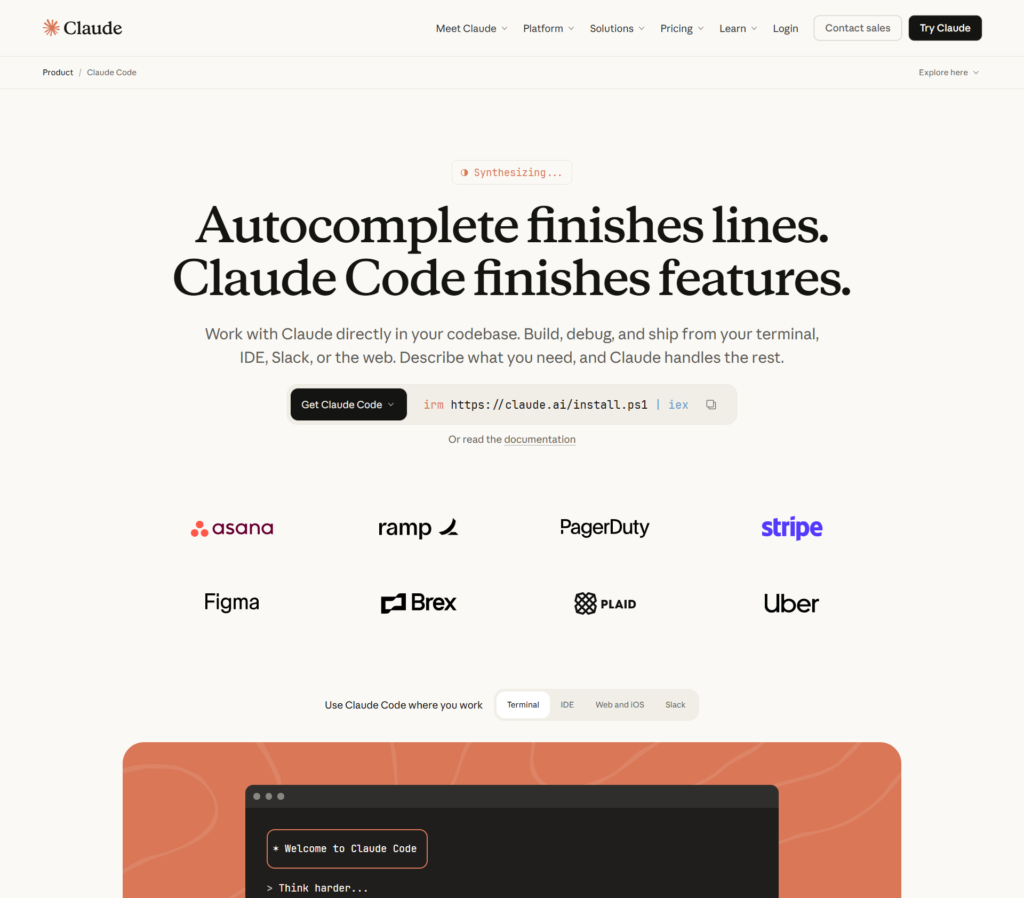
Unlike vibe coding platforms that build applications from scratch, Claude Code works with developers inside their existing projects. It’s an agentic coding tool that understands your entire codebase, makes multi-file edits, executes commands, and operates autonomously for extended periods.
The buzz around Claude Code reached a fever pitch in early 2026 when prominent developers started sharing their experiences. Andrej Karpathy, a legendary AI researcher, remarked that he’d “never felt this much behind as a programmer” after using it.
Jaana Dogan, a Principal Engineer at Google, publicly acknowledged that Claude Code generated in one hour what her team spent a year building.
These aren’t marketing claims. These are seasoned professionals expressing genuine astonishment at what the tool can accomplish.
How Claude Code Works
Claude Code operates entirely in your terminal. You install it in your project directory, and it becomes aware of your entire codebase structure. Unlike chat interfaces where you copy and paste code back and forth, Claude Code directly reads, writes, and modifies files in your project.
The tool is powered by Claude Opus 4.5 and Claude Sonnet 4.5, Anthropic’s most advanced AI models. These models excel at understanding complex code, reasoning through architectural decisions, and maintaining context over long conversations.
When you give Claude Code a task, it doesn’t just generate code snippets. It plans the implementation, creates multiple files if needed, installs dependencies, runs tests, checks for errors, and iterates until the task is complete. This autonomous workflow can continue for hours, with Claude making decisions and self-correcting without constant human oversight.
A key feature is the CLAUDE.md file, where you can define coding standards, architectural preferences, and project-specific guidelines. Claude reads this file and follows your rules throughout the development process, ensuring consistency with your existing codebase.
Claude Code offers two primary modes. Planning mode asks clarifying questions and produces a structured implementation plan without changing files. This is ideal when you’re not sure exactly what to build yet. Edit mode allows Claude to create and modify files automatically, making changes directly to your codebase.
The tool integrates seamlessly with GitHub, allowing Claude to read repository contents, create branches, and even work on pull requests. You can spawn multiple Claude sessions working on different branches simultaneously, effectively giving you multiple AI teammates.
Claude Skills, a newer feature, packages workflows and best practices into reusable modules that Claude automatically loads when needed. This makes common patterns even easier to implement and ensures consistency across your projects.
Claude Code Pricing Structure
Claude Code is available as part of Claude’s subscription plans rather than as a standalone product.

Here’s what you need to access it:
Claude Pro ($20/month): This plan gives you access to Claude Code with usage limits of approximately 10-40 prompts every five hours, depending on complexity. It includes Claude Sonnet 4.5 as the primary model. For light usage and small projects, this tier provides a good introduction to Claude Code’s capabilities.
Claude Max ($100/month) and Claude Unlimited ($200/month): These higher tiers provide more capacity for extended coding sessions and access to Claude Opus 4.5, which delivers superior code quality and handles more complex architectural decisions. The Max plan allows roughly 100-150 prompts per five hours, while Unlimited removes most restrictions.
API Access: Developers can also access Claude Code functionality through Anthropic’s API, paying per token used. This gives more precise control over costs but requires managing API keys and tracking usage yourself.
The pricing structure is more straightforward than credit-based systems like Emergent’s. You pay a monthly subscription and get access to the tool with defined usage limits rather than worrying about individual action costs.
Head-to-Head Comparison: Emergent vs Claude Code
Now that we understand each tool individually, let’s directly compare them across the dimensions that matter most when choosing an AI coding solution.
Development Philosophy and Use Case
Winner: Depends on Your Needs
This is the most critical distinction between Emergent.sh and Claude Code. They’re designed for fundamentally different workflows.
Emergent.sh is a vibe coding platform for building new applications from scratch. You describe what you want to build, and Emergent creates the entire application including frontend, backend, database, and deployment infrastructure. It’s perfect for non-technical founders, entrepreneurs testing ideas, and anyone who wants to go from concept to deployed application without writing code.
Claude Code is a development tool for programmers working in existing codebases. It assumes you have a project already set up and helps you add features, refactor code, fix bugs, and implement complex functionality. It’s designed for developers who want an AI teammate rather than an AI builder.
Think of it this way: Emergent.sh is like hiring an entire development team to build your app. Claude Code is like hiring a senior developer to join your existing team.
Target Audience
Emergent.sh is best for:
- Non-technical founders who need to build MVPs quickly
- Entrepreneurs testing multiple product ideas
- Small business owners who want custom software without hiring developers
- Product managers who need to prototype concepts before involving engineering teams
- Anyone who wants a finished application without touching code
Claude Code is best for:
- Professional developers who want to accelerate their workflow
- Engineering teams maintaining existing codebases
- Technical founders who code but want to move faster
- Developers learning new frameworks or technologies
- Anyone comfortable with terminal environments and version control
Speed to First Results
Winner: Emergent.sh
If you measure speed as time from initial idea to deployed application, Emergent.sh wins decisively. You can go from a blank slate to a live, functional application in minutes. The multi-agent system works quickly, and you don’t need to set up a development environment, install dependencies, or configure deployment.
Claude Code requires more setup. You need a local development environment, the project initialized, and at least basic technical knowledge to work with the terminal. However, once set up, Claude Code can implement complex features faster than most developers could manually code them.
The real question is whether you value speed to deployment (Emergent.sh) or speed to implementation within an existing project (Claude Code).
Code Quality and Maintainability
Winner: Claude Code
Multiple independent reviews and developer testimonials consistently praise Claude Code for producing cleaner, more maintainable code that follows best practices. The tool excels at understanding existing patterns in your codebase and maintaining consistency.
Developers report that Claude Code produces “less overall code reworks by close to 30%” and “gets things right in the first or second iteration” compared to alternatives. The code it generates integrates seamlessly with existing architectures and requires fewer refactoring cycles.
Emergent.sh produces functional code quickly, but users sometimes report needing additional refinement to reach production quality. The rapid generation speed occasionally comes at the cost of architectural consistency, especially in complex applications.
For prototypes and MVPs where code quality matters less, the difference is negligible. For applications you’ll maintain and scale long-term, Claude Code’s quality advantage becomes significant.
Learning Curve and Accessibility
Winner: Emergent.sh
Emergent.sh has a gentler learning curve for complete beginners. The conversational interface feels natural, and you don’t need technical knowledge to get started. You describe what you want, answer clarifying questions, and watch your application come to life.
Claude Code requires terminal proficiency, understanding of development workflows, and at least basic programming knowledge. You need to know how to set up projects, manage dependencies, and work with version control. While Claude makes development easier, it doesn’t eliminate the need for technical literacy.
If you’re a non-technical founder or someone exploring software development for the first time, Emergent.sh is far more approachable. If you’re already a developer, Claude Code’s terminal-centric workflow will feel natural.
Flexibility and Customization
Winner: Claude Code
Claude Code operates in your local environment, giving you complete control over every aspect of your project. You can customize the tech stack, integrate any libraries, modify any files, and deploy to any platform. You own the code and the entire development process.
Emergent.sh offers less flexibility. You’re working within the platform’s supported frameworks and integrations. While you can export code to GitHub and customize it externally, the platform itself constrains your technology choices during the build process.
For developers who need specific libraries, unconventional architectures, or integration with proprietary systems, Claude Code’s flexibility is invaluable.
Pricing Transparency and Predictability
Winner: Claude Code
Claude Code’s subscription-based pricing provides clearer cost expectations. You pay a monthly fee and know exactly what you’re getting. While usage limits exist, they’re clearly defined upfront.
Emergent.sh’s credit-based system frustrates many users because consumption feels unpredictable. Complex features can burn through credits faster than expected, and the surprise deployment cost catches people off guard. There’s no clear menu showing how much different actions will consume.
If you need predictable budgeting, Claude Code’s flat subscription model is easier to manage than Emergent’s consumption-based pricing.
Autonomous Capabilities
Winner: Claude Code
Claude Code’s ability to work autonomously for extended periods sets it apart. It can spend hours implementing complex features, debugging issues, and making architectural improvements without constant human intervention. Developers report sessions where Claude works continuously for 30 minutes to several hours, making decisions and self-correcting along the way.
Emergent.sh’s agents work autonomously during the initial build process, but the platform is designed for faster, more directed interactions. You describe what you want, and the agents build it quickly rather than working through extended problem-solving sessions.
For complex refactoring projects, architectural improvements, or implementing sophisticated features, Claude Code’s extended autonomy is powerful.
Integration and Deployment
Winner: Emergent.sh
Emergent.sh includes integrated deployment infrastructure. You can take your application from concept to live URL without leaving the platform. It handles hosting, domain configuration, and deployment automatically.
Claude Code helps you write code but doesn’t handle deployment. You’ll need to set up your own hosting, configure continuous integration and deployment pipelines, and manage infrastructure separately. While this gives you more control, it requires more technical expertise.
For builders who want a complete solution from development through deployment, Emergent.sh’s integrated approach removes friction.
Community and Support
Winner: Tie
Emergent.sh has a larger user base (700,000+ users) with growing community resources, tutorials, and documentation. The platform is relatively young but rapidly building educational content.
Claude Code benefits from Anthropic’s investment in developer education. The company offers free courses, comprehensive documentation, and active engagement with the developer community. Being built by Anthropic, the team behind one of the leading AI models, provides confidence in long-term support and development.
Both platforms offer responsive support, though direct access to support teams varies by plan tier.
Real-World Use Cases: Which Tool Should You Choose?
Different scenarios clearly favor different tools. Here’s specific guidance based on common use cases:
For Complete Beginners and Non-Technical Founders
Choose: Emergent.sh
If you’ve never written code and want to build a functional application, Emergent.sh is the clear choice. The conversational interface requires no technical knowledge, and you can go from idea to deployed app in an afternoon.
Claude Code assumes terminal proficiency and basic programming knowledge. Without these foundations, you’ll struggle to use it effectively.
For Professional Developers
Choose: Claude Code
If you’re an experienced developer working on existing projects, Claude Code dramatically accelerates your workflow. It understands complex codebases, maintains architectural consistency, and produces high-quality code that integrates seamlessly with your work.
Emergent.sh targets a different audience and won’t provide the deep codebase understanding and multi-file editing capabilities that professional developers need.
For Rapid MVP Development and Idea Testing
Choose: Emergent.sh
When you need to test three different product concepts this week, Emergent.sh’s speed is invaluable. Build each MVP in minutes, deploy quickly, gather user feedback, and iterate based on what you learn.
Claude Code requires more setup and works better for developers building deliberately rather than entrepreneurs testing ideas rapidly.
For Complex Feature Implementation
Choose: Claude Code
When you need to implement a sophisticated feature across multiple files in an existing application, Claude Code’s autonomous capabilities shine. It can plan the architecture, make coordinated changes across your codebase, and ensure everything works together correctly.
Emergent.sh builds complete applications well but isn’t designed for adding features to existing projects.
For Client Projects and Freelance Work
Choose: Depends on Your Role
If you’re a non-technical freelancer building simple applications for clients, Emergent.sh lets you deliver functional products quickly.
If you’re a developer freelancer working on client codebases, Claude Code helps you implement features faster and maintain code quality standards.
For Learning to Code
Choose: Claude Code
Claude Code provides detailed explanations alongside its code generation, making it an excellent learning tool. You can ask questions about why it made certain decisions, understand different approaches to problems, and learn best practices by observing high-quality code generation.
Emergent.sh abstracts away the coding process entirely, which doesn’t help you learn programming fundamentals.
For Refactoring and Modernizing Legacy Code
Choose: Claude Code
Claude Code excels at understanding existing codebases and making systematic improvements. It can refactor code for better performance, update deprecated dependencies, and modernize architectural patterns while maintaining functionality.
Emergent.sh builds new applications rather than working with existing code.
For Building Internal Tools and Dashboards
Choose: Emergent.sh
If you need a quick internal dashboard for your team or a workflow automation tool, Emergent.sh’s speed and simplicity win. These use cases don’t require perfect code quality or extensive customization. You just need something that works, and you need it fast.
Common Misconceptions About Emergent.sh and Claude Code
As these tools gain popularity, several misconceptions have emerged. Let’s clear them up:
“They’re Direct Competitors”
False. Emergent.sh and Claude Code serve different purposes. Emergent.sh builds new applications from scratch for non-technical users. Claude Code assists developers working in existing codebases. They’re complementary tools, not competitors.
You might use Emergent.sh to prototype an idea quickly, then export the code and continue development with Claude Code if you have technical resources.
“Claude Code Will Replace Developers”
False. Claude Code makes developers more productive, but it doesn’t eliminate the need for human expertise. Complex architectural decisions, product strategy, user experience design, and many other aspects of software development still require human judgment.
Think of Claude Code as a powerful tool that augments developers rather than replacing them.
“Emergent.sh Can Build Any Application.”
Partially True. Emergent.sh can build a wide range of applications, but it works best for standard patterns and common use cases. Highly specialized applications with unique requirements may hit limitations.
The platform excels at SaaS tools, internal dashboards, e-commerce sites, and many common application types. Complex enterprise software with specialized compliance requirements or unconventional architectures may require traditional development.
“You Don’t Need Technical Knowledge to Use Claude Code”
False. Claude Code requires terminal proficiency, understanding of version control, and at least basic programming knowledge. While it makes development easier, it doesn’t eliminate the need for technical literacy.
If you’re not comfortable with command line interfaces and development workflows, start with Emergent.sh or learn these fundamentals before tackling Claude Code.
“Emergent.sh Credit Costs Are Transparent”
Partially True. While Emergent.sh publishes its pricing plans, predicting exactly how many credits a project will consume remains difficult. Complex features can use more credits than expected, and the 50 credit monthly deployment cost surprises many users.
Read user reviews and understand the credit system thoroughly before committing to projects on the Standard plan.
The Verdict: Emergent.sh vs Claude Code in 2026
After extensive analysis, here’s the bottom line: there is no universal winner in the Emergent.sh vs Claude Code comparison. These tools serve fundamentally different purposes, and the right choice depends entirely on your specific situation.
Choose Emergent.sh if:
- You’re a non-technical founder who needs to build applications without learning to code
- You want to test multiple product ideas rapidly
- You need to go from concept to deployed application as quickly as possible
- You don’t have an existing codebase to work with
- You prefer a guided, conversational interface over terminal commands
- You’re building standard web or mobile applications with common patterns
- You want an all-in-one solution that handles development and deployment
Choose Claude Code if:
- You’re a developer who wants to accelerate your existing workflow
- You have an existing codebase that needs new features or improvements
- You’re comfortable working in terminal environments
- You need deep codebase understanding and multi-file editing capabilities
- Code quality and architectural consistency matter for your project
- You want to learn advanced development techniques through AI assistance
- You need flexibility in technology stack and deployment options
- You’re working on complex refactoring or modernization projects
Consider using both if:
- You’re a technical founder who prototypes with Emergent.sh and continues development with Claude Code
- You use Emergent.sh for client MVPs and Claude Code for production development
- You want to learn by comparing Emergent.sh’s generated code with Claude Code’s explanations
Frequently Asked Questions
Can I use both Emergent.sh and Claude Code together?
Yes, and this combination can be powerful. You might use Emergent.sh to quickly build an initial version of your application, export the code to GitHub, and then use Claude Code to add advanced features, refactor for better architecture, and optimize performance. This workflow gives you speed to market plus long-term code quality.
Which tool is better for someone with zero coding experience?
Emergent.sh is clearly better for complete beginners. Claude Code requires terminal proficiency and basic programming knowledge. Emergent.sh works through conversational interfaces that anyone can use, regardless of technical background.
Can Claude Code build applications from scratch like Emergent.sh?
Yes, but it’s not designed for this use case. Claude Code can create new projects, but you’ll need to set up the development environment, choose the tech stack, and guide the process. Emergent.sh handles all this automatically. If you’re starting from zero with no technical knowledge, Emergent.sh is much easier.
How do costs compare for a typical project?
For a moderately complex application, Emergent.sh might consume 150-200 credits including deployment (approximately $30-40 if you’re buying credits beyond the Standard plan allocation). Claude Code would cost $20-100/month depending on your subscription tier, but you can work on unlimited projects during that month. The economics favor Claude Code for developers working on multiple projects, while Emergent.sh makes sense for single project builds.
Can I export code from Emergent.sh and continue developing elsewhere?
Yes, Emergent.sh includes GitHub integration that allows code export. You can download your application and continue development using any tools you prefer, including Claude Code. You’re not permanently locked into the Emergent ecosystem.
Does Claude Code work with all programming languages?
Claude Code works with virtually all major programming languages including Python, JavaScript, TypeScript, Java, C++, Go, Rust, and many others. It adapts to whatever languages and frameworks your project uses.
Which tool has better AI models?
Claude Code is powered by Claude Opus 4.5 and Sonnet 4.5, which are among the most advanced AI models available in 2026. Emergent.sh uses Claude Sonnet 4 in its multi-agent system. Both leverage cutting-edge AI technology, but Claude Code uses the absolute latest models from Anthropic.
Can Emergent.sh handle mobile app development?
Yes, Emergent.sh supports mobile app development for both iOS and Android. The platform can generate native mobile applications as part of its standard offering.
Is Claude Code available outside the terminal?
Claude Code is primarily a terminal-based tool, but you can also access similar functionality through Claude Desktop and various IDE extensions. However, the core Claude Code experience is built for command line usage.
Which tool is better for team collaboration?
Emergent.sh includes built-in collaboration features within the platform. Claude Code integrates with standard development workflows using Git, making it better for teams already using version control and code review processes. For technical teams, Claude Code’s integration with existing workflows is superior. For non-technical teams, Emergent.sh’s built-in features are more accessible.
The Future of AI-Assisted Development
Both Emergent.sh and Claude Code represent significant advances in how software gets built. Emergent.sh democratizes application development, allowing non-technical founders to build products that previously required engineering teams. Claude Code amplifies developer productivity, enabling individual programmers to accomplish what once required entire teams.
These tools aren’t replacing traditional development. They’re expanding what’s possible and who can participate in creating software. Non-technical founders can now test ideas and build MVPs without raising capital for development. Developers can tackle more ambitious projects with the same resources. Small teams can compete with larger organizations.
The competitive landscape continues evolving rapidly. New vibe coding platforms launch monthly. AI models improve at an astonishing pace. Features that seem cutting-edge today will be standard tomorrow.
What remains constant is the importance of choosing the right tool for your specific needs. Don’t get caught up in hype or feature lists. Think carefully about your technical capabilities, project requirements, timeline, and long-term goals.
If you’re a non-technical founder with a product idea, start with Emergent.sh. Build your MVP, validate with real users, and prove your concept. You can always migrate to more sophisticated development tools later if your product gains traction.
If you’re a developer looking to accelerate your workflow, try Claude Code. The learning curve is minimal if you’re already comfortable with terminal environments, and the productivity gains are substantial. Many developers report becoming 20-30% more productive within weeks of adoption.
The most important step is simply getting started. Download Claude Code, sign up for Emergent.sh, and start building. The barrier to creating software has never been lower. The only question is what you’ll build with these powerful new tools.
Your next breakthrough application might be just a conversation away.
Read related article:
Emergent promo code: Get 5% Off on all payments you’ll make