
For most marketers, Unbounce is the better pick. It costs less than Instapage at comparable tiers, unlocks A/B testing earlier, and adds Smart Traffic, an AI feature Instapage has no equivalent for. Instapage is the better pick for agencies and larger teams that review pages together and manage a lot of ad groups, because of its built-in commenting and its AdMap tool.
That’s the short version. The details matter, though, because both tools gate their best features behind higher plans, and both cap your monthly visitors.
If you pay for traffic from Google Ads or Meta, a landing page builder that doesn’t fit your volume or your workflow gets expensive fast. Below, you’ll find a side-by-side look at pricing, builders, AI tools, A/B testing, integrations, collaboration, and who each platform really suits.
Unbounce vs Instapage: quick comparison
| Feature | Unbounce | Instapage |
|---|---|---|
| Entry price (monthly billing) | $99/mo (Build); $29/mo Starter with 500 visitors | $99/mo (Create) |
| Entry price (annual billing, per month) | $74 (Build) | $79 (Create) |
| Visitors on main entry plan | 20,000/mo | 15,000/mo |
| A/B testing starts at | Experiment: $149/mo ($112 annual) | Optimize: $199/mo ($159 annual) |
| AI traffic routing | Smart Traffic (Optimize, $249/mo) | Not offered |
| AI copy tools | Included from the Build plan | Included on all plans |
| Dynamic text replacement | Experiment and above | Optimize and above |
| Ad-to-page mapping | No | AdMap (higher tiers) |
| Team features | 1 user on Build, 3 on Experiment, 5 on Optimize | 10 team members, Slack-style commenting |
| Integrations | 1,000+ advertised, plus Zapier | Fewer native integrations, plus Zapier |
| Free trial | 14 days | 14 days |
| Best for | Solo marketers and small teams testing PPC pages | Agencies and teams running many ad campaigns |
Prices are in US dollars and reflect published plan details as of October 2026. Both vendors change plans from time to time, so check the current pricing page before you buy.
How do Unbounce and Instapage differ?
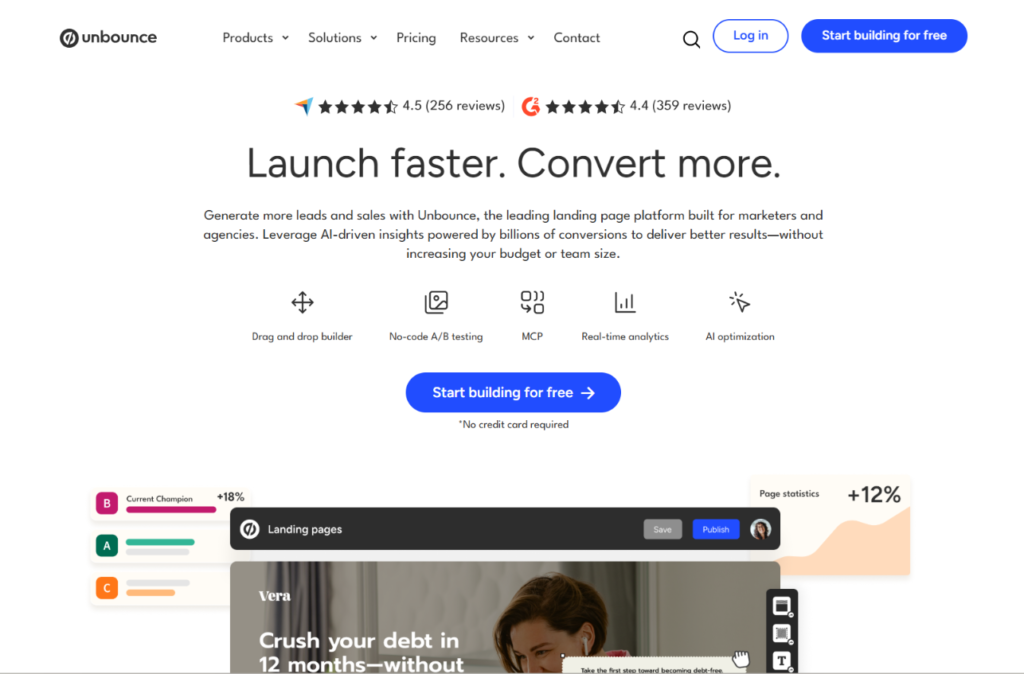
Unbounce has been around since 2009 and built its reputation on conversion optimization. Its headline feature, Smart Traffic, uses machine learning to send each visitor to the page variant most likely to convert for them, instead of waiting for a classic A/B test to finish. The product is aimed at marketers who want to launch pages quickly and let the data pick winners.
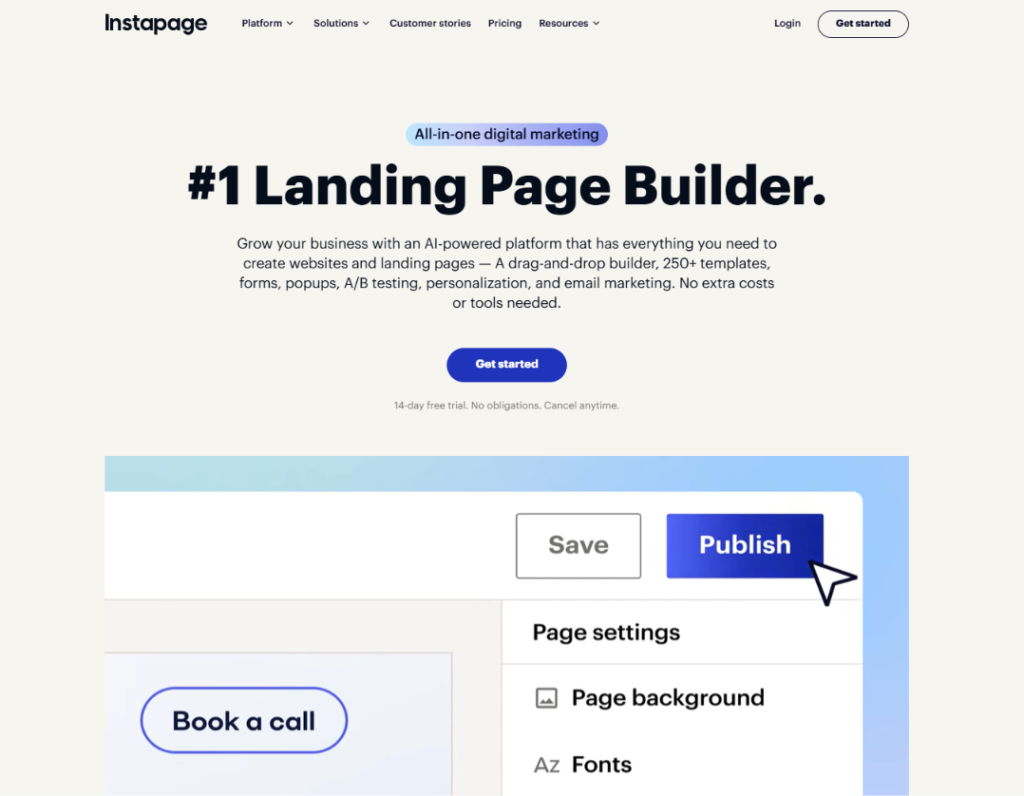
Instapage launched in 2012 and focuses on the post-click experience for paid ads. Its main idea is that a page should match the ad that sent the visitor there. That’s why it built AdMap, a visual tool that connects ad groups to landing pages, and why it puts so much into collaboration features like in-page comments.
Both are premium builders with premium prices. The difference is workflow. Unbounce leans toward testing and automation. Instapage leans toward ad alignment and teamwork.
Unbounce vs Instapage pricing
Pricing is where most people make their decision, so it gets the most space here.
Unbounce pricing
| Plan | Monthly | Annual (per month) | Visitors | Users | What you get |
|---|---|---|---|---|---|
| Starter | $29 | $22 | 500 | 1 | 5 pages, 1 root domain |
| Build | $99 | $74 | 20,000 | 1 | Unlimited pages, popups, sticky bars, AI copywriting, custom scripts, 1 root domain |
| Experiment | $149 | $112 | 30,000 | 3 | Everything in Build, plus unlimited A/B testing and dynamic text replacement, 2 root domains |
| Optimize | $249 | $187 | 50,000 | 5 | Everything in Experiment, plus Smart Traffic, 3 root domains |
| Concierge / Agency | Custom | Custom | Custom | Custom | Dedicated support for high-volume teams and agencies |
Annual billing saves 25%. One change worth knowing about: Unbounce bills overage at $80 per extra 10,000 visitors, so a campaign that takes off can raise your bill even if you stay on the same plan.
Instapage pricing
| Plan | Monthly | Annual (per month) | Visitors | What you get |
|---|---|---|---|---|
| Create | $99 | $79 | 15,000 | Drag-and-drop builder, reusable blocks, AI content generation, Slack-style commenting, 10 team members, 2 subdomains. No A/B testing |
| Optimize | $199 | $159 | 30,000 | Server-side A/B testing, hypothesis setting, dynamic text replacement, multi-step forms, page scheduling |
| Optimize (higher band) | $299 | $239 | 50,000 | Same features with more traffic |
| Convert | Custom | Custom | Custom | Enterprise tier with heatmaps, editable global blocks, and a dedicated customer success manager |
Pages, conversions, and contacts are unlimited on every Instapage plan. Visitors are what you pay for.
Which one costs less?
At the entry level the two look similar: both start at $99 a month. On annual billing, Unbounce Build ($74) is $5 cheaper per month than Instapage Create ($79), and it gives you 5,000 more visitors.
The gap gets wider once you want testing. A/B testing on Unbounce starts with the Experiment plan at $149 a month ($112 annual) with 30,000 visitors. On Instapage, the comparable Optimize plan is $199 a month ($159 annual) with the same 30,000 visitors. Over a year on annual billing, that’s $1,344 for Unbounce versus $1,908 for Instapage, a difference of $564.
At 50,000 visitors, Unbounce Optimize costs $249 a month ($187 annual) and includes Smart Traffic. Instapage’s 50,000-visitor Optimize band costs $299 a month ($239 annual).
One caution applies to both. Neither company is known for generous refunds, so test the free trial properly before you prepay for a year.
Winner on price: Unbounce, at nearly every comparable tier.
Page builder and ease of use
Neither tool requires code, but they feel different once you start building.
Unbounce uses a free-form drag-and-drop canvas. You can drop text, images, forms, buttons, and video anywhere without being locked to a grid, and you can add custom scripts and tracking pixels directly. The Smart Builder generates a starting layout based on your goal and industry, which saves time when you’re facing a blank page. The tradeoff is a learning curve. Expect to spend a few sessions before the editor feels natural.
Instapage also uses drag and drop, but with a grid-based alignment system that keeps layouts tidy without manual nudging. Pages tend to look polished out of the box, which helps teams that need to stick to a brand standard. It also offers reusable blocks you can save and drop into new pages. Global Blocks, which update a shared section across many pages at once, sit on the higher tiers rather than the entry plan. Mobile editing is available, though mobile tweaks can take extra manual work.
Winner: Instapage for visual consistency and teams. Unbounce for creative freedom.
Landing page templates
Unbounce offers more than 100 templates organized by goal, such as leads, clicks, and sales, and they’re built with conversion in mind. Instapage offers a larger library, with hundreds of templates sorted by use case and campaign type, and its designs lean toward visual polish.
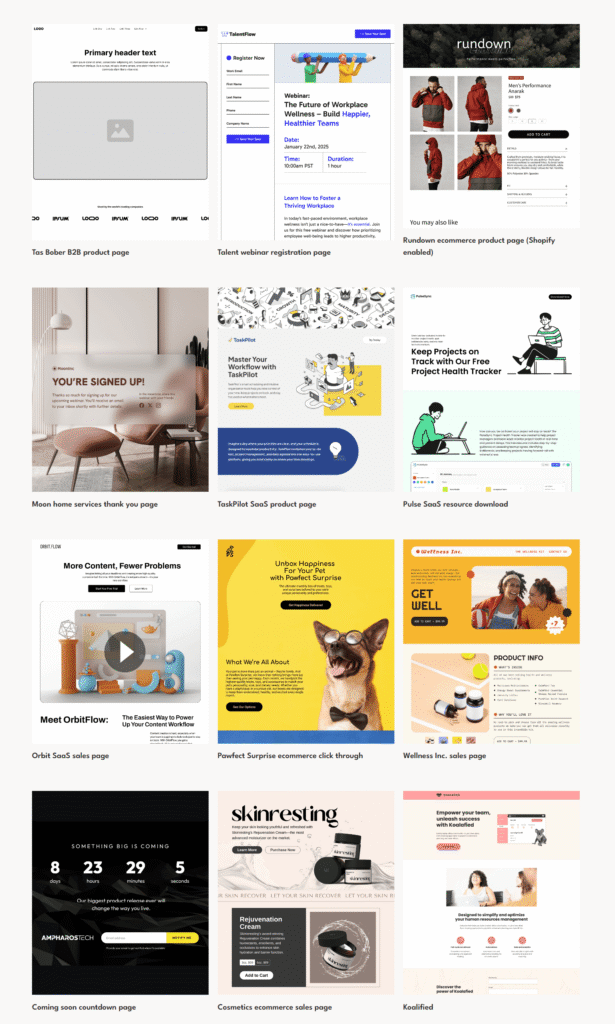
In both tools, you can change anything after loading a template. Neither locks you into a rigid structure.
Winner: Instapage for volume. Unbounce if you’d rather browse a smaller, goal-based set.
AI features compared
Unbounce Smart Traffic
Smart Traffic is the standout. Instead of splitting traffic evenly and waiting for statistical significance, it looks at visitor attributes such as device, location, and browser, then routes each person to the variant most likely to convert for them. Unbounce says it can start optimizing after as few as 50 visits and reports an average lift of 30% for customers who turn it on. That’s the company’s own figure, so treat it as a best-case benchmark rather than a promise.
Smart Traffic is only available on the Optimize plan ($249 a month, or $187 on annual billing). It also helps most when you have at least two meaningfully different page variants. If your variants are nearly identical, there’s little for the AI to optimize.
AI copywriting
Unbounce includes AI copywriting from the Build plan. It drafts headlines, calls to action, and body copy from a short brief. Instapage includes an AI content generator on every plan, with output tuned to advertising use, which is handy when you need to produce many page variants for different campaign segments. At the enterprise level, Instapage also lists AI Experiments, which suggest what to test based on your performance data.
Winner: Unbounce for AI-driven optimization. Instapage for AI content access on every plan.
A/B testing and personalization
Unbounce unlocks A/B testing on the Experiment plan. You get unlimited variants, manual traffic splitting, and reporting on conversion rate and form submissions. Dynamic text replacement (DTR) arrives at the same tier.
DTR swaps the words on your page, such as the headline or button text, to match the search term or ad a visitor came from. For paid search, that match between ad and page is one of the most effective levers you have. You can also run Smart Traffic next to manual tests on the Optimize plan.
Instapage starts A/B testing on the Optimize plan and uses server-side testing, which avoids the flicker some client-side tools cause when visitors briefly see the wrong version. It also asks you to write a hypothesis before each experiment, a small detail that nudges you toward more disciplined testing. Dynamic text replacement is included at the same tier.
The practical difference is price and automation. Unbounce gets you to testing for less money and adds Smart Traffic above it. Instapage gets you a cleaner testing method and a more structured process, but at a higher entry cost.
Winner: Close. Unbounce wins on cost and automation, Instapage on testing method.
Integrations
Landing pages feed your CRM, email platform, and analytics, so integrations matter. Unbounce advertises more than 1,000 integrations, including HubSpot, Salesforce, Marketo, Mailchimp, ActiveCampaign, and Google Analytics, and it connects to thousands more apps through Zapier and webhooks.
It also accepts custom scripts and pixels, so you can wire up tools that aren’t on the official list.
Instapage has a shorter list of native integrations. The big names are covered, including HubSpot, Salesforce, Marketo, and Mailchimp, and it also connects to other apps through Zapier. For a team with a standard CRM and ad stack, that’s plenty. For a team with unusual tools, Unbounce gives you more room.
Winner: Unbounce.
Instapage AdMap
AdMap is the one feature Unbounce has nothing like. It’s a visual dashboard that links your Google Ads and Facebook Ads campaigns to the landing pages they send traffic to. You can see which ad groups have a dedicated page and which don’t, and you can build a missing page from the same screen. If you manage hundreds of ad groups, that overview saves real audit time.
The value ties back to ad relevance. When a page matches the ad that sent the click, visitors are more likely to convert, and a relevant landing page experience is one of the factors in Google Ads Quality Score, which influences what you pay per click.
A caution before you buy for this feature alone: AdMap is limited to Instapage’s upper tiers, and Instapage has adjusted which features sit on which plan over time. Confirm the current plan on its pricing page.
Winner: Instapage, since Unbounce has no equivalent.
Collaboration and team features
If you work alone, you can skip this part. If you share pages with clients or teammates, it matters a lot.
Instapage includes Slack-style commenting. Team members and clients leave notes on specific parts of a page, tag each other, and resolve threads when changes are made. That replaces the usual back-and-forth of screenshots and email. Create and Optimize plans include up to 10 team members.
Unbounce handles teams through user seats. Build includes 1 user, Experiment includes 3, and Optimize includes 5, with more available on custom plans. It doesn’t offer the same on-page commenting workflow. If several people review every page, that gap shows up quickly.
Winner: Instapage, clearly.
Page speed
Both platforms host your pages, so you don’t need separate hosting. Speed depends mostly on what you put on the page: large images, many tracking scripts, and heavy embeds all slow it down. Whichever tool you choose, run your published page through Google PageSpeed Insights before you send paid traffic to it, and compress images before uploading.
Customer support
Both companies offer help documentation and support on all plans, with more hands-on service at the top end. Instapage’s Convert plan includes a dedicated customer success manager. Unbounce’s Concierge tier adds dedicated support and onboarding help. For small teams on entry plans, expect standard support rather than a personal contact.
Pros and cons
Unbounce
Pros
- Smart Traffic is a distinctive AI optimization tool
- Lower price at comparable tiers, and earlier access to A/B testing
- More visitors on the entry plan (20,000 vs 15,000)
- 1,000+ integrations plus Zapier
- Free-form builder with custom scripts and pixels
Cons
- No AdMap or ad-to-page mapping
- No native on-page commenting for team feedback
- Single-user entry plans
- Smart Traffic requires the $249 Optimize plan
- Overage fees of $80 per extra 10,000 visitors
Instapage
Pros
- AdMap links ad campaigns to landing pages
- Slack-style commenting and 10 team members on every standard plan
- Server-side A/B testing with a built-in hypothesis step
- Large template library and polished, grid-based layouts
- AI content tools on every plan
Cons
- No A/B testing on the $99 Create plan
- Lower visitor caps (15,000 on Create)
- Higher price than Unbounce at comparable tiers
- Heatmaps, editable global blocks, and other enterprise tools need the custom-priced Convert plan
- Fewer native integrations
Who should use which?
Choose Unbounce if you:
- Run PPC campaigns and want AI routing to get more from the traffic you already pay for
- Work solo or on a small team
- Want A/B testing at the lowest possible price
- Use a lot of third-party tools and need a wide integration list
- Want a free-form canvas and the ability to add custom code
Choose Instapage if you:
- Manage many ad groups and want AdMap to keep ads and pages matched
- Work with clients or teammates who need to comment on pages before launch
- Prefer server-side testing and a structured experiment process
- Want a bigger template library and a clean, grid-based editor
- Have the budget for the Convert plan and want a dedicated success manager
Final verdict
Neither tool is the best for everyone, but the pricing makes the call easier than it first looks. Unbounce gives you more visitors, cheaper testing, and Smart Traffic. If you’re a performance marketer, a freelancer, or part of a small team, it’s the stronger default, and it’s the one I’d start a trial with first.
Instapage earns its higher price in one situation: when a team reviews pages together and runs enough ad campaigns that keeping ads and pages aligned becomes a job in itself. In that case, commenting and AdMap save more time than the extra cost.
Whichever you choose, take the 14-day trial seriously. Build one real page, connect your CRM, and check your expected monthly visitors against the plan limits. That one test will tell you more than any comparison, including this one.
Frequently asked questions
Is Unbounce better than Instapage?
For most marketers, yes. Unbounce costs less at comparable tiers, includes more visitors on its entry plan, unlocks A/B testing at a lower price, and offers Smart Traffic. Instapage is better for teams that need on-page commenting and AdMap.
How much do Unbounce and Instapage cost?
Unbounce runs from a $29 Starter plan up to $249 a month for Optimize, with Build at $99 and Experiment at $149. Instapage costs $99 a month for Create and $199 for Optimize (30,000 visitors), with a $299 band for 50,000 visitors and custom pricing for Convert. Annual billing lowers both: Unbounce saves 25% and Instapage about 20%.
Does Unbounce or Instapage have a free plan?
Neither has a permanent free plan. Both offer a 14-day free trial.
What is Unbounce Smart Traffic?
Smart Traffic is Unbounce’s AI routing feature. It uses visitor attributes like device, location, and browser to send each person to the page variant most likely to convert. Unbounce says it can start optimizing after about 50 visits. It’s available on the Optimize plan.
What is Instapage AdMap?
AdMap is an Instapage tool that maps your Google Ads and Facebook Ads campaigns to their landing pages. It helps you spot ad groups without a matching page and build one from the same view. It’s available on Instapage’s higher-tier plans.
Which landing page builder is better for beginners?
Both work for beginners. Instapage’s grid-based editor is more forgiving about alignment, while Unbounce’s free-form canvas gives you more control but takes a little longer to learn. Unbounce’s Smart Builder can generate a starting layout if you’d rather not begin from scratch.
Read more articles:
Unbounce Coupon Code: Get Upto 35% Discount
